



For part 1 click here :- https://www.electronicwings.com/users/PrinceJha/projects/6571/smart-agentic-voice-controlled-assistive-device-for-the-visually-impaired
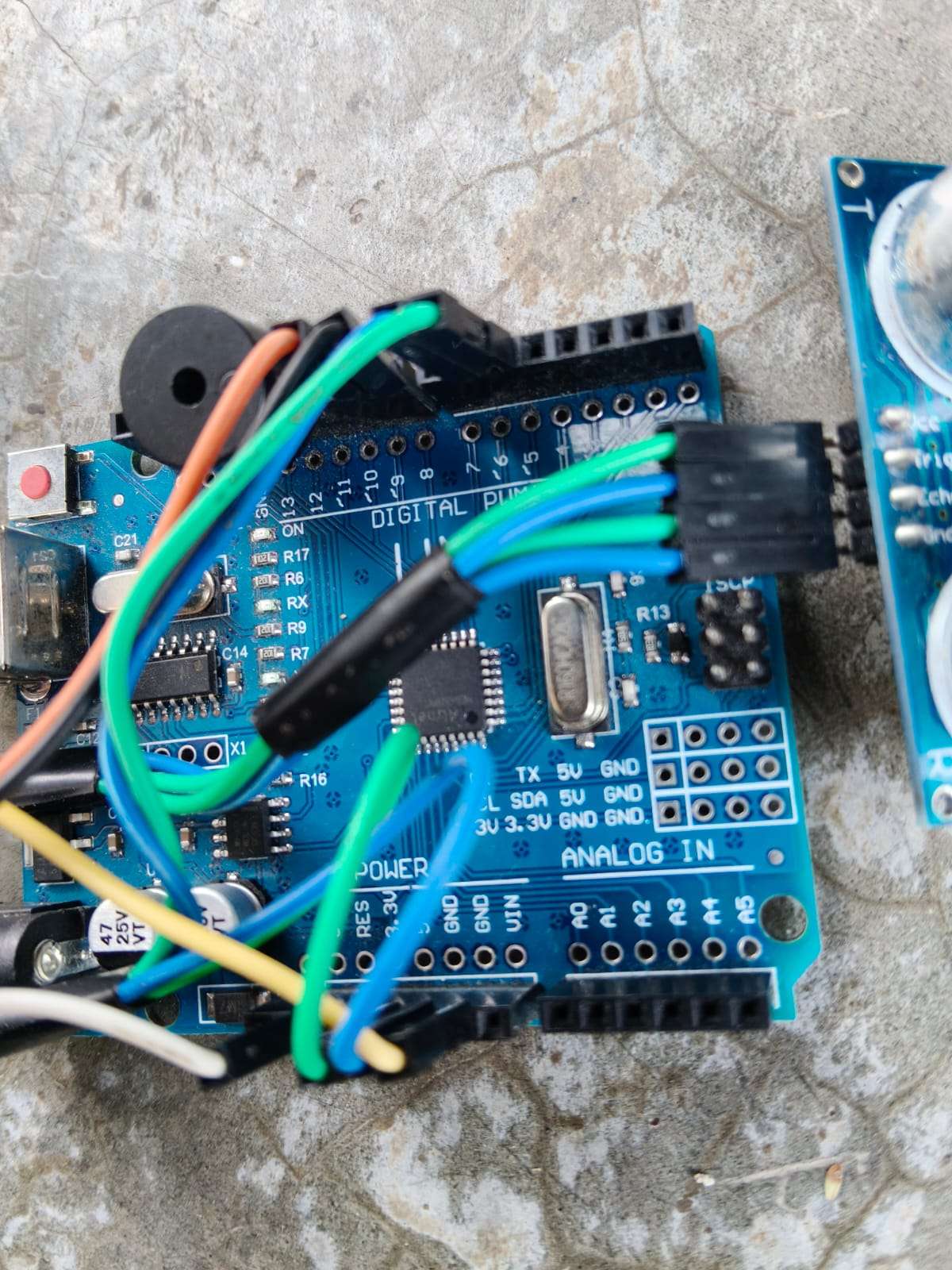
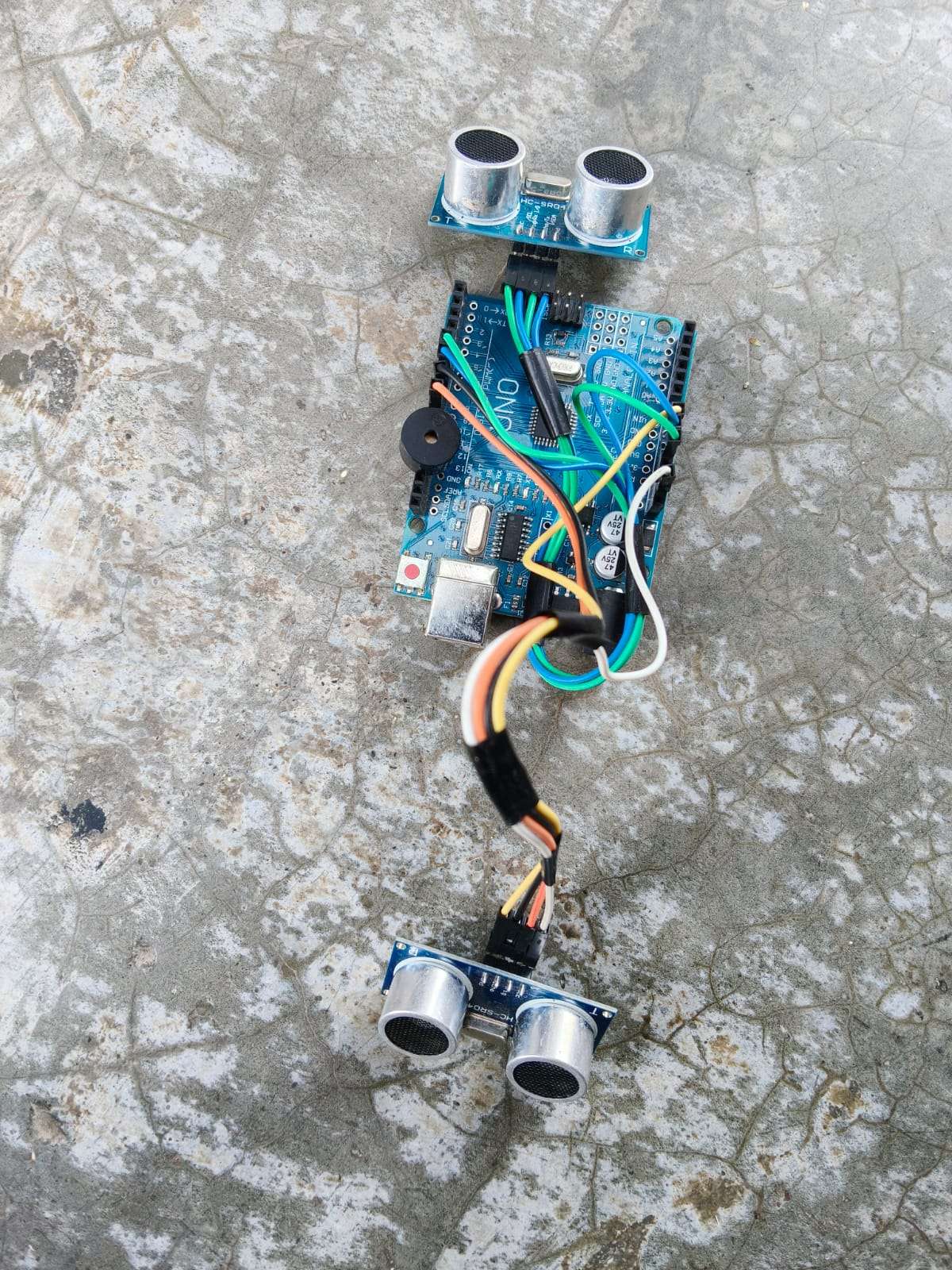
step 4:- Wiring Schematic
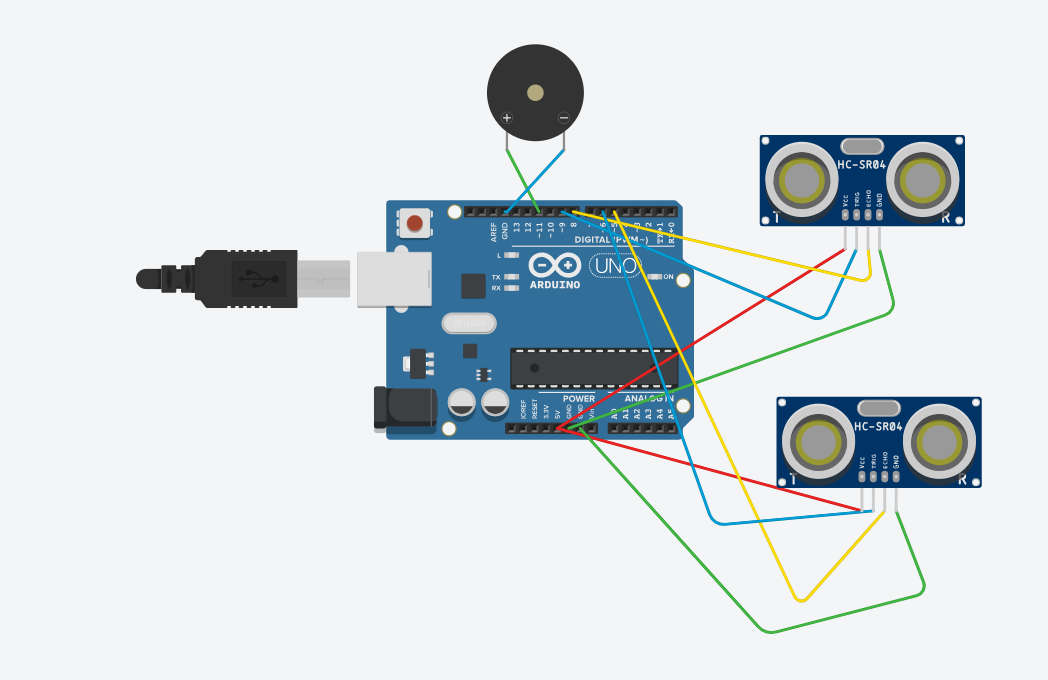
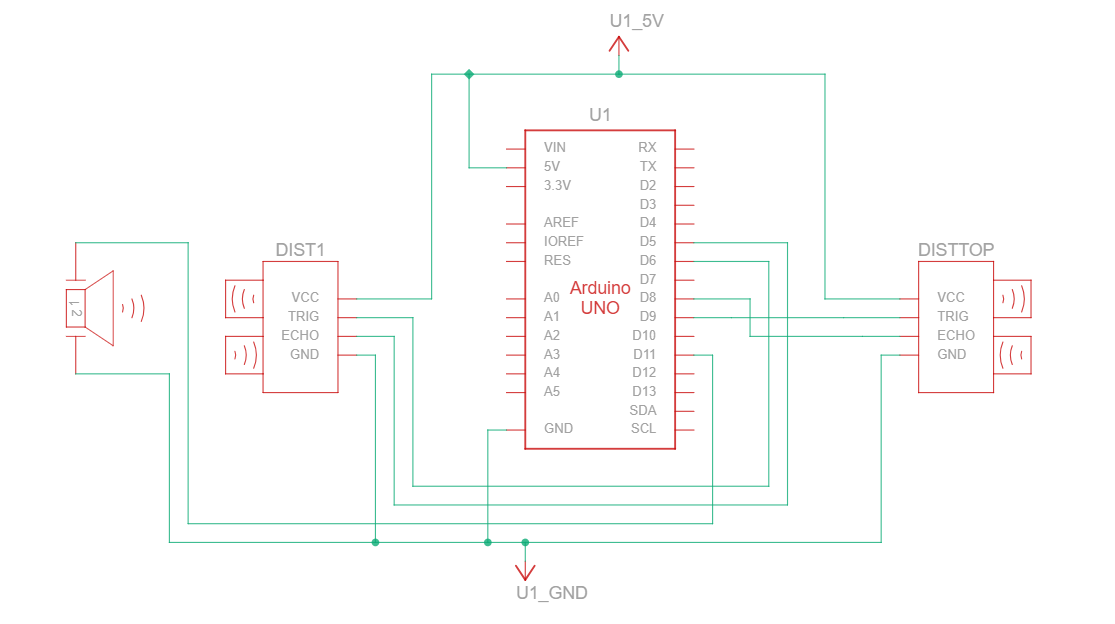
Pin Connection Table
| Component | VCC | TRIG | ECHO | GND | Other |
|---|---|---|---|---|---|
| Top Sensor | 5V | D9 | D8 | GND | - |
| Bottom Sensor | 5V | D6 | D5 | GND | - |
| Buzzer | - | - | - | GND | Positive (+) → D11 |
Top Sensor (HC-SR04):
VCC → 5V
TRIG → D9
ECHO → D8
GND → GND
Bottom Sensor (HC-SR04):
VCC → 5V
TRIG → D6
ECHO → D5
GND → GND
Buzzer (5V Active):
Positive (+) → D11
Negative (-) → GND
Power (OTG from Phone):
OTG 5V → VIN (or 5V pin)
OTG GND → GND
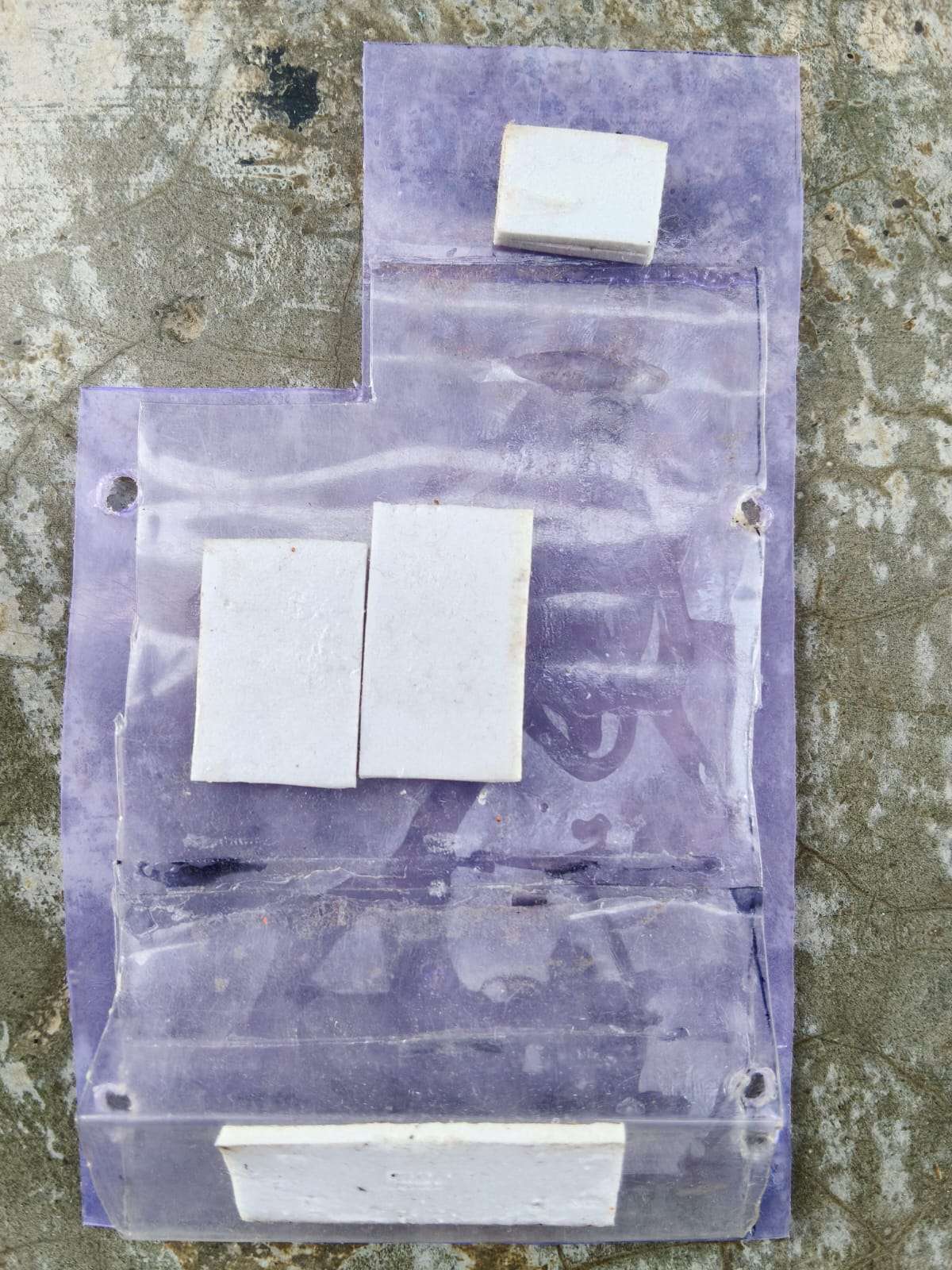
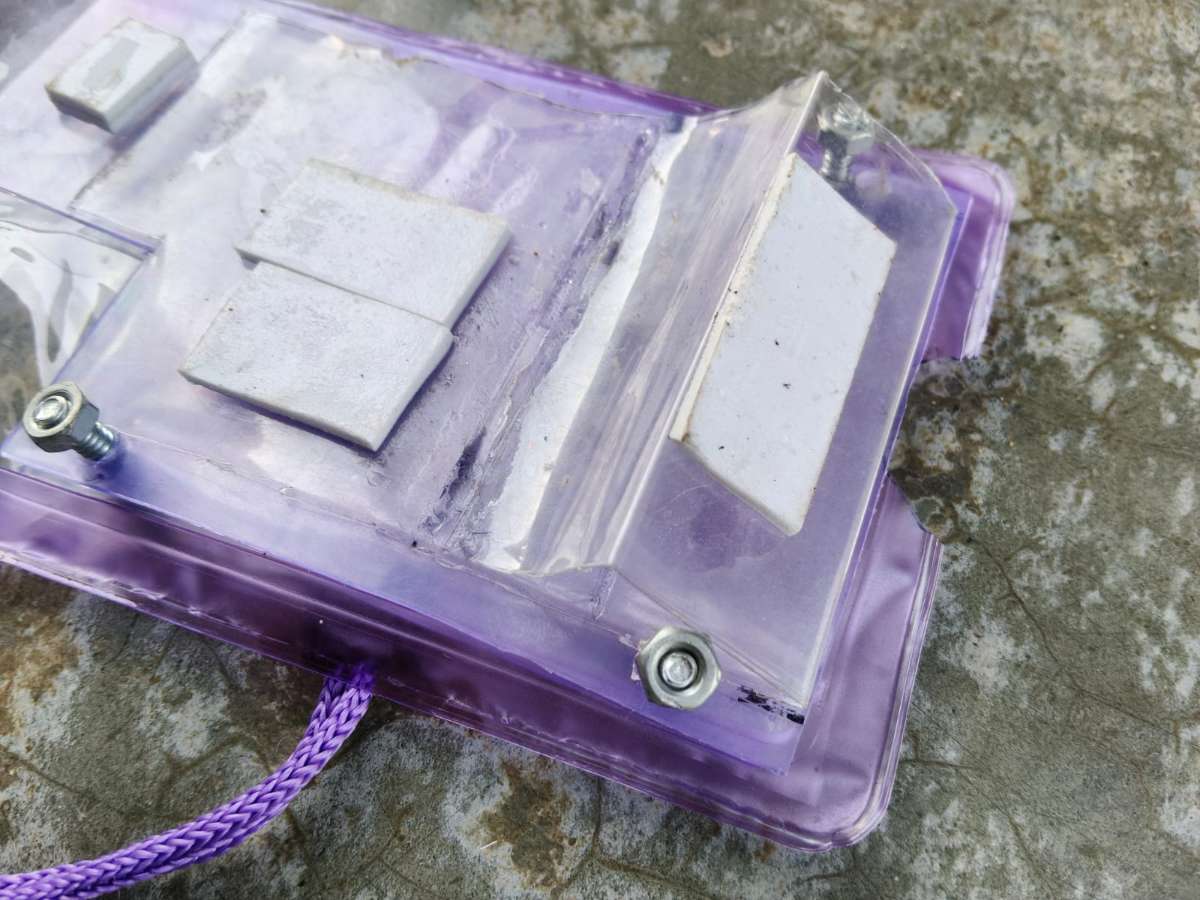
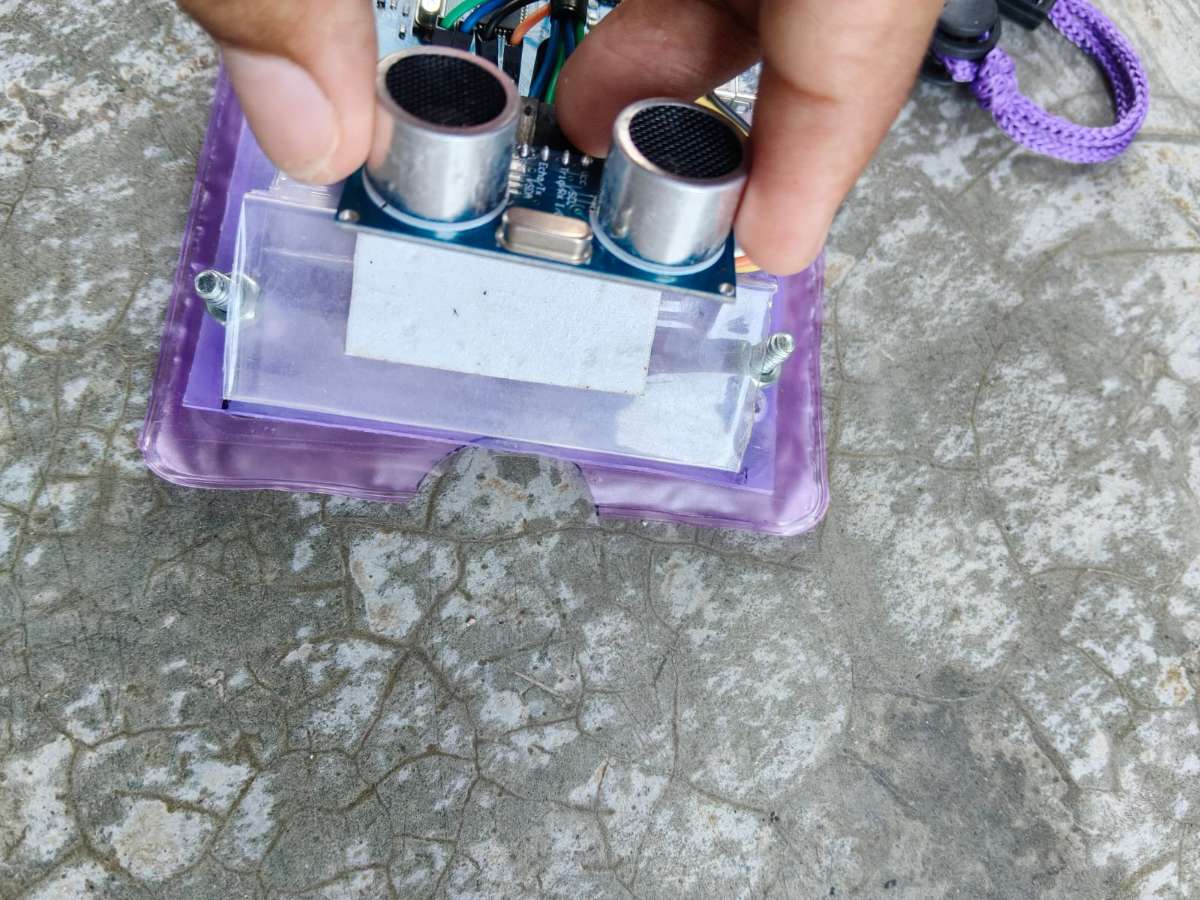
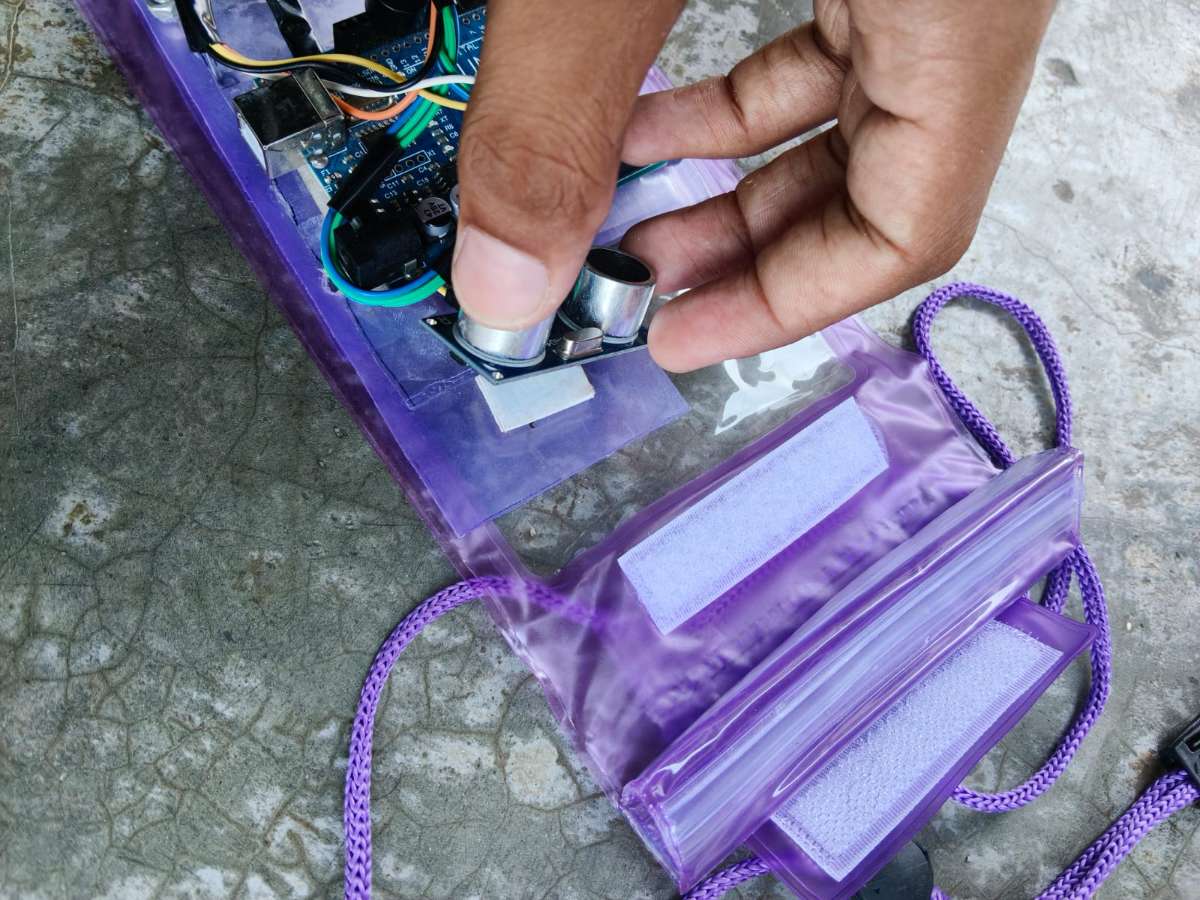
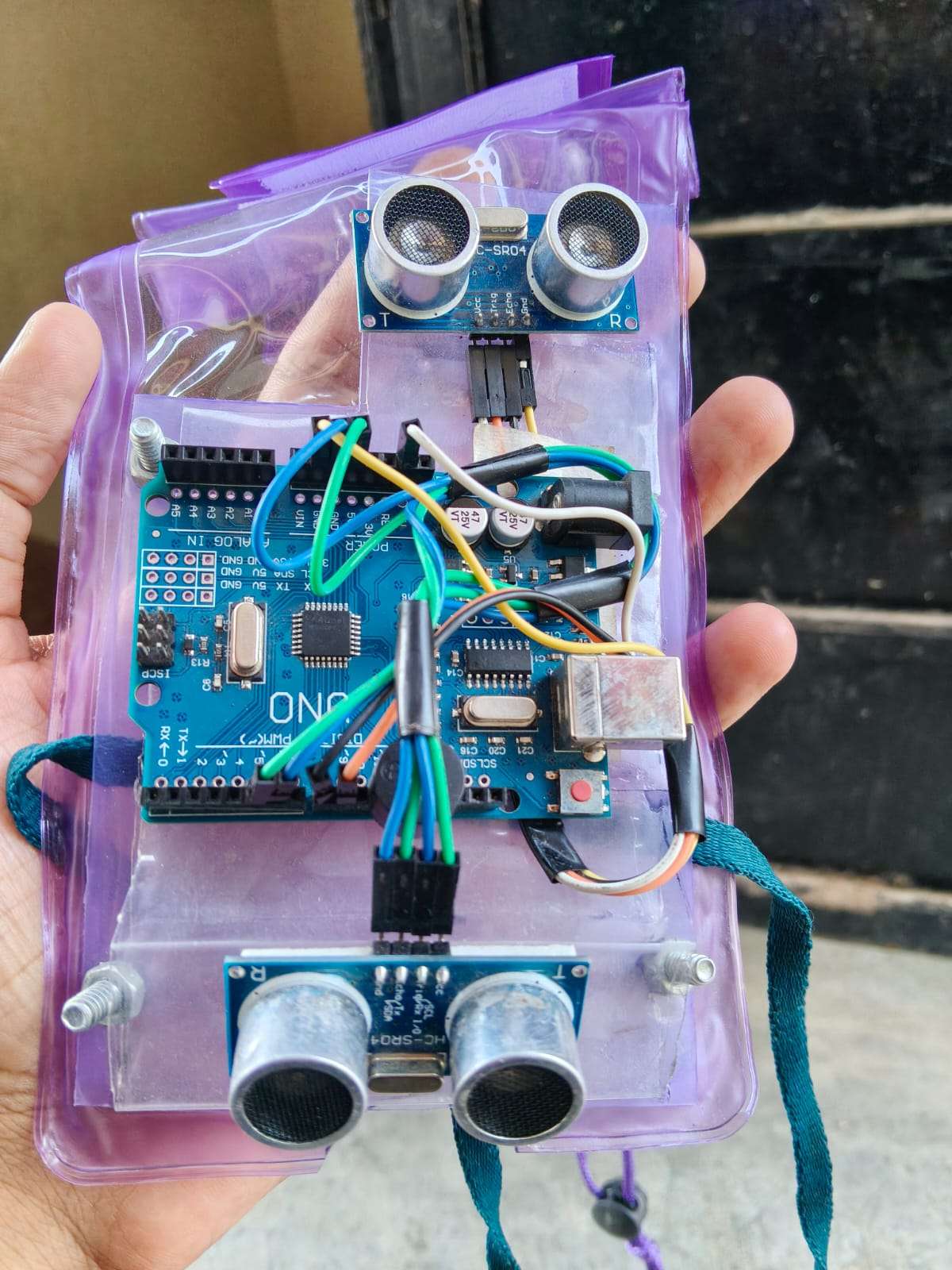
Step 5:- Hardware Mounting on Outer Rectangle
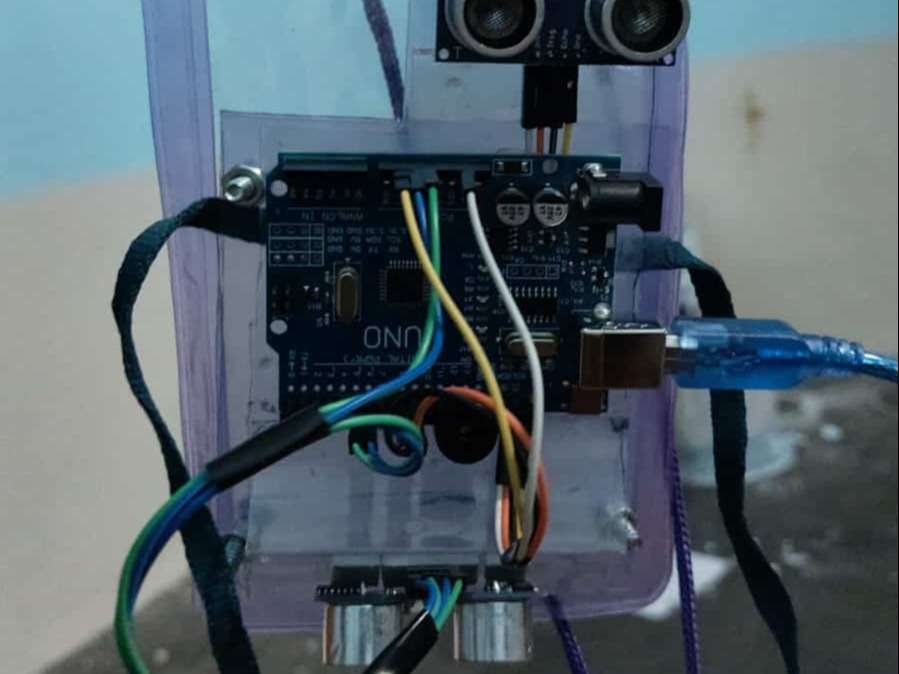
"All electronic components are mounted on the outer rectangle. The inner rectangle (inside pouch) only provides structural support."
Component Placement Overview
| Component | Position on Outer Rectangle |
|---|---|
| Arduino | Center - secured with screws or double-sided tape |
| Top ultrasonic sensor | Upper front - 0° straight forward |
| Bottom ultrasonic sensor | Lower front - 30° downward angle |
| Buzzer | Connect to arduino |
| OTG cable | Side - connects to phone |
| Battery/power | Not needed - powered by phone via OTG |
Step 6 :- Upload Arduino Code
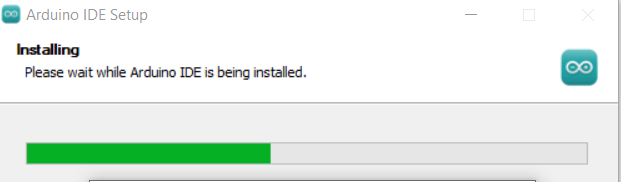
- Step 6.1: Download & Install Arduino IDE
| Arduino IDE website (arduino.cc) | "Download Arduino IDE from official website" |
| Select Windows/Mac/Linux version | |
| Installation completed |
Step 6.2: Open the Code
| # | Action |
|---|---|
| 1 | Download from GitHub https://github.com/clod9344-cloud/Global_blind_device.git |
| 2 | Open Arduino IDE |
| 3 | File → Open → Select the .ino file |
| Tools → Board → Arduino Uno | "Select Arduino Uno as board" |
| Tools → Port → COMx (Arduino) | "Select correct COM port" |
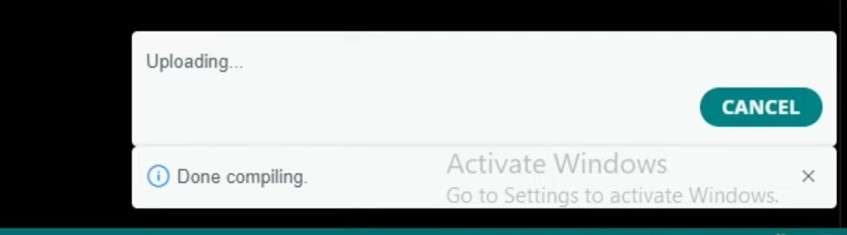
| Click Upload button (→ icon) | "Click Upload to flash code" |
| "Done uploading" message appears |
.PNG)

Block Quote:
✅ Success: "When 'Done uploading' appears and Serial Monitor shows distance readings, your Arduino is programmed correctly. The buzzer will sound differently for obstacles (3 short beeps) vs stairs (1 long beep)."
Weight of the device
*"The complete device weighs approximately 280 grams including the smartphone. Without phone, the hardware enclosure is under 100 grams. This lightweight design ensures comfortable all-day wear without neck strain."*
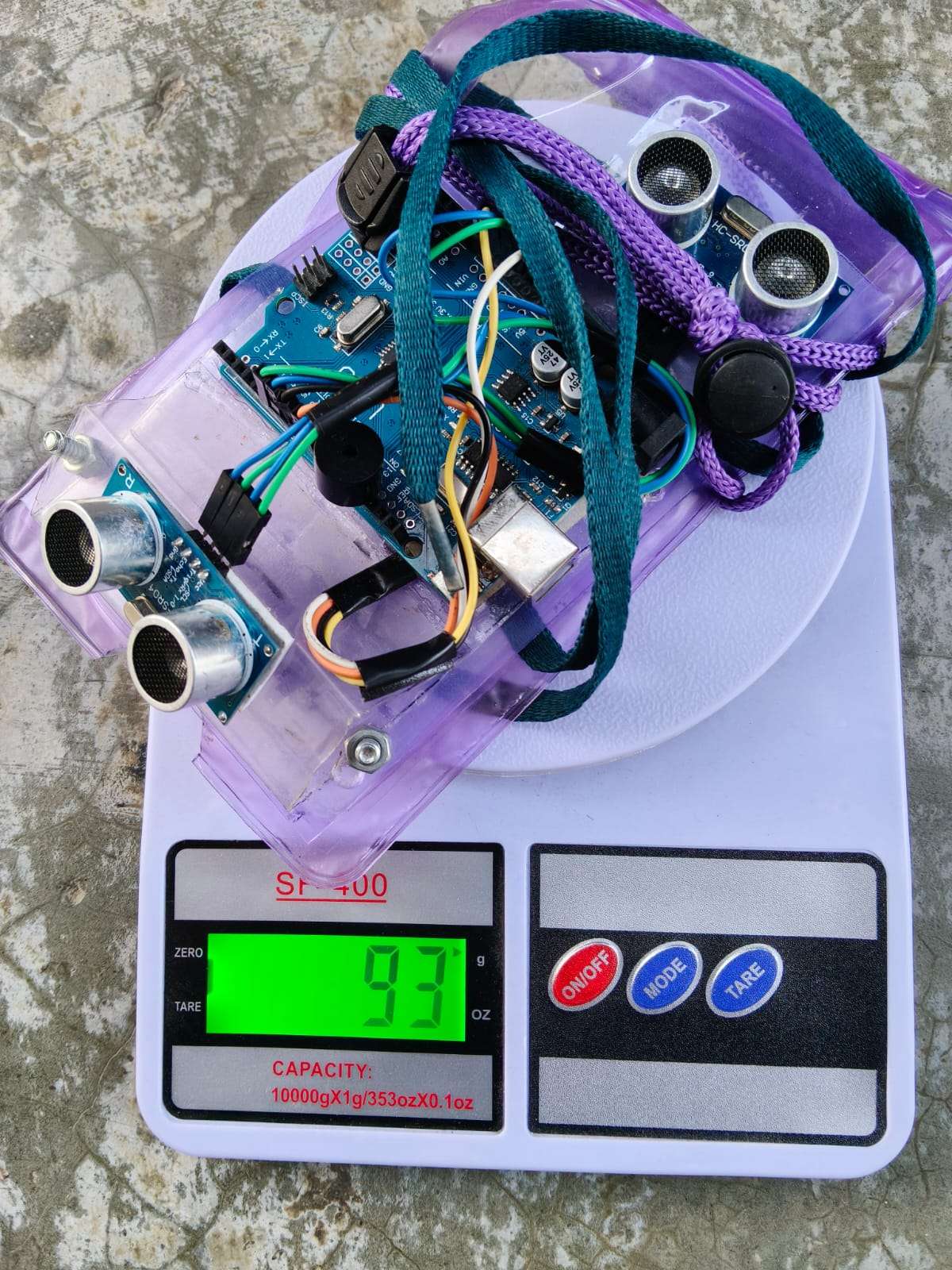
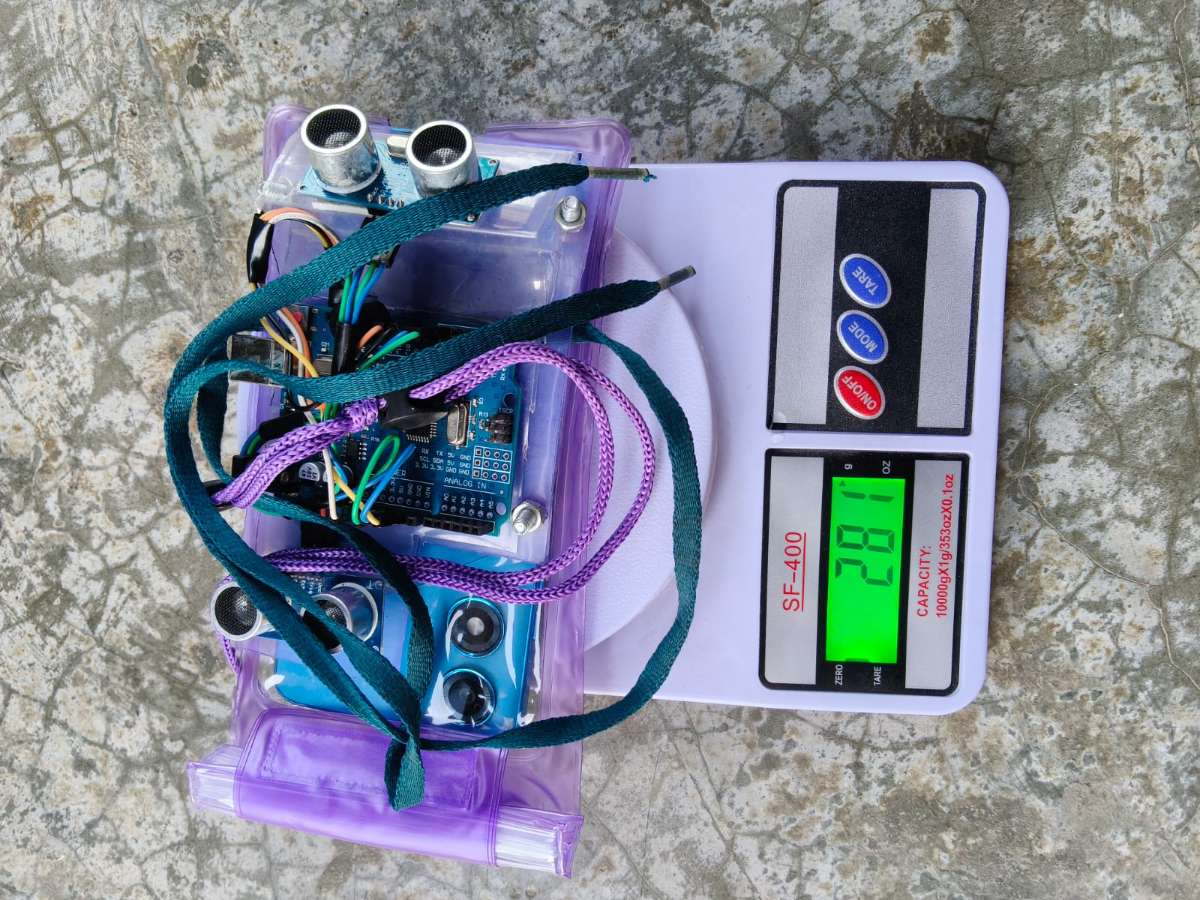
| Configuration | Weight |
|---|---|
| Hardware only (Arduino + sensors + enclosure) | ~80 grams |
| Hardware + Smartphone | ~280 grams |
CONCLUSION
What We Built
VisionAssist AI transforms a standard smartphone and ₹540 worth of components into a hands-free wearable for visually impaired users.
The 7 Core Features
| # | Feature | What It Does | Internet Needed? |
|---|---|---|---|
| 1 | Obstacle Detection | Ultrasonic sensors detect walls, steps, curbs. Buzzer sounds instantly. | NO |
| 2 | Traffic Light Detection | Dual verification (AI + HSV color) tells user when safe to cross. | PARTIAL (HSV color check is offline) |
| 3 | Indoor Navigation | Dual-index system guides through corridors with pre-recorded routes. | YES |
| 4 | Find Anything | Memory check → camera search → 360° scan until object found. | YES (memory check is offline first) |
| 5 | Analyze Scene | AI describes everything in front: people, furniture, exits. | YES |
| 6 | Food Detection | Camera at plate identifies food items. | YES |
| 7 | Agentic Memory | Remembers object locations in local JSON. No API cost for repeat queries. | NO |
What Makes This Different
| Feature | VisionAssist | Why It's Different |
|---|---|---|
| Indoor Navigation | ✅ Dual-index system | Works in blurry corridors with pre-recorded routes |
| Find Anything | ✅ Search any object by name | Not limited to pre-trained objects. "Find my red charger" works |
| Agentic Memory | ✅ Removes API waste | Remembers object locations locally. Ask twice → answer from memory, zero internet |
| Obstacle Detection | ✅ Ultrasonic + buzzer | Works offline. Instant alert without internet |
| Cost | ₹540 | 99.8% cheaper than dedicated devices |
| Open Source | ✅ | Anyone can build or modify |
Honest Limitations
| Feature | Limitation |
|---|---|
| Indoor Navigation | Works with pre-recorded routes only. Real-time SLAM is future work |
| Find Anything | Requires internet for AI vision to identify objects |
| Internet Dependency | Features 3-6 need internet. Obstacle detection and agentic memory work fully offline |
| Current Architecture | Current Architecture | Backend runs on Render server using 3 separate free-tier Groq accounts to increase available request capacity during development/testing. This is a temporary prototype workaround, not the production model — a per-user key plan is in Future Updates. |
| Cloud Cost | Currently free during prototype/testing phase under Groq free tier limits |
Cost & Weight
| Metric | Value |
|---|---|
| Hardware cost (Arduino + sensors + buzzer) | ₹540 |
| Weight with smartphone | 280 grams |
| Weight without smartphone | ~80 grams |
Real-World Validation
"This should not just be a project. People like me actually need this." — Visually impaired user, tested in person
The Big Picture
VisionAssist AI proves assistive technology can be affordable. ₹540. 7 core features. Indoor navigation and Find Anything set it apart. Obstacle detection and agentic memory work offline. Open source. A step toward democratizing independence.
"Technology should lift people up, not price them out."
✅ Future Updates
| Limitation | Future Fix | Estimated Cost |
|---|---|---|
| Shared server architecture | Android app where each user sets up their own free Groq API key once — making the system truly free for every user with 1,000 requests/day per person | ₹0 |
| Internet needed for basic AI | On-device TinyML (Edge Impulse or TensorFlow Lite) for basic object detection and OCR | ₹0 (software only) |
| Document stored on cloud | Local encrypted database (SQLite + AES) on user's phone | ₹0 |
| USB OTG cable | Bluetooth module (HC-05) for wireless connection | ₹500 |
Why the App Changes Everything
Currently VisionAssist AI runs on a shared Render server — meaning all users share one API key. This works for a prototype but does not scale freely. The planned Android app solves this completely: each user or NGO volunteer creates one free Groq account during setup, enters their key once, and all AI calls go directly from their phone to Groq. No server needed. No shared limits. No monthly cost.
Groq's free tier gives 1,000 requests per day per key. A blind user asking questions during 2-3 hours of outdoor activity needs roughly 50-100 requests. The free limit is more than sufficient for real daily use.
This single upgrade transforms VisionAssist AI from a server-dependent prototype into a truly free, offline-capable, scalable assistive tool.
NGO Deployment Plan
Current Cost Per User (Honest)
| Item | Cost |
|---|---|
| Hardware (one time) | ₹540 |
| API per month (current shared server, prototype) | ₹0 (within free tier during testing) |
| API per month (after app, per-user key model) | ₹0 (each user's own free Groq key) |
| Software | ₹0 (open source) |
Deployment Phases
| Phase | Users | Time | Total Cost | Funding |
|---|---|---|---|---|
| Pilot | 10 | Month 1-3 | ₹5,400 hardware only | Rotary Club / Self |
| Scale | 100 | Month 4-6 | ₹54,000 hardware only | Tata Trusts / Infosys Foundation |
| App Rollout | 500+ | Month 7+ | ₹2.7 lakh hardware only | ADIP Scheme |
Scale vs OrCam
| Users | Our Cost (hardware only) | OrCam Cost |
|---|---|---|
| 10 | ₹5,400 | ₹30 lakh |
| 100 | ₹54,000 | ₹3 crore |
Key Facts
| Point | Status |
|---|---|
| Software | ✅ ₹0 open source |
| API cost (prototype phase) | ✅ Free under Groq free tier during testing |
| API cost (future app model) | ✅ Free — each user owns their own key |
| ADIP Scheme | ℹ️ ₹20,000/person/year allocation — eligibility for this device category to be confirmed with scheme officials |
| Volunteer support | ℹ️ Proposed ratio: 1 volunteer per 30 users for setup and support |
| GitHub deployment | ✅ Any NGO can deploy independently from public repository |
PART 1 LINK :- https://www.electronicwings.com/users/PrinceJha/projects/6571/smart-agentic-voice-controlled-assistive-device-for-the-visually-impaired


