




Introduction
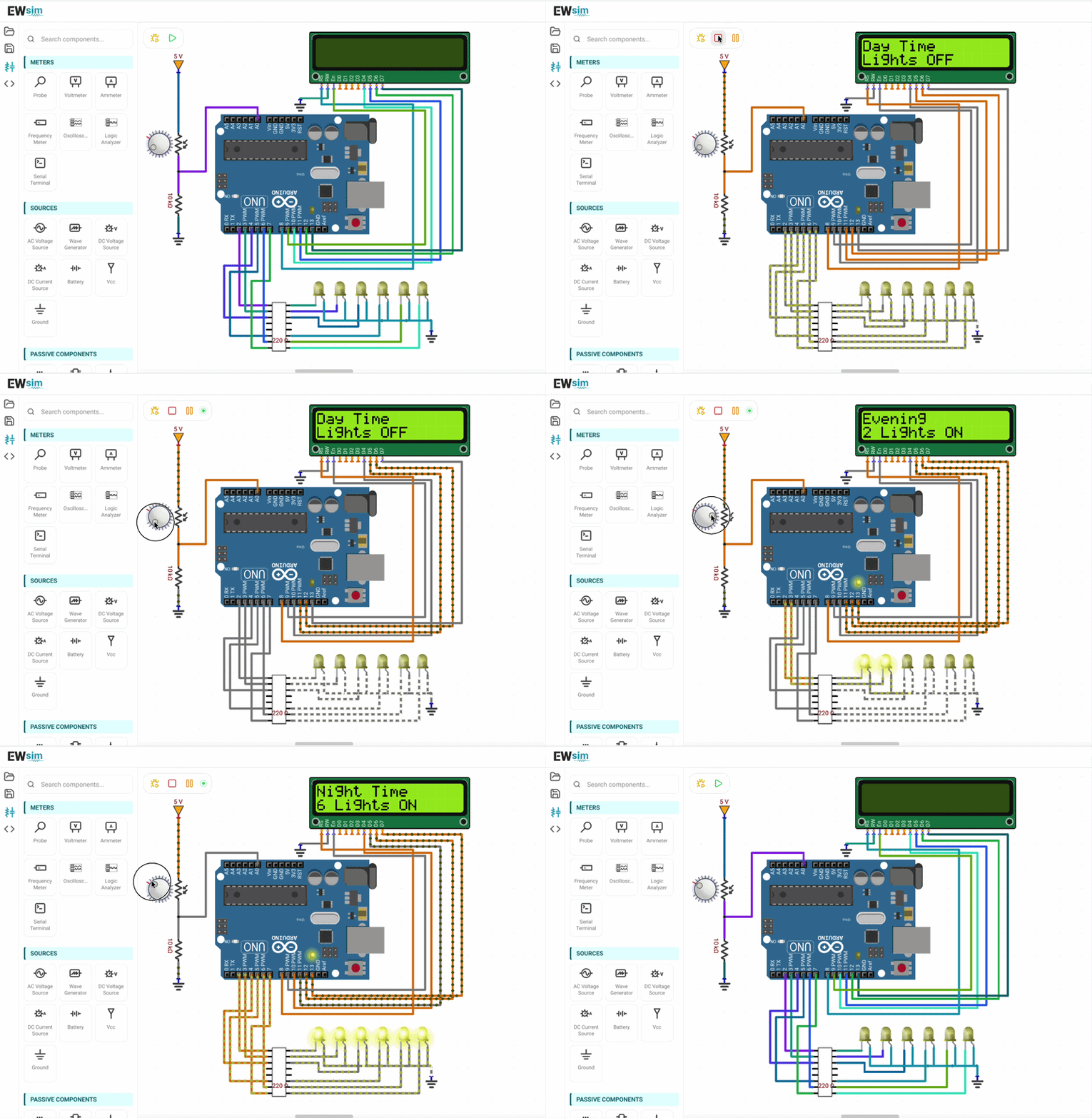
This project demonstrates a simple automatic street lighting system using an Arduino Uno, an LDR sensor, six LEDs, and a 16×2 LCD.
The Arduino continuously monitors the surrounding light intensity through the LDR. Based on the measured value, it gradually turns ON additional LEDs as the environment becomes darker. The LCD also displays whether it is daytime, evening, or nighttime along with the number of active street lights.
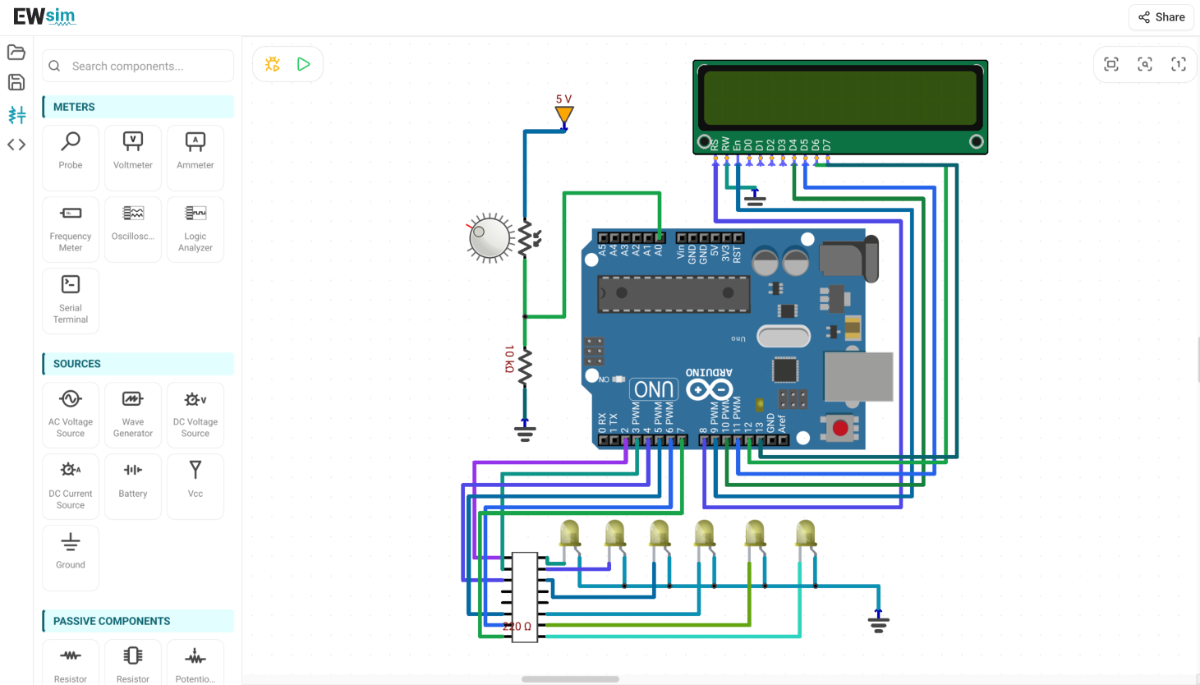
Circuit diagram:
From your circuit, the connections are:
The junction of the LDR and resistor is connected to Arduino analog pin A0.
Six LEDs are connected to digital pins D2–D7 through 220 Ω current-limiting resistors.
16×2 LCD: Interfaced in 4-bit mode with RS to D8, EN to D9, D4 to D10, D5 to D11, D6 to D12, D7 to D13, while RW is connected to GND.
EWsim Live Simulation Link:
Link: EWsim Project Link
Details:
The Arduino continuously reads the LDR value using the ADC and compares it against predefined thresholds. Depending on the ambient light level, it turns ON the required number of LEDs to simulate automatic street lighting while updating the LCD with the current lighting condition.
int light = analogRead(ldrPin);

// Turn OFF all LEDs
for (int i = 0; i < 6; i++) {
  digitalWrite(ledPins[i], LOW);
}

if (light > 800) {
  // Day - All LEDs OFF
}
else if (light > 600) {
  // Evening - 2 LEDs ON
}
else if (light > 400) {
  // Dusk - 4 LEDs ON
}
else {
  // Night - 6 LEDs ON
}


