SahYatri is an IoT + Edge AI smart transit system that tracks live bus occupancy and GPS location using on-board hardware and AI detection.
It makes government buses digitally trackable like redBus while showing real-time crowd status on web and mobile apps.
This helps passengers plan better, avoid overcrowded buses, and reduce travel uncertainty.
Components Used
Raspberry Pi 4 - 4GB Single Board Computers Raspberry Pi 4 4GB
X 1
Neo-6M GPS Module GNSS / GPS Development Tools Grove - GPS
X 1
Raspberry Pi Camera V2 Raspberry Pi Camera V2
X 1
LCD 16x2 Display Module LCD16x2 has two lines with 16 character in each line. LCD16x2 is generally used for printing values and string in embedded application.
X 1
LCD 16x2 with I2C Interface LCD 16x2 with I2C Interface
X 1
Description
SahYatri : Real-Time Smart Bus Occupancy and Passenger Awareness System
SahYatri is an IoT and Edge AI smart transit system that tracks live bus occupancy and GPS location using on-board hardware and AI detection. It makes government buses digitally trackable like redBus while showing real-time crowd status on web and mobile apps. This helps passengers plan better, avoid overcrowded buses, and reduce travel uncertainty.
Achievement: 1st Prize Winner at BITBOX 5.0 organized by GDG-JIIT-128 (Prize Money: ₹20,000)
Prerequisite
- Raspberry Pi 4 - Pi Camera module - 16x2 I2C LCD - Internet connectivity on edge device and cloud - Python environment (AI + hardware services) - Node.js and PostgreSQL (backend API) - Flutter SDK (mobile app) - Next.js setup (web dashboard)
Description
Problem Statement
Public transport passengers usually do not know bus crowd levels or exact bus location before boarding. This causes uncertainty, inefficient travel decisions, and discomfort due to overcrowding.
What SahYatri does
SahYatri gives: - Real-time occupancy detection inside buses - Live bus trackability using location data - A dashboard and mobile app for passengers and operators
It enables government buses to become digitally visible like modern private bus platforms.
How We build it (Step-by-step)
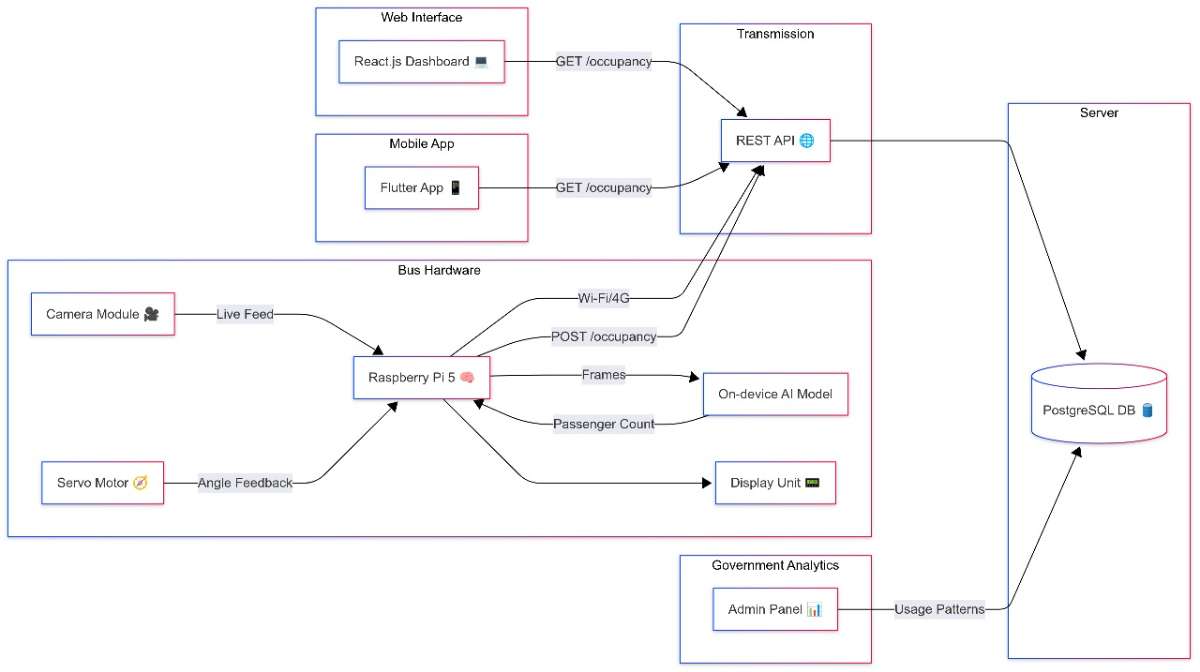
Step 1: Planned system architecture Designed a complete pipeline: Camera Capture -> AI Detection -> Bus API -> Database -> Web and Mobile Apps.
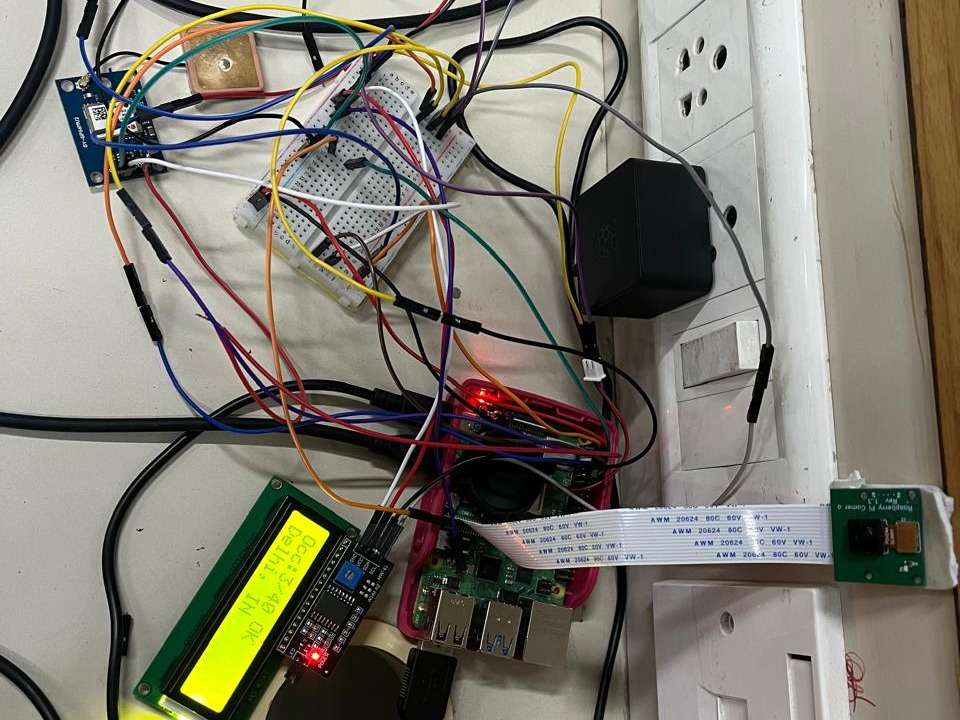
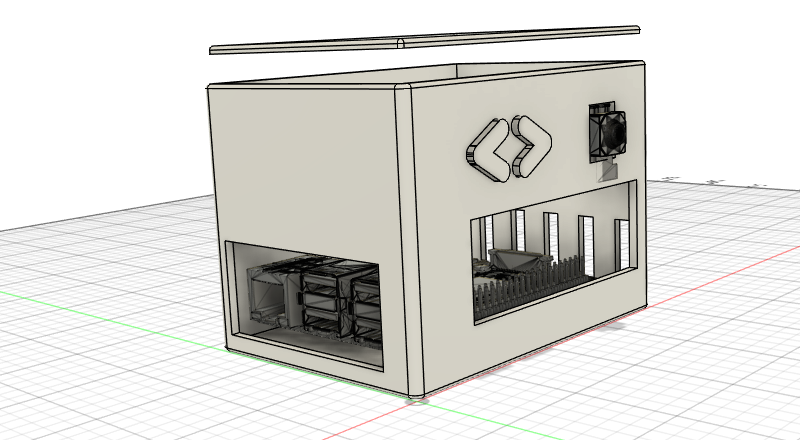
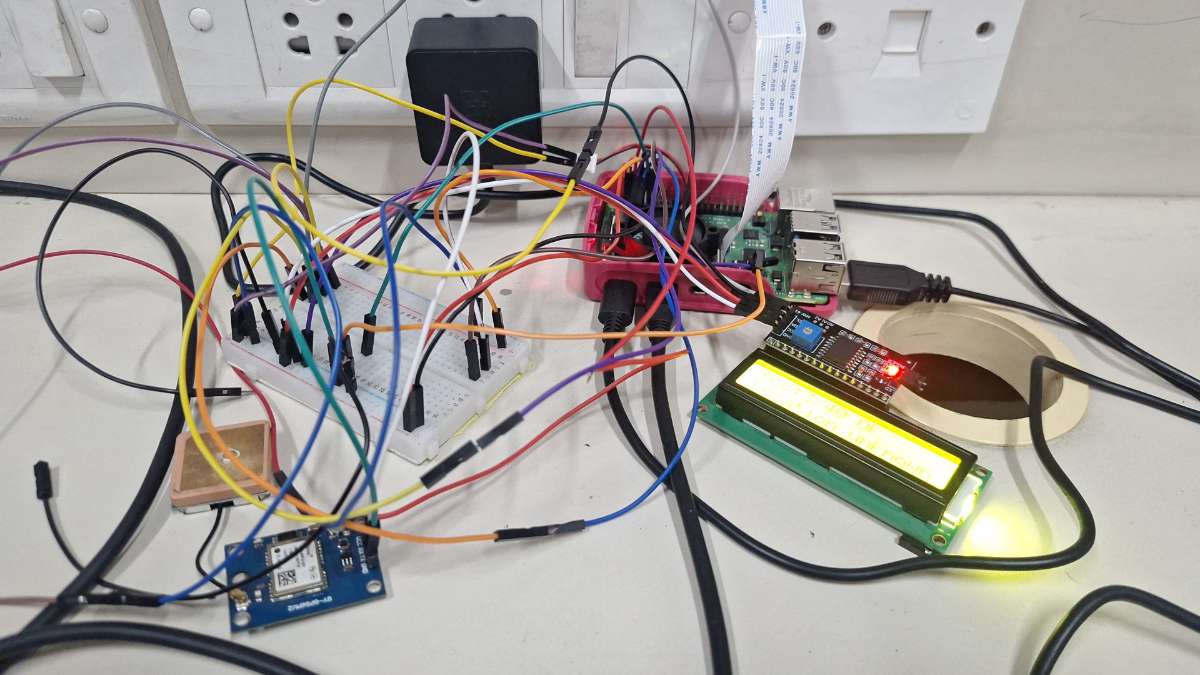
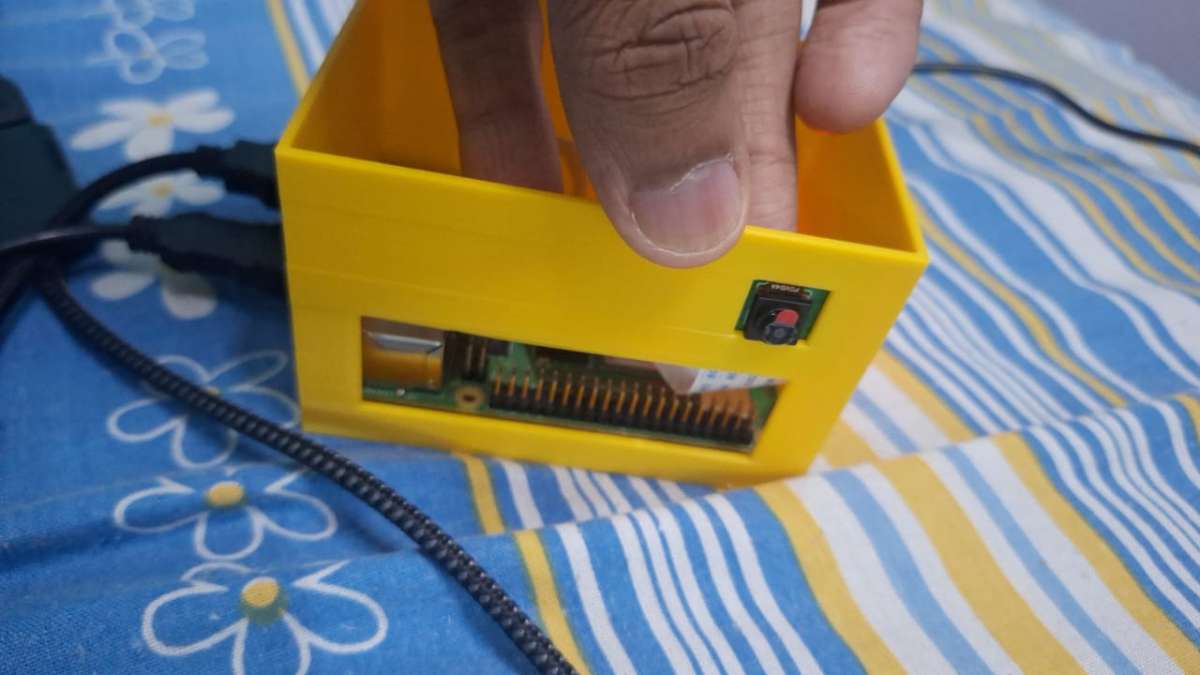
Step 2: Built the bus hardware unit Set up Raspberry Pi with camera and LCD module. Prepared a 3D-printed enclosure for mounting and field deployment.
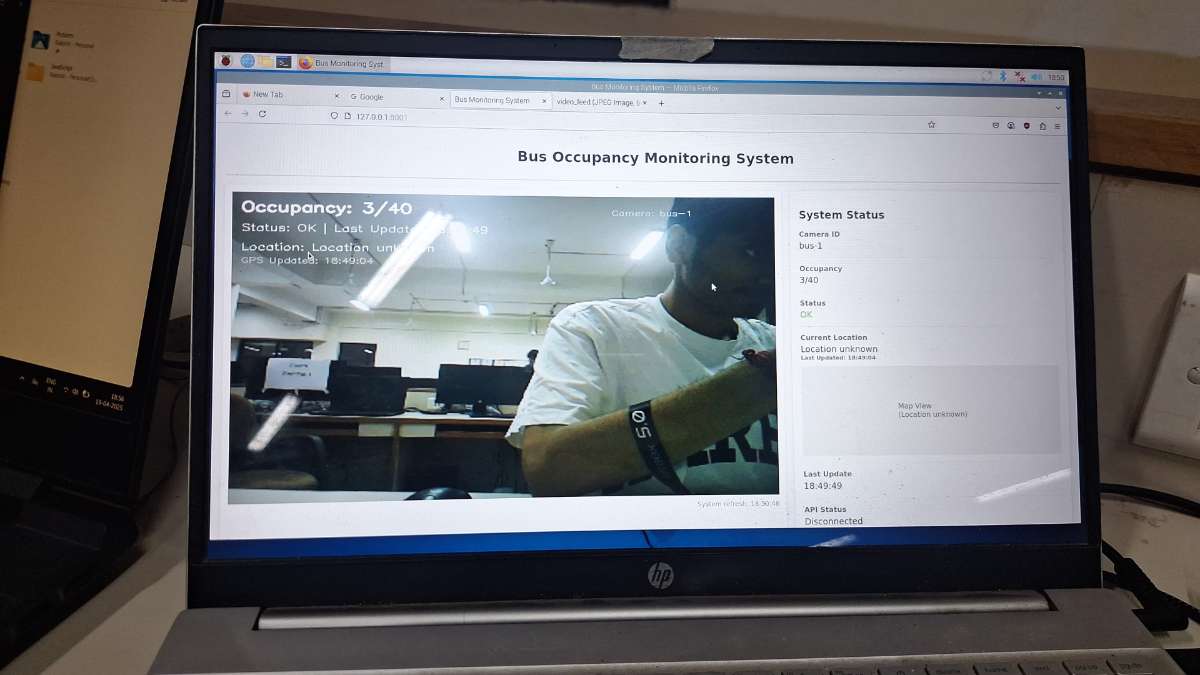
Step 3: Implemented edge image capture Created an edge script to capture bus images at intervals and send them for AI inference. Also displayed local status on LCD (occupancy and system status).
Step 4: Added AI-based occupancy detection Developed a FastAPI service using YOLO to detect and count people from uploaded bus images. Converted detections into occupancy values against known bus capacity.
Step 5: Built backend API and storage Created Node.js + Express API to ingest occupancy payloads and store records in PostgreSQL. Added endpoints for latest data, per-bus history, and summaries.
Step 6: Developed web monitoring dashboard Built a Next.js dashboard showing: - live occupancy cards - occupancy filters - per-bus trend analytics - dark mode interface
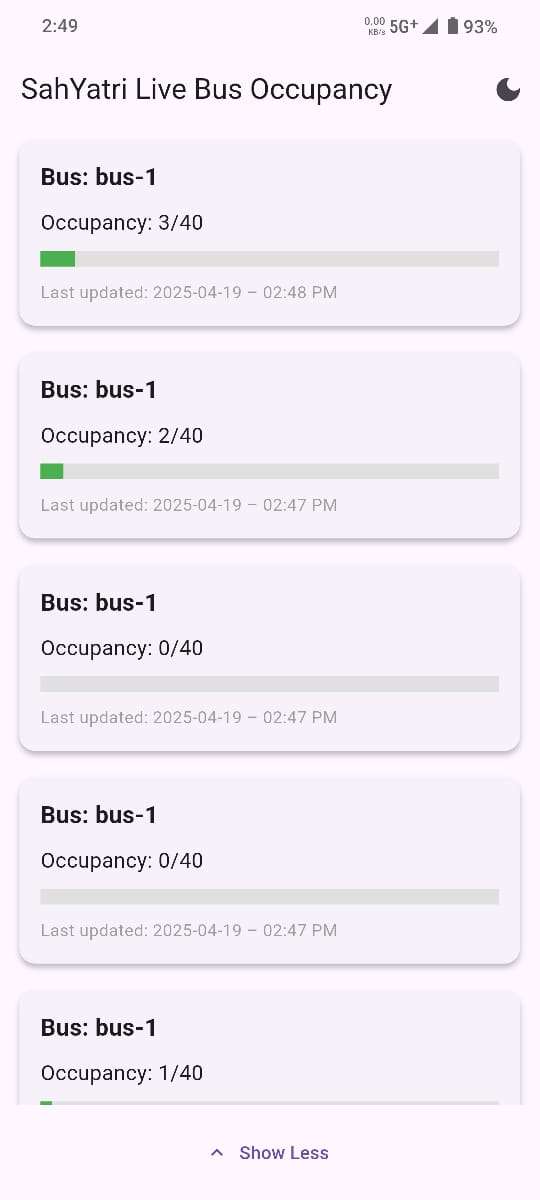
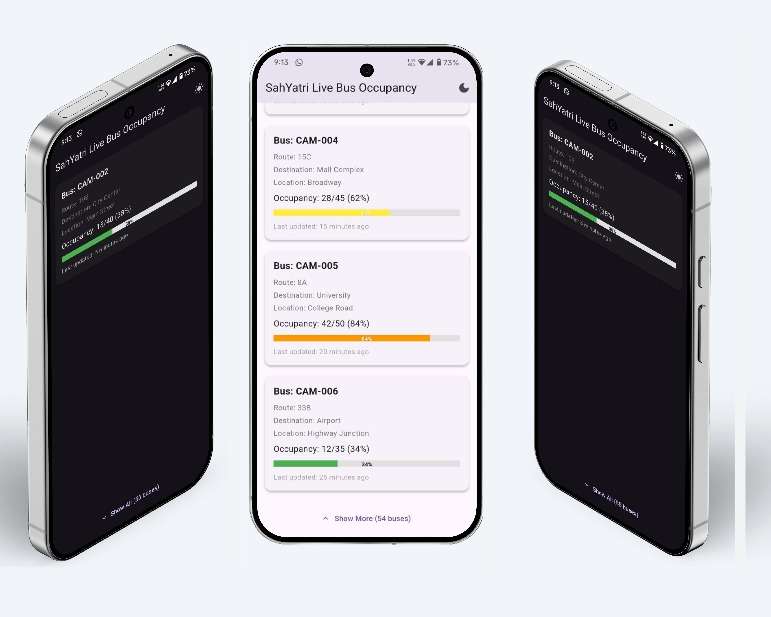
Step 7: Developed commuter mobile app Built a Flutter app for live bus occupancy visibility. Added refresh flow, occupancy indicators, and easy readability for daily passengers.
Step 8: Integrated GPS location tracking Integrated location capture from the onboard unit to make buses trackable in real time. This enables redBus-like visibility for government buses.
Step 9: End-to-end testing and deployment Validated full flow from camera capture to live display on web and mobile. Tested refresh frequency, consistency, and practical commuter usage.
It will take website around 40 seconds to load with data, as backend is deployed in free server of render which has a cold start time.
Real-World Impact
- Helps passengers choose less crowded buses - Improves travel planning with location + occupancy visibility - Supports smarter and more transparent public transit operations