



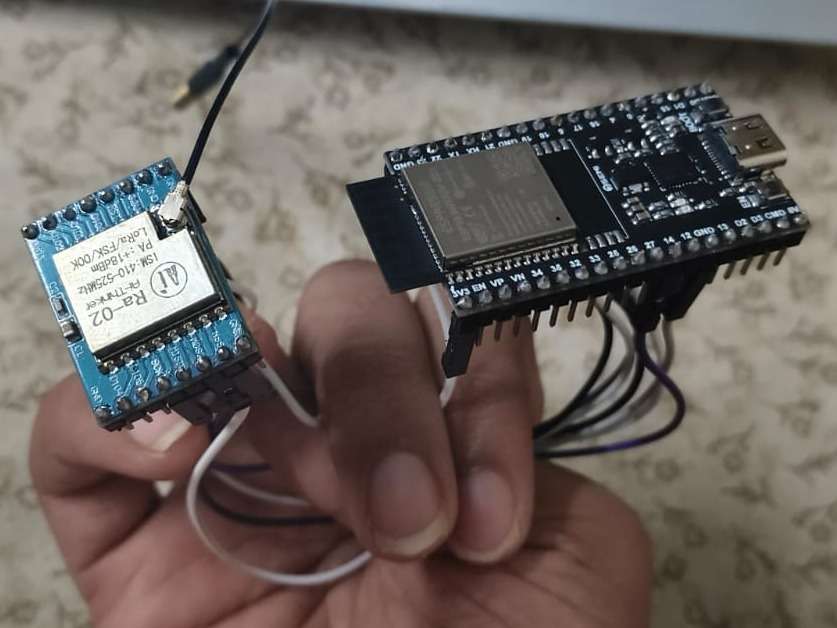
Step 1: The Hardware Build (Point-to-Point Wiring)
Since no breadboard is used, female-to-female jumper wires are connected directly between the pins of the ESP32 and the LoRa Ra-02 module.
- Data Lines (SPI Bus): * LoRa MOSI connects to ESP32 Pin GPIO 23
- LoRa MISO connects to ESP32 Pin GPIO 19
- LoRa SCK connects to ESP32 Pin GPIO 18
- LoRa NSS connects to ESP32 Pin GPIO 5
System Controls: * LoRa RST connects to ESP32 Pin GPIO 14
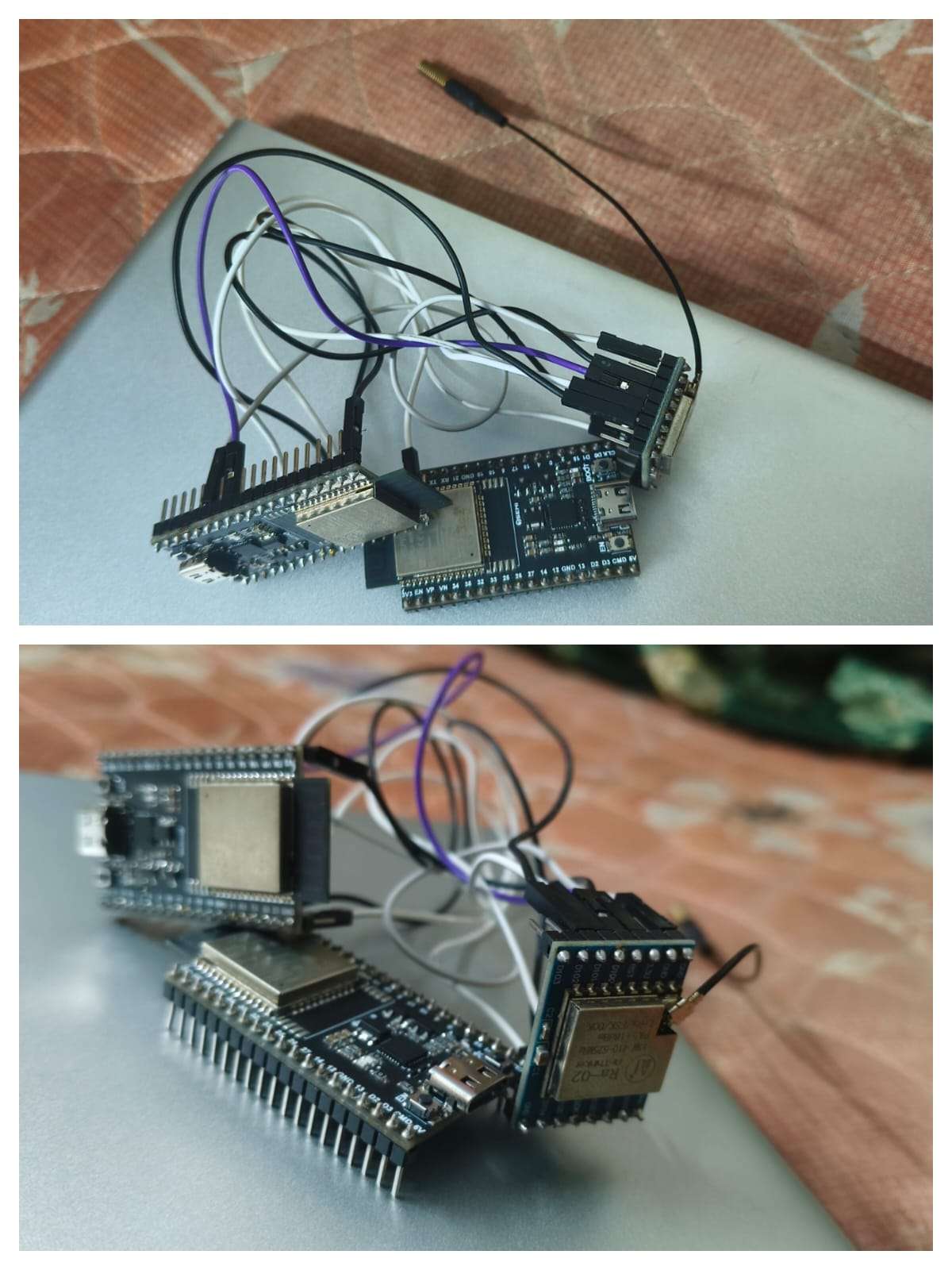
- LoRa DIO0 connects to ESP32 Pin GPIO 2
- Power Supply: * LoRa 3.3V connects to ESP32 Pin 3V3 (Main system power)
- LoRa GND connects to ESP32 Pin GND (Common ground)
- The SOS Trigger Button: * Button Terminal 1 connects to ESP32 Pin GPIO 4
Button Terminal 2 connects to ESP32 Pin GND
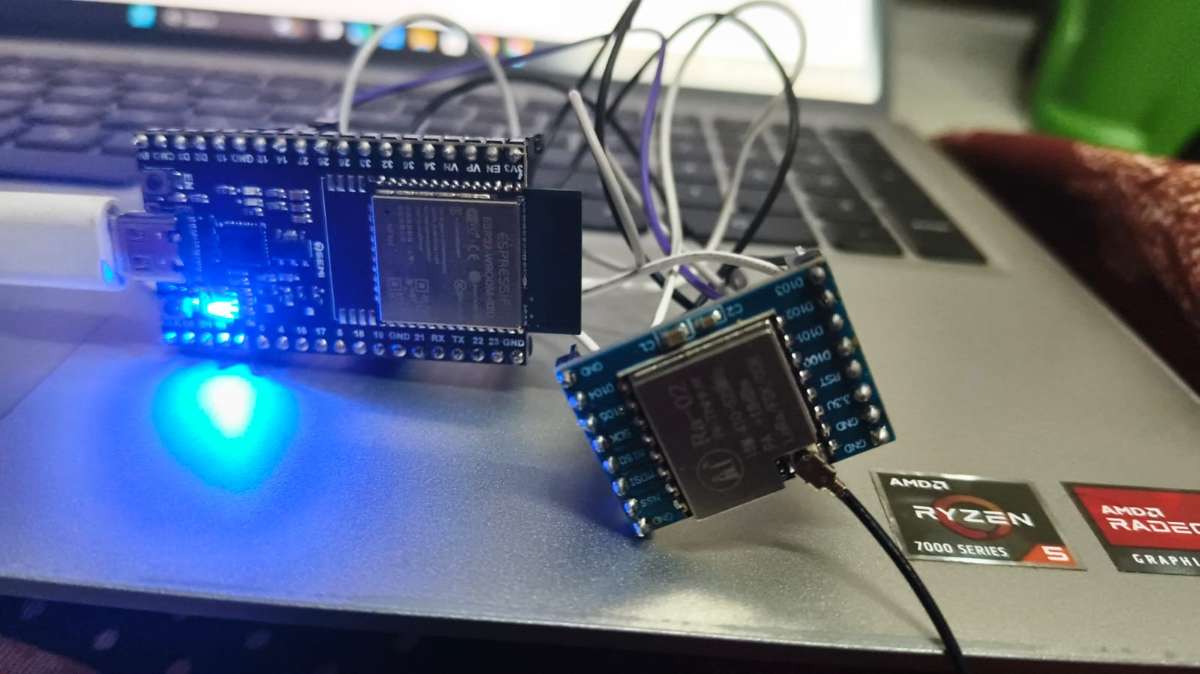
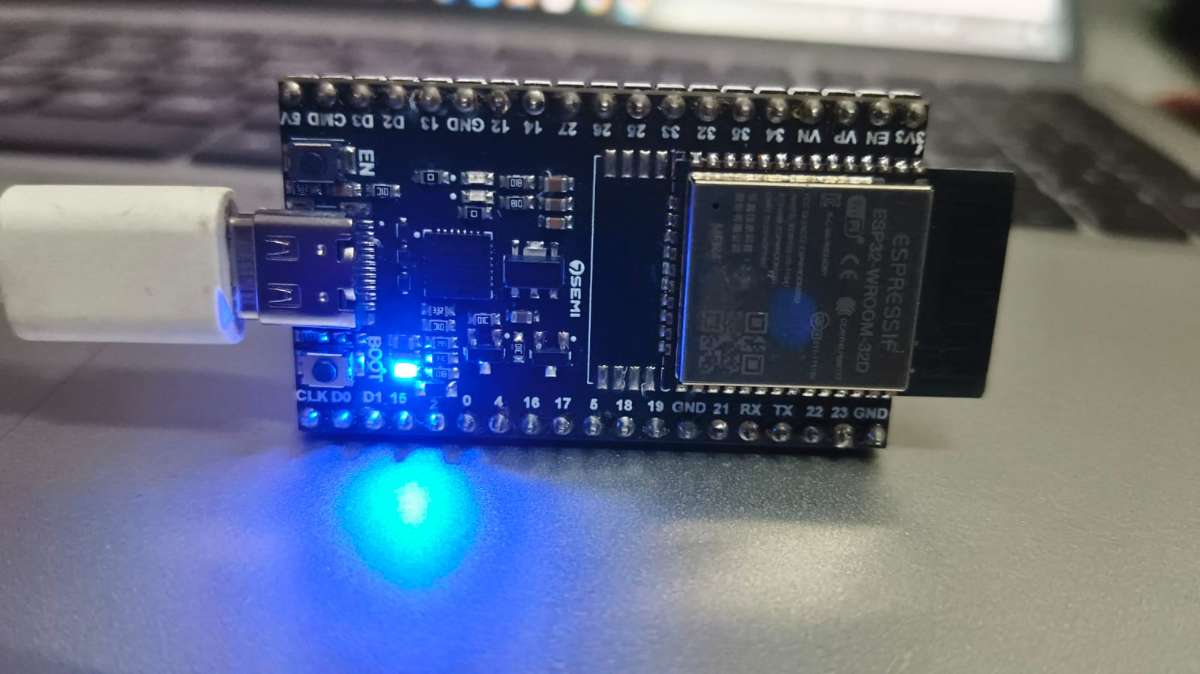
Step 2: The Software Setup
- Environment: Open the Arduino IDE software on your computer.
- Board Link: Install the ESP32 board library so the software recognizes your microcontrollers.
- Radio Drivers: Open the Library Manager, search for "LoRa" by Sandeep Mistry, and click install. This library allows the ESP32 to talk to the SX1278 radio chip.
Step 3: Coding the Two Nodes
You program the two identical hardware sets to play two different roles:
The Sender Node (The Beacon): You upload code to the first ESP32 that tells it to sit and wait for a button press or an offline web form submission. When triggered, it packages the location data and blasts it out instantly using ESP-NOW wireless protocol.
\\sender code
#include <WiFi.h>
#include <DNSServer.h>
#include <WebServer.h>
#include <esp_now.h>
#include <esp_wifi.h>

// --- Configuration ---
// Your confirmed Receiver MAC Address
uint8_t broadcastAddress[] = {0x3C, 0x8A, 0x1F, 0x5B, 0x02, 0x4C};

// Locked channel configuration alignment to match home router
const int WIFI_CHANNEL = 12;

const byte DNS_PORT = 53;
const int BUTTON_PIN = 4;
const int FLOOR_NUMBER = 2;

DNSServer dnsServer;
WebServer server(80);

typedef struct struct_message {
    char msg[64];
    int floor_num;
} struct_message;

struct_message myData;
esp_now_peer_info_t peerInfo;

const char HTML_CONTENT[] PROGMEM = R"rawliteral(
<!DOCTYPE html>
<html>
<head>
    <meta name='viewport' content='width=device-width, initial-scale=1.0'>
    <title>EMERGENCY SOS SYSTEM</title>
    <style>
        body { font-family: Arial, sans-serif; text-align: center; background-color: #1a1a1a; color: white; padding: 20px; }
        .btn { background-color: #ff3333; color: white; border: none; padding: 20px 40px; font-size: 24px; font-weight: bold; border-radius: 10px; cursor: pointer; box-shadow: 0px 5px 15px rgba(255,51,51,0.4); width: 100%; max-width: 300px; }
        .btn:active { background-color: #cc0000; }
        input[type=text] { width: 100%; max-width: 280px; padding: 12px; margin: 20px 0; border-radius: 5px; border: none; font-size: 16px; color: black; }
        h1 { color: #ff3333; }
    </style>
</head>
<body>
    <h1>DISASTER RELIEF BEACON</h1>
    <p>Connected to Floor 2 Local Emergency Node. No network or internet required.</p>
    <form action='/submit' method='POST'>
        <input type='text' name='message' placeholder='Describe your emergency (e.g., Trapped, Injured)...' required><br><br>
        <input type='submit' class='btn' value='SEND SOS ALERT'>
    </form>
</body>
</html>
)rawliteral";

void sendEmergencyPacket(const char* textAlert) {
    strncpy(myData.msg, textAlert, sizeof(myData.msg));
    myData.floor_num = FLOOR_NUMBER;

    esp_err_t result = esp_now_send(broadcastAddress, (uint8_t *) &myData, sizeof(myData));
    if (result == ESP_OK) {
        Serial.println("ESP-NOW Packet Dispatched Successfully.");
    } else {
        Serial.println("Error sending ESP-NOW packet.");
    }
}

void handleRoot() {
    server.send(200, "text/html", HTML_CONTENT);
}

void handleSubmit() {
    if (server.hasArg("message")) {
        String userMsg = server.arg("message");
        Serial.print("Web SOS Triggered: "); Serial.println(userMsg);
        sendEmergencyPacket(userMsg.c_str());

        server.send(200, "text/html", "<html><body style='background-color:#1a1a1a; color:white; font-family:Arial; text-align:center; padding-top:50px;'><h1>SOS SENT!</h1><p>Rescuers have been notified.</p></body></html>");
    }
}

void setup() {
    Serial.begin(115200);
    pinMode(BUTTON_PIN, INPUT_PULLUP);

    WiFi.mode(WIFI_AP_STA);

    // Start local captive hotspot portal architecture on channel 12
    WiFi.softAP("EMERGENCY_SOS_NODE", NULL, WIFI_CHANNEL);
    delay(500);

    // Force register overrides to hold channel frequency lock tight
    esp_wifi_set_channel(WIFI_CHANNEL, WIFI_SECOND_CHAN_NONE);

    dnsServer.start(DNS_PORT, "*", WiFi.softAPIP());

    server.on("/", handleRoot);
    server.on("/submit", handleSubmit);
    server.on("/generate_204", handleRoot);
    server.onNotFound(handleRoot);
    server.begin();

    Serial.println("Offline Portal Online.");

    if (esp_now_init() != ESP_OK) {
        Serial.println("Error initializing ESP-NOW");
        return;
    }

    // Configure peer identification variables
    memset(&peerInfo, 0, sizeof(peerInfo));
    memcpy(peerInfo.peer_addr, broadcastAddress, 6);
    peerInfo.channel = WIFI_CHANNEL;
    peerInfo.encrypt = false;

    if (esp_now_add_peer(&peerInfo) != ESP_OK){
        Serial.println("Failed to add target receiver peer");
        return;
    }
    Serial.print("Receiver link configuration complete. Hardware Locked Channel: ");
    Serial.println(WIFI_CHANNEL);
}

void loop() {
    dnsServer.processNextRequest();
    server.handleClient();

    if (digitalRead(BUTTON_PIN) == LOW) {
        Serial.println("Physical Backup Button Pressed!");
        sendEmergencyPacket("CRITICAL: Manual Hardware Button Pressed!");
        delay(2000);
    }
}
The Receiver Node (The Gateway Hub): You upload code to the second ESP32 that forces its radio to stay locked onto Radio Channel 12, listening for that fast ESP-NOW broadcast.
\\reciever code
#include <WiFi.h>
#include <esp_now.h>
#include <esp_wifi.h>
#include <SPI.h>
#include <LoRa.h>
#include <WebServer.h>

// --- Hardware Pins ---
#define SS      5
#define RST     14
#define DIO0    2
#define BUILTIN_LED 2

// --- Data Structure (Matches Sender perfectly) ---
typedef struct struct_message {
    char msg[64];
    int floor_num;
} struct_message;

struct_message incomingData;

// --- System State Flags ---
int activeFloor = 0;
String activeMessage = "System Clear";
volatile bool alertReceivedFlag = false;

WebServer server(80);

// --- HTML Dashboard Page Layout Engine ---
void handleRootPage() {
    String page = "<!DOCTYPE html><html><head>";
    page += "<meta name=\"viewport\" content=\"width=device-width, initial-scale=1\">";
    page += "<meta http-equiv=\"refresh\" content=\"1\">";
    page += "<style>body{font-family:sans-serif; text-align:center; padding:50px; margin:0; transition:0.3s;} ";
    page += ".box{background:white; padding:30px; border-radius:10px; display:inline-block; box-shadow:0 4px 8px rgba(0,0,0,0.1); margin-top:50px;} ";
    page += "</style></head>";

    if(!alertReceivedFlag) {
        page += "<body style=\"background:#2ecc71;\">";
        page += "<div class=\"box\">";
        page += "<h1 style=\"color:#2ecc71;\">🟢 SYSTEM MONITOR ONLINE</h1>";
        page += "<p>Status: Awaiting wireless node triggers...</p>";
        page += "</div>";
    } else {
        page += "<body style=\"background:#e74c3c;\">";
        page += "<div class=\"box\">";
        page += "<h1 style=\"color:#e74c3c;\">🚨 CRITICAL EMERGENCY</h1>";
        page += "<h2>LOCATION: FLOOR " + String(activeFloor) + "</h2>";
        page += "<p>MESSAGE: <strong>" + activeMessage + "</strong></p>";
        page += "</div>";
    }

    page += "</body></html>";
    server.send(200, "text/html", page);
}

// --- ESP-NOW Safe Callback ---
void OnDataRecv(const uint8_t * mac, const uint8_t *incomingDataRaw, int len) {
    if (len >= sizeof(struct_message)) {
        memcpy(&incomingData, incomingDataRaw, sizeof(struct_message));
        activeFloor = incomingData.floor_num;
        activeMessage = String(incomingData.msg);
        alertReceivedFlag = true;
    }
}

void setup() {
    Serial.begin(115200);
    delay(500);

    pinMode(BUILTIN_LED, OUTPUT);
    digitalWrite(BUILTIN_LED, LOW);

    Serial.println("\n--- RUNNING HARDWARE CONFIGURATION MATRIX ---");

    WiFi.disconnect(true);
    WiFi.mode(WIFI_AP_STA);
    delay(100);

    // MATCH FIXED: Setting third argument to 12 locks the Receiver Access Point to Channel 12!
    if(WiFi.softAP("FlareX_Emergency_Net", "12345678", 12, 0)) {
        Serial.print("✅ Access Point Active. Link: http://");
        Serial.println(WiFi.softAPIP());
    }

    // Lock internal hardware radio lanes to Channel 12 permanently
    esp_wifi_set_channel(12, WIFI_SECOND_CHAN_NONE);
    Serial.println("✅ Hardware Radio Lane locked to Channel 12.");

    // Initialize Web Server Routes
    server.on("/", handleRootPage);
    server.begin();
    Serial.println("✅ Local Dashboard Server Online.");

    // Initialize Physical LoRa Radio
    LoRa.setPins(SS, RST, DIO0);
    if (!LoRa.begin(433E6)) {
        Serial.println("❌ Hardware Error: LoRa Shield Disconnected!");
        while(1);
    }
    Serial.println("...LoRa Transceiver Hardware Ready.");

    // Initialize ESP-NOW Protocol Link
    if (esp_now_init() != ESP_OK) {
        Serial.println("❌ Protocol Error: ESP-NOW Core Failed!");
        return;
    }
    esp_now_register_recv_cb(esp_now_recv_cb_t(OnDataRecv));

    Serial.println("🏁 SYSTEM ACTIVE: Awaiting wireless node triggers...\n");
}

void loop() {
    server.handleClient();

    if (alertReceivedFlag) {
        digitalWrite(BUILTIN_LED, HIGH);

        Serial.println("\n==============================================");
        Serial.println("🚨 PACKET CAPTURED: BROADCASTING REAL-TIME UI");
        Serial.print("🏢 LOCATION : Floor "); Serial.println(activeFloor);
        Serial.print("⚠️ SIGNAL   : "); Serial.println(activeMessage);
        Serial.println("==============================================");

        // Deploy outbound LoRa relay broadcast
        LoRa.beginPacket();
        LoRa.print("ALERT|Floor:");
        LoRa.print(activeFloor);
        LoRa.print("|Msg:");
        LoRa.print(activeMessage);
        LoRa.endPacket();

        delay(100);
        digitalWrite(BUILTIN_LED, LOW);
    }
    delay(1);
}
Step 4: The Live Demonstration Sequence
- Power Up: Turn on both completed hardware setups using USB cables or batteries.
- Connect to Hub: Take a smartphone or laptop, open the Wi-Fi settings, and connect directly to the offline network named
FlareX_Emergency_Net. - Open Dashboard: Open any web browser and type in
http://192.168.4.1. The screen will load a clean, calm emerald-green background showing the system is safely monitoring. - Press the Button: Press the physical push button on the Sender Node.
- The Instant Result: The Receiver catches the signal using a fast memory interrupt, triggers its physical on-board LED, relays the distress data over long-distance 433MHz LoRa waves to outside rescue camps, and instantly forces the browser web dashboard to flip to a flashing emergency red alert screen displaying the exact floor location.


