




GET TO THE COMPLETE BOM: CLICK HERE FOR DIGIKEY MY-LIST
[ https://www.digikey.in/en/mylists/list/ZP67ZZ1T0X ]
BACKSTORY:
I [Pavan Kalsariya], once dreamed of having a companion robot on my desk.
Something small, Adorable and which feels Alive..
A robot that cares and admires you when you did well and felt real enough to be part of your day...
But ₹50k for an imported one? nahh..
No budget. No team.. Just an urge to try what if I build one myself?
So as a maker.. I did...
I started building CAKE, just a little robot to keep me company..
Sometimes the best ideas don’t start in a lab.. they start on a small desk, late at night, when the world feels quiet and your mind refuses to stop building...
Project Update (June 2026): The version presented here represents an early prototype of CAKE. The original repository is currently unavailable while the project undergoes reorganization and further development. Future updates may be shared as the project continues to evolve. Thank you for your support.
Ever wished your desk had a little more personality?
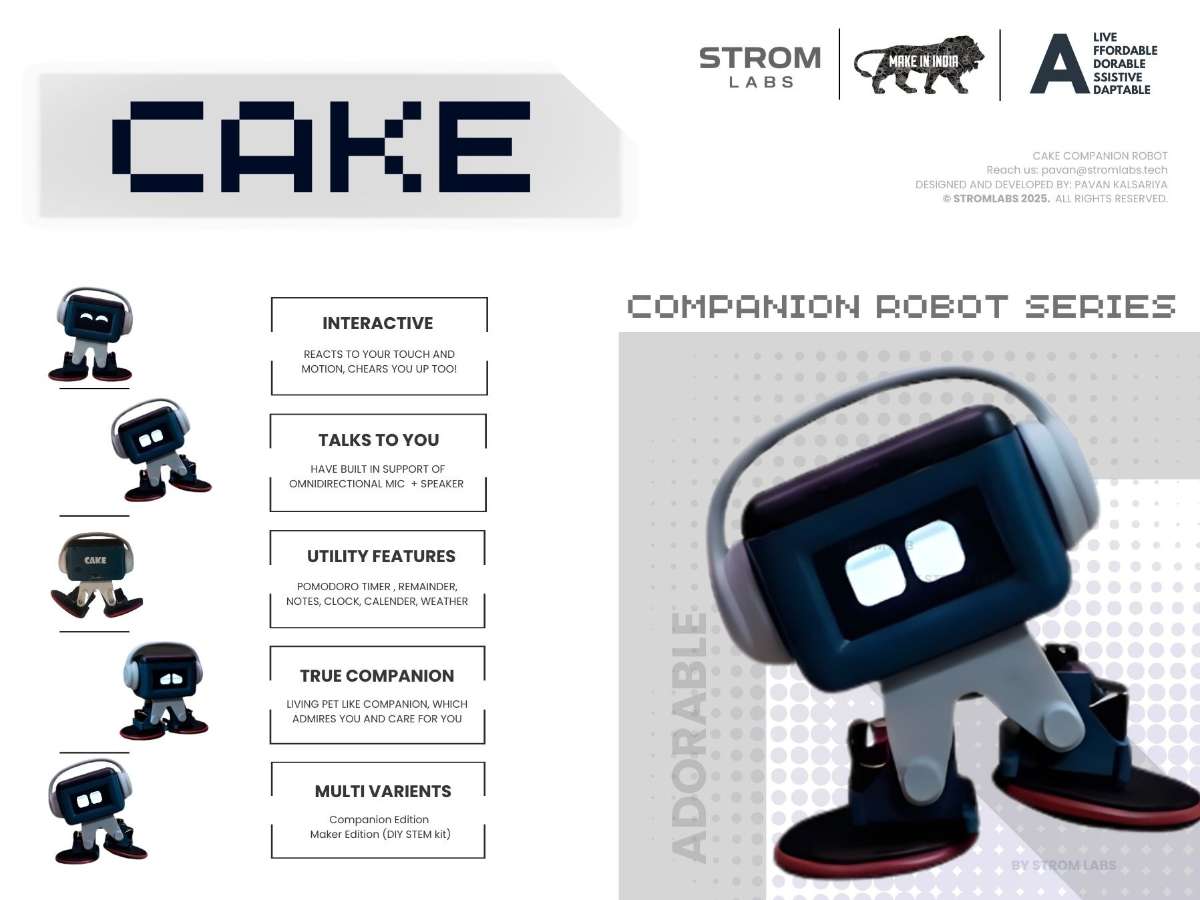
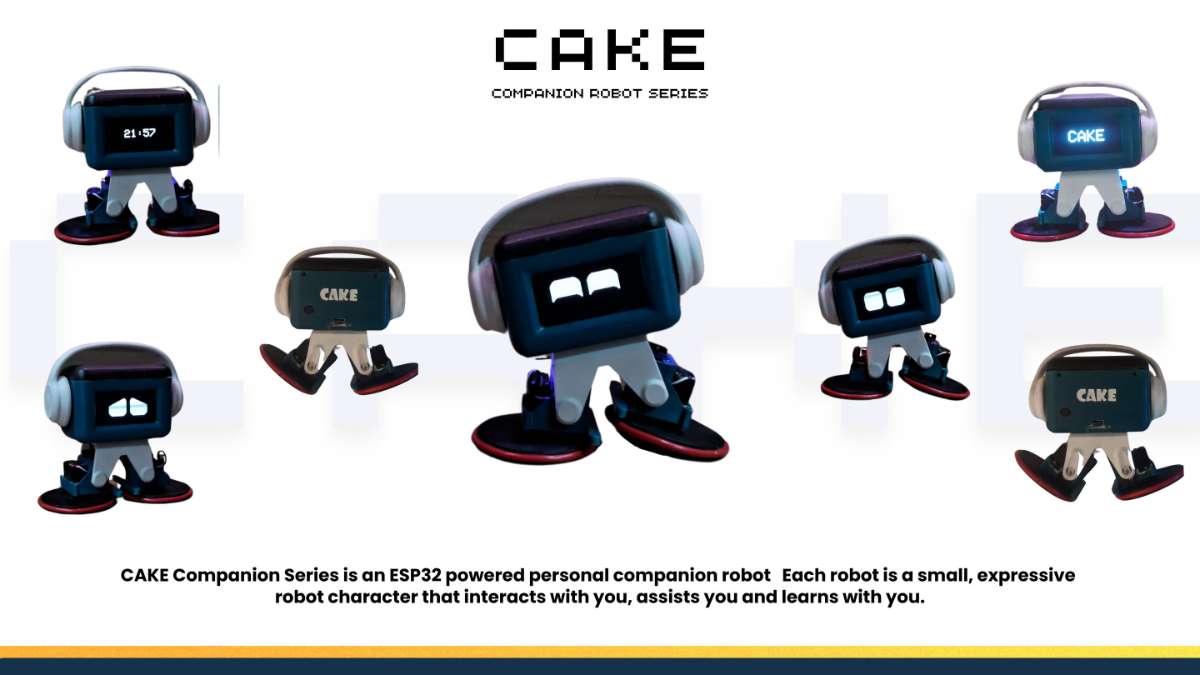
Meet CAKE, an adorable desktop companion robot that combines tech with an irresistible personality. Unlike traditional robots, CAKE specializes in bringing moments of delight to your day with expressive movements, playful interactions, and gentle wellness reminders.
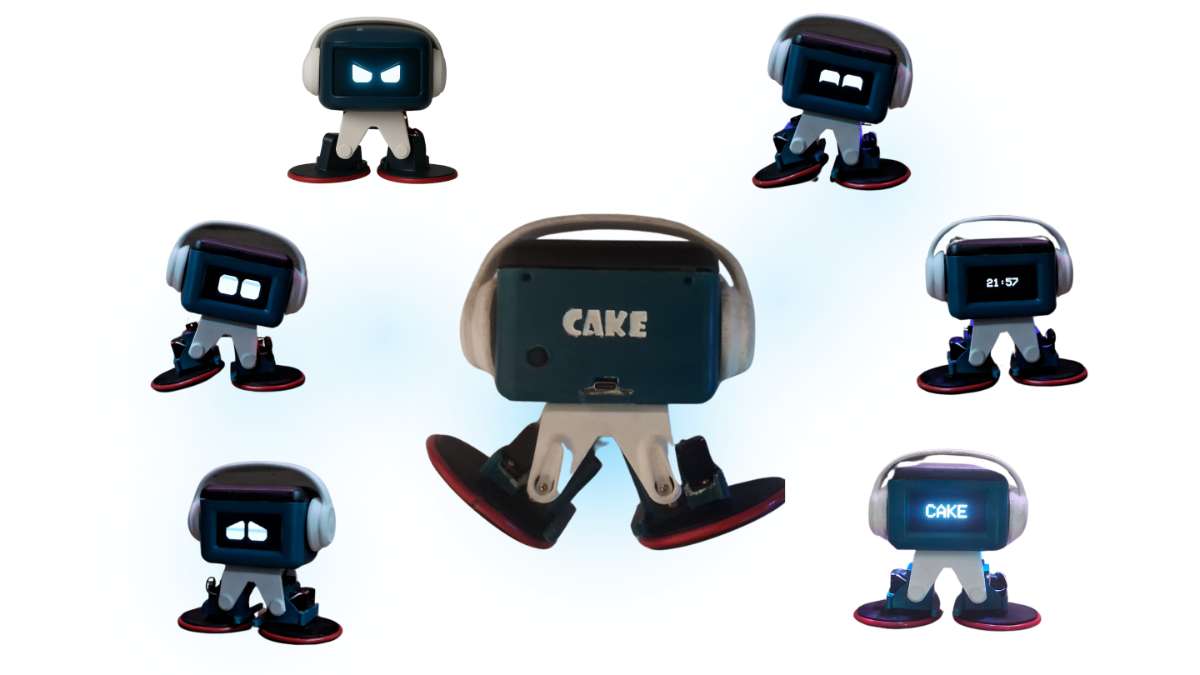
Our CAKE doesn't just sit there... it rolls, waves, dances to music, displays custom messages, and even reminds you to take water breaks. With its dual mobility system, mood-based Ambient LED animations and intuitive web interface, this little robot packs serious personality into a beautifully designed package that will become the highlight of your workspace.
All packed into a compact, beautifully customizable form..
PCB & 3D printable Design files included Below!
Firmware version: v2.1
Powered by an ESP32-C6 + WAVESHARE ESP32 SERIAL SERVO DRIVER
Designed in Fusion 360 & EASYEDA
[HERE ARE SOME GLIMPSES ]

What started as a personal dream soon grew into something more meaningful.
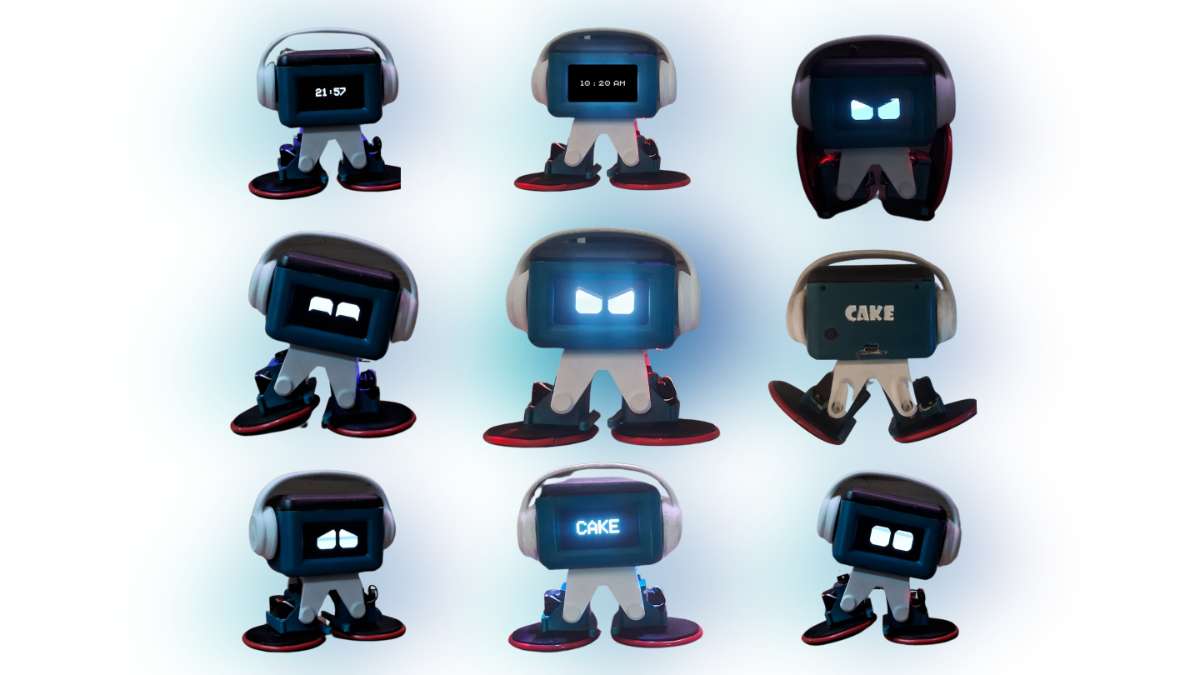
CAKE can roll around, wave at you, dance to music, and even transform into a self-balancing racing bot. It’s playful when you want fun, calm when you need focus, and expressive enough to feel like it has a personality of its own.
Every part of CAKE.. from its servos to its OLED face to the tiny LEDs glowing underneath.. is crafted with intention. And at its heart sits the ESP32-C6, thanks to the support from DigiKey & ElectronicWings For providing ESP32 - C6 Board.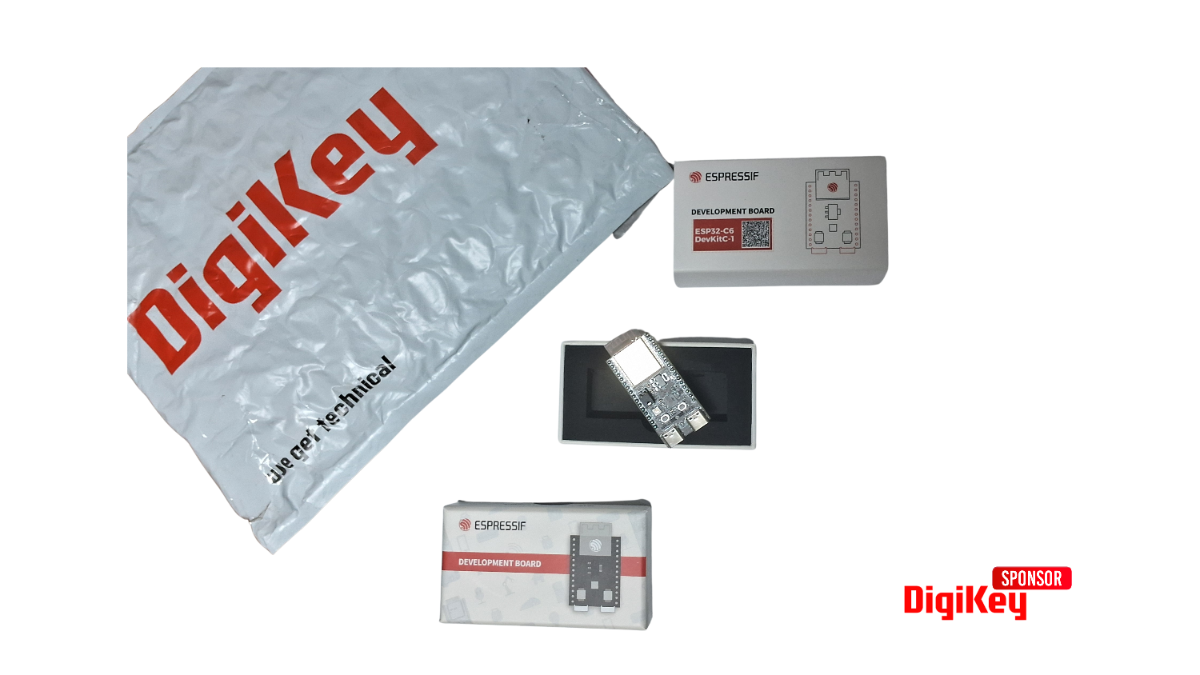
This project is not just about hardware or code.
It’s about creating something that makes technology feel warm, approachable and a little magical, Something I built out of passion, persistence and a belief that even small robots can make big moments in someone’s day.
.jpg)
Why build CAKE?
- Bring your desk to life with a robot friend that responds to your presence
- Stay on track with gentle fitness and hydration reminders
- Express yourself by customizing CAKE's appearance and behaviors
- Learn robotics through a fun, approachable project that combines hardware, software, and design
- Impress your colleagues with your very own desktop companion (that doesn't eat your snacks!)
.jpg)
Features
Dual Mobility System
- Walk/roll mode for expressive movement
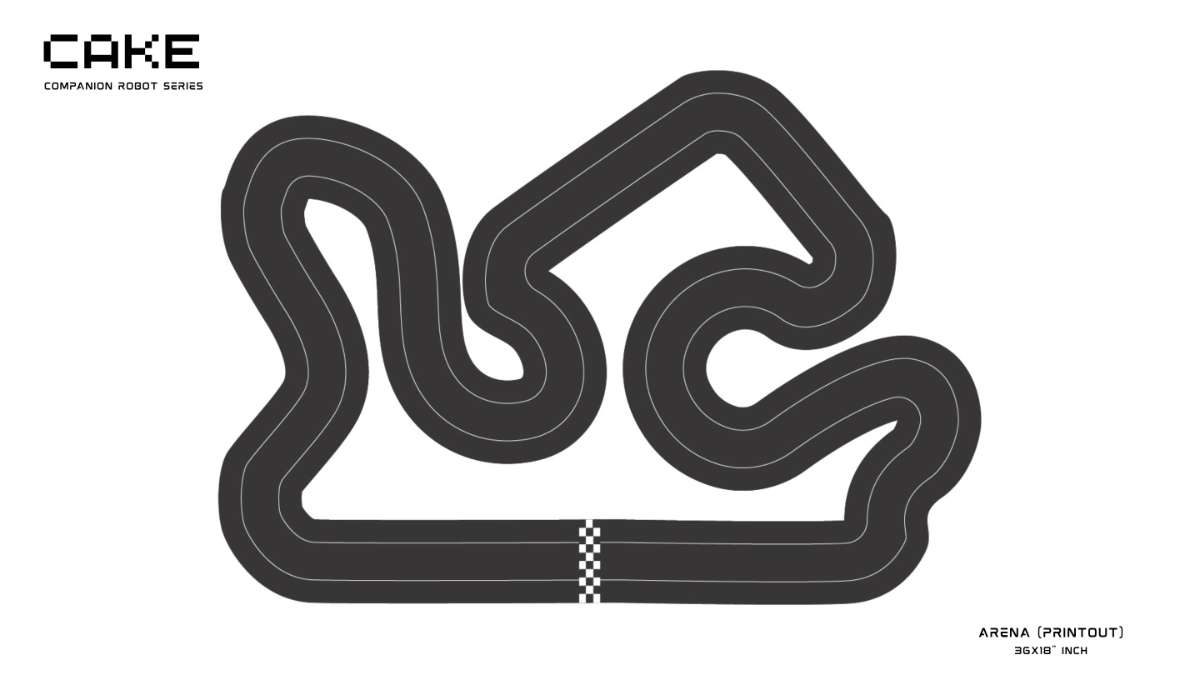
Self-balancing racing mode (2+ hr battery life) for arena gameplay
Smart Utility Tools
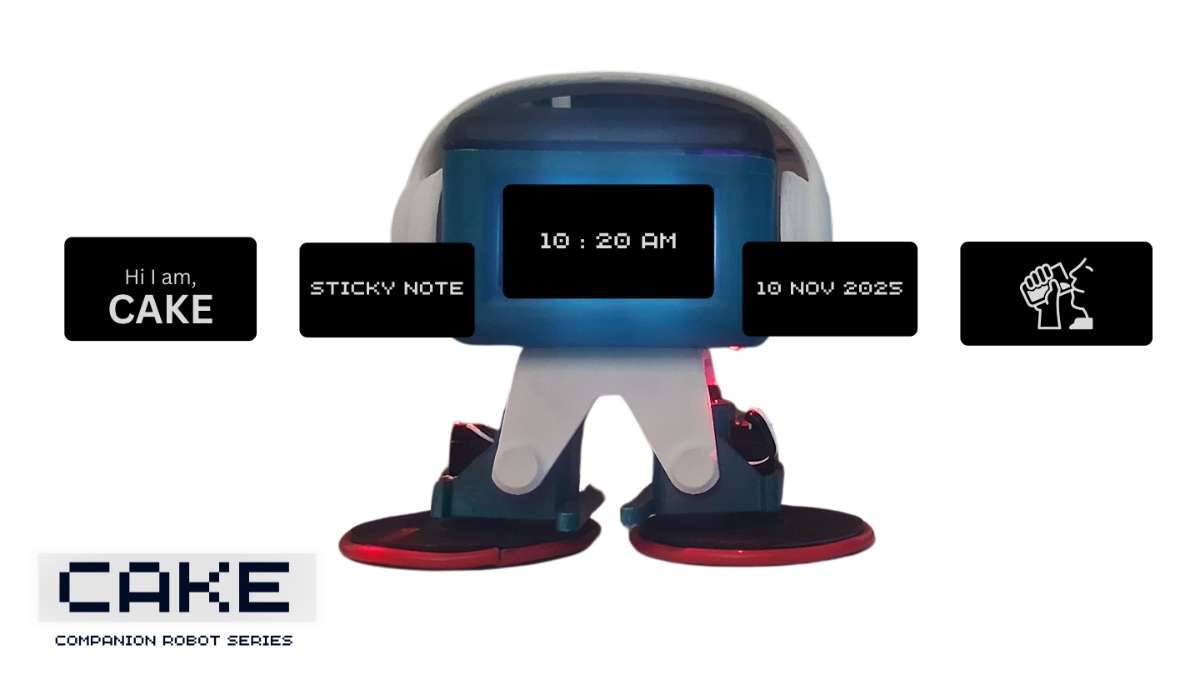
- Clock, calendar, weather and notes
- Sticky Notes: display custom text via the embedded web UI
- Reminders for water breaks or custom alerts
Real-time clock auto-sync from ESP32 > when connected with phone
Expression & Interaction
- Adorable OLED face animations
- Mood modes (happy, angry, curious, focused, etc.)
- LED-based under glow reactions (Sync with other components, looks aesthetically pleasing)
Short melodies, sound effects and dance animations (more to be added later..)
Connectivity + Controls
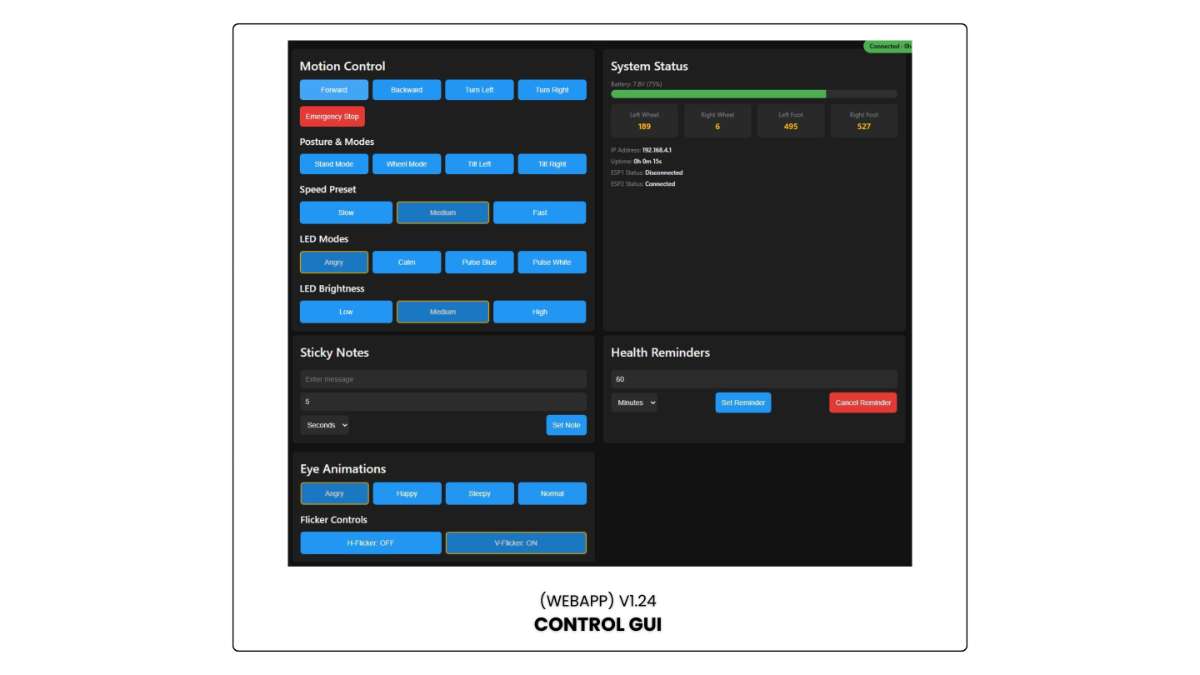
- Wi-Fi enabled with smartphone web-app remote control
- (Just Connect with Wi-Fi SSID: CAKE ROBOT & Type 192.168.4.1 on you browser)
- Battery level, servo feedback, and system status on GUI (updates every ~2s)
- Auto-reconnect on Wi-Fi restart
Speed settings via slider
Power & Efficiency
- Rechargeable Li-ion battery with USB-C fast charging
Power-saving mode: auto-disable servo torque when idle (Benefits of serial servo)
Build & Modularity
- Magnetic snap-fit accessories (headphone.., more to be added later)
- Modular body for customization
- Arena-ready gameplay (Find The arena map Below!)
This step-by-step guide will take you from parts to personality in just a few hours, with detailed instructions suitable for makers of all skill levels. Ready to bake your own CAKE?
STEP 1: GATHER COMPONENTS
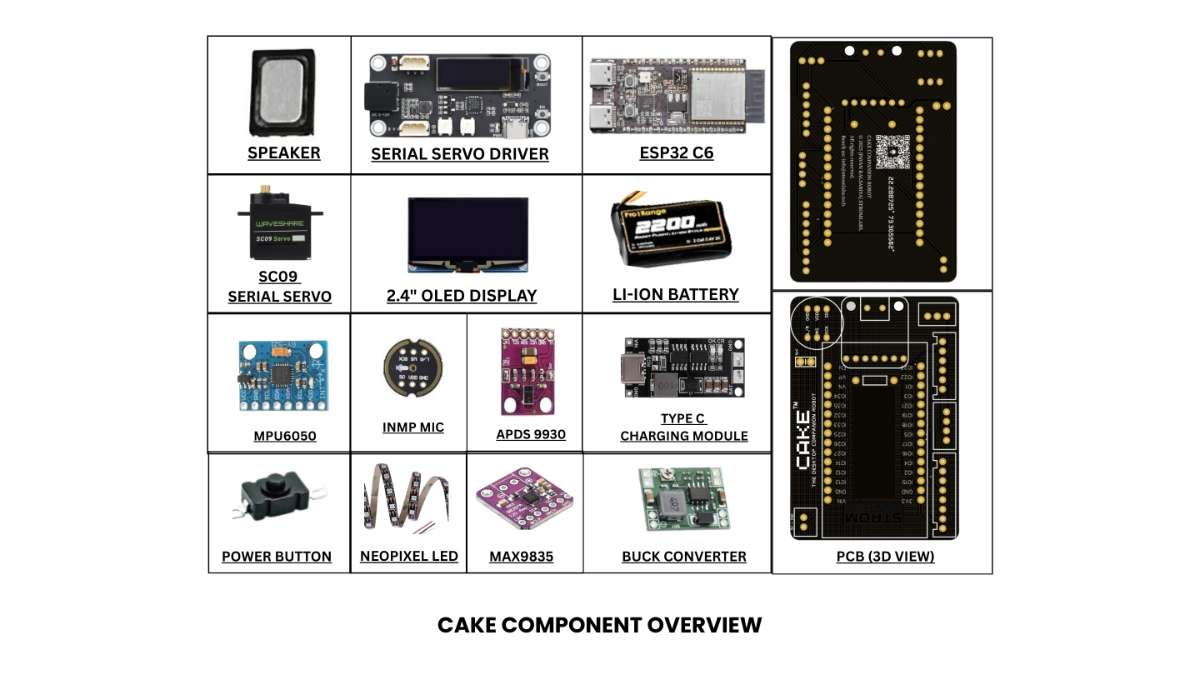
Collect all the mentioned components listed above.
Its not necessarily this components if you can procure them.. you can choose any other similar or equivalent components.
The exact components are required if You are going on... with PCB (PFA).
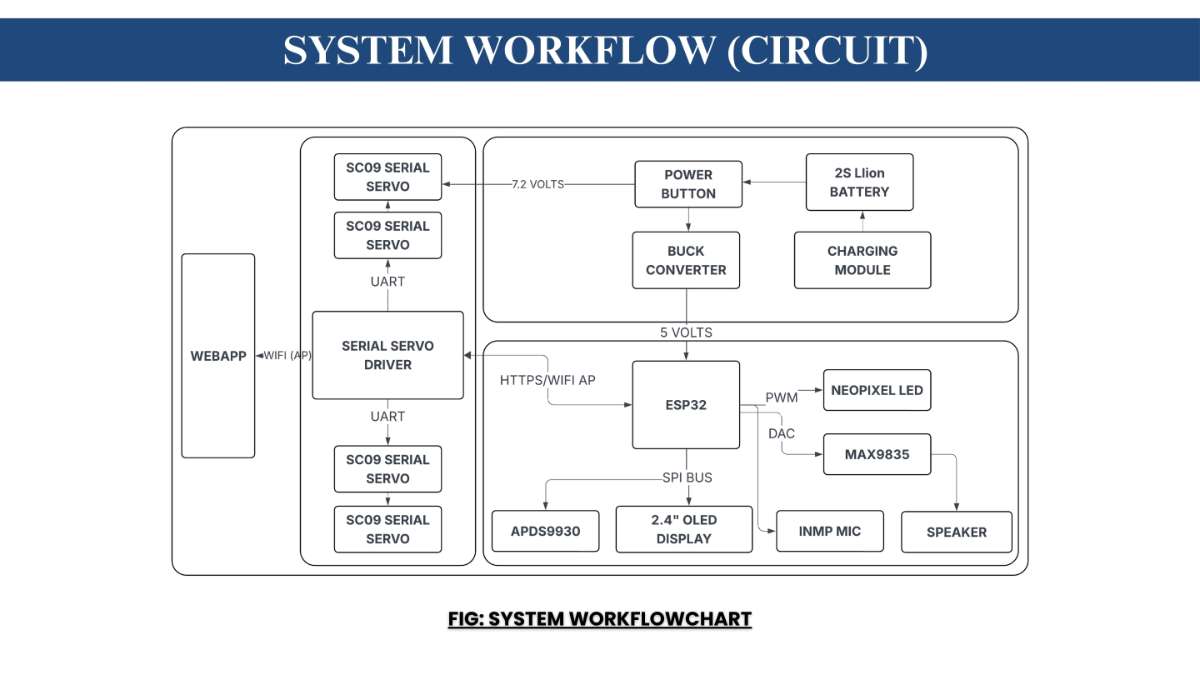
(SCHEMATICS AND PCB FILES ARE LISTED BELOW!!)
Step 2: 3D Print the CAKE Parts
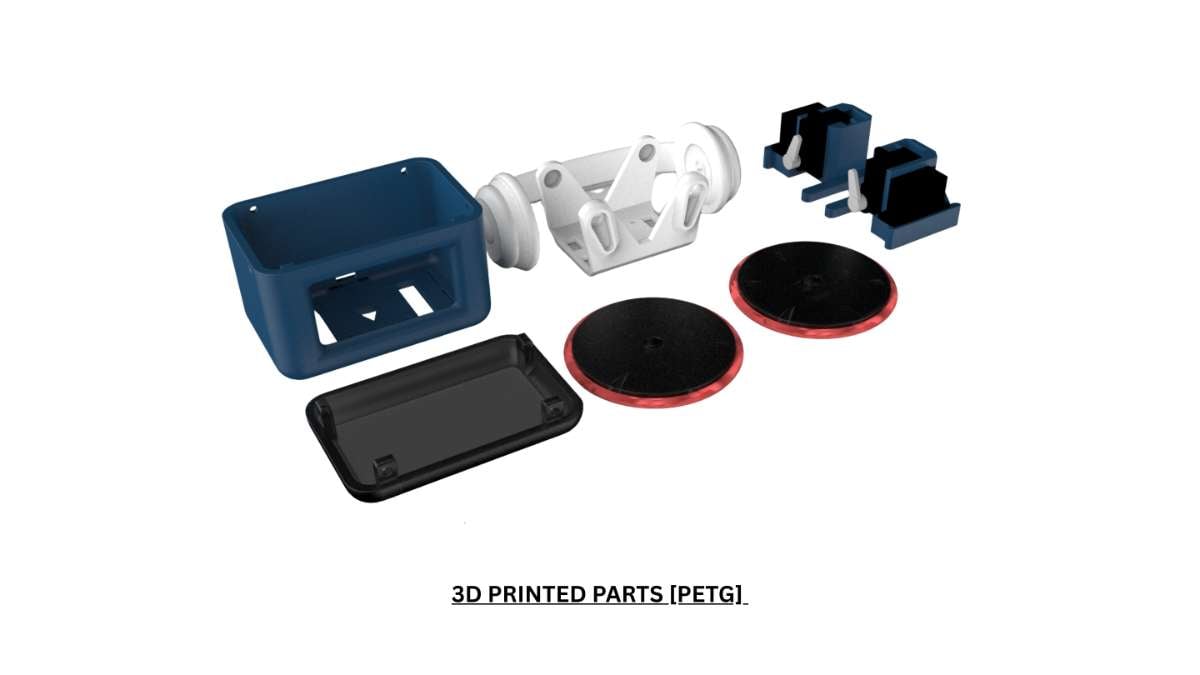
The heart of CAKE's aura is its carefully designed chassis that enables both its expressive movements and adorable appearance.
Printing Specifications
- Resolution: 0.2mm layer height (0.16mm for even smoother finish)
- Material: PLA or PETG (PLA for beginners, PETG for durability)
- Infill: 20% for body parts, 40% for mechanical components
- Support: Required primarily for arm/wheel connections
- Print Time: Approximately 6-10 hours total across all parts
Essential Components to Print
- Head Lid
- Head with mounting points for OLED
- Wheel caps (2x) - choose between standard or enhanced grip design
- Feet (1x)
Finishing Touches
For a professional look, consider these optional but recommended finishing steps:
- Sand key visible surfaces starting with 220 grit, then 400 grit for smooth transitions
- Prime with plastic-compatible primer (1-2 light coats)
- Paint with spray paint of your choice (I used dark blue for body, matte black for wheels)
- Seal with clear matte coating for durability
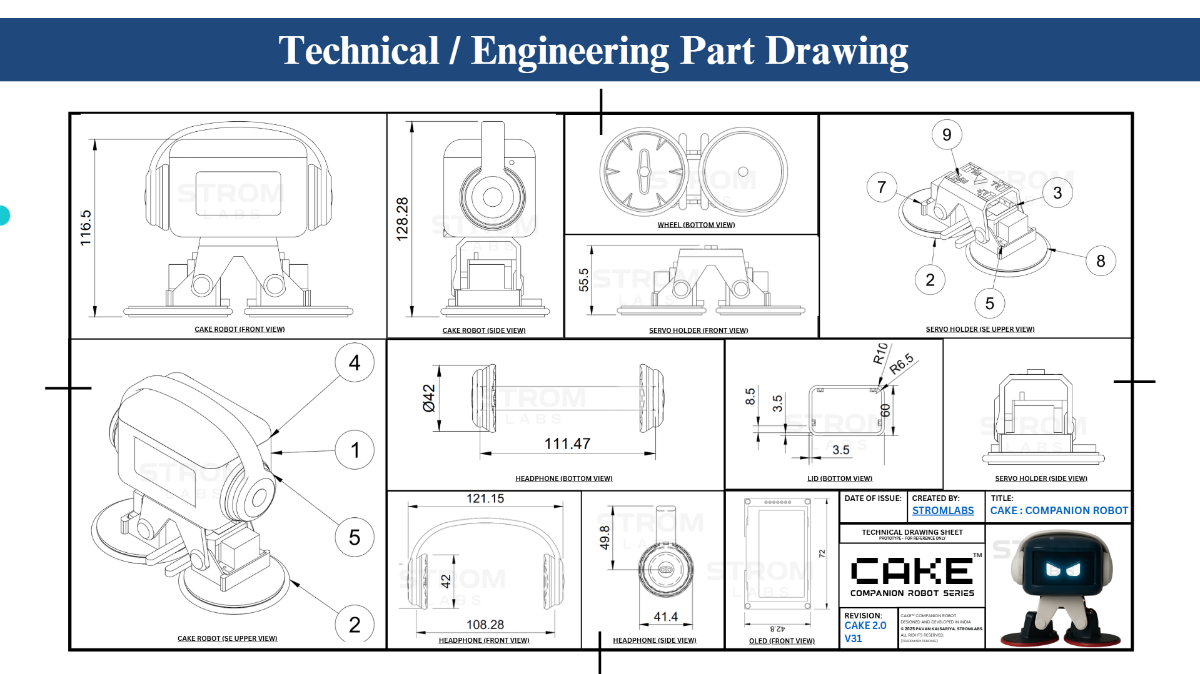
Designer's Note: The dark blue and black color combination gives CAKE a modern, tech-forward look, but feel free to customize with colors that match your workspace aesthetic!
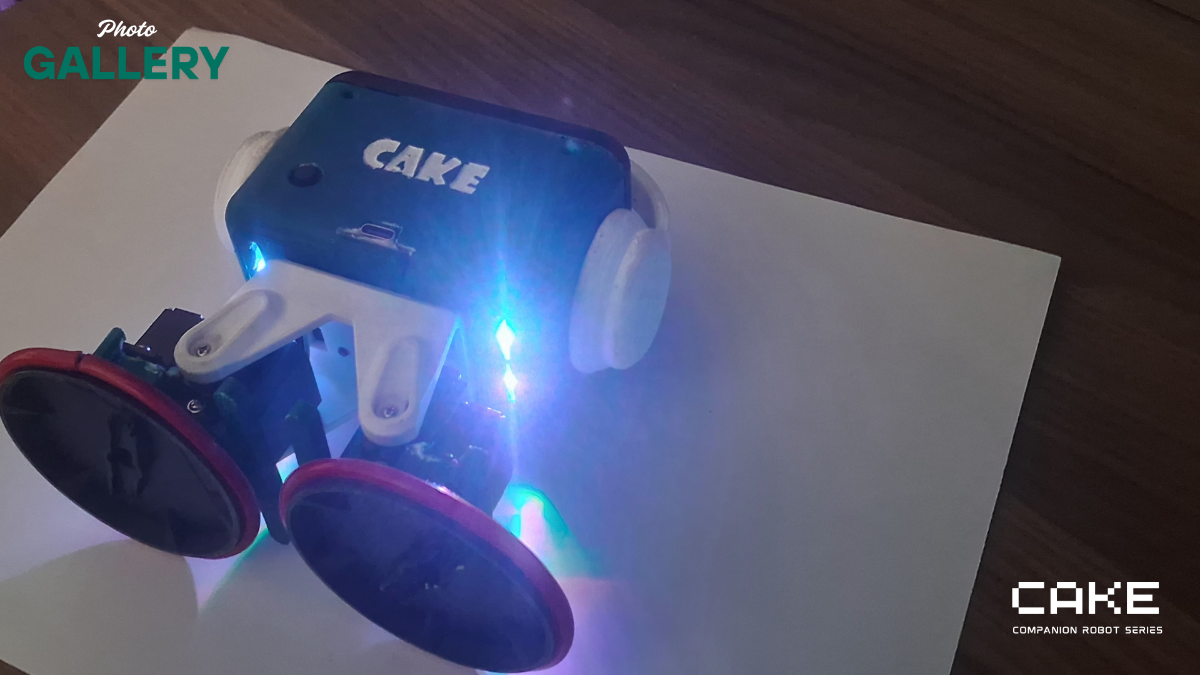
Step 3: ELECTRONICS, PCB, ELECTRONICS!
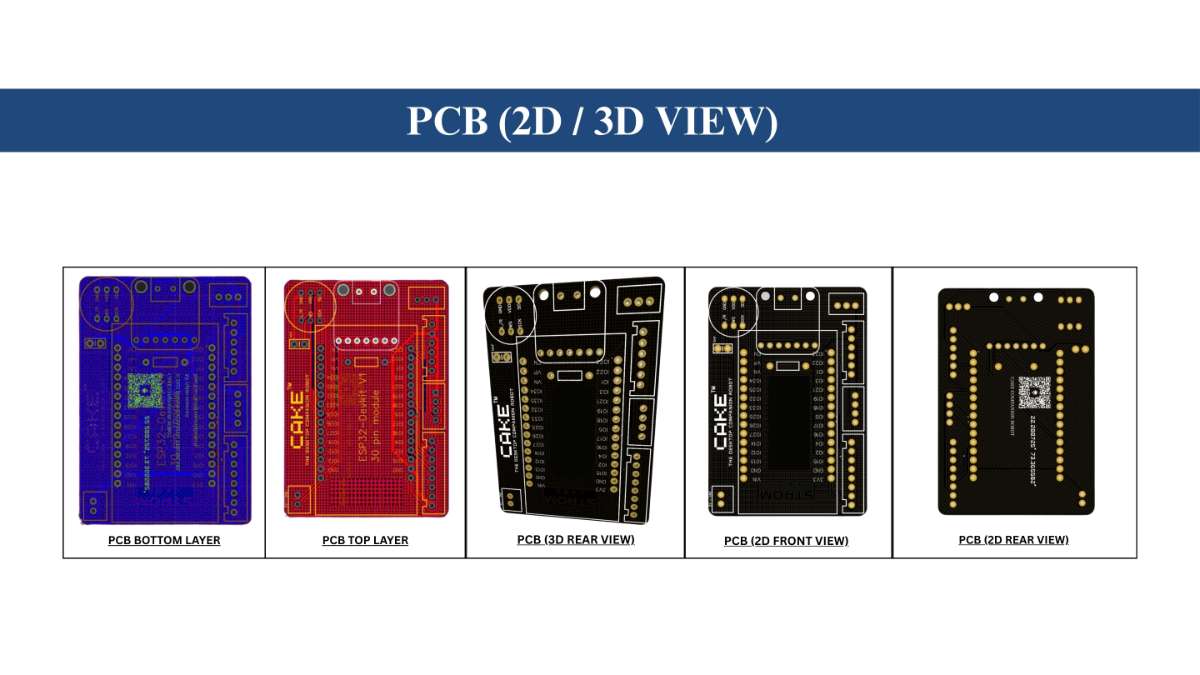
While you can build CAKE using point-to-point wiring (I used this method, as of now), the custom PCB dramatically simplifies assembly and increases reliability. The PCB handles all the complex interconnections between components and includes mounting points perfectly matched to the 3D printed chassis......
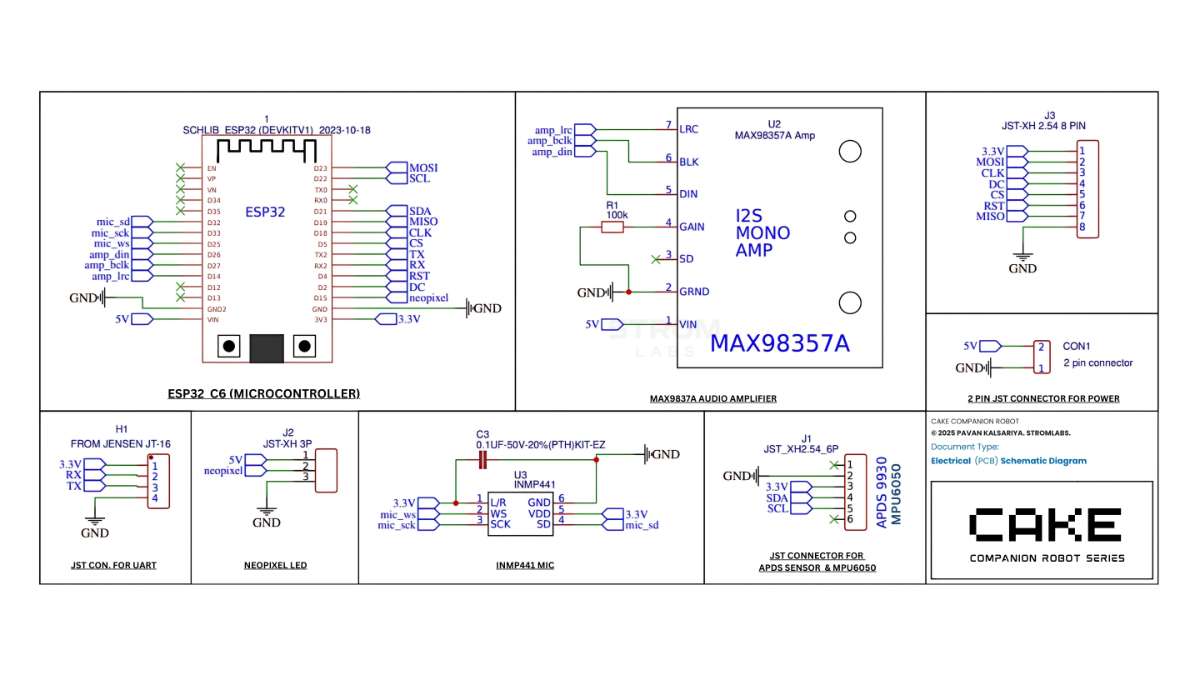
PCB Specifications
- Layers: 2-layer board
- Dimensions: 60mm × 40mm
- Thickness: 1.6mm standard
- Finish: HASL or ENIG (either works fine)
Money-Saving Tip: Many PCB manufacturers offer first-time customer discounts. Also consider bundling with other projects to save on shipping!
While You Wait
The PCB typically takes 1-2 weeks to arrive - the perfect time to gather the remaining components and print your chassis!
NOTE: MY CAKE ROBOT is an actively evolving project and the current prototype is hand-assembled using point-to-point wiring. All features shown here are functional at the prototype level, while several advanced capabilities are part of the ongoing development roadmap.
I have already designed a dedicated PCB and a more robust internal architecture, which will be released in future updates once they are fully tested.If you plan to recreate or extend CAKE, please note that some sections of the shared code and wiring may require adaptation based on your own tools and skill level. Makers are welcome to build on this version, but a bit of troubleshooting or customization may be needed until the final production-ready release is published.
This project is shared for educational and personal use only. Commercial reproduction, selling, or rebranding of CAKE or its derivatives is strictly not allowed without my approval.
Step 4: Assemble Body
- Mount the OLED display in the head cavity with rubber based adhesive
- you will need M3screws to connect head and lef.
- lid is snap fit .. but you can also opt for tightning it with m3 screws.
- I will suggest you to stick the (circular attachment which comes with servo) on the wheel.


- its the best method and easily removable while working with it.
- Glue a red wire or a rubber gasket around the wheel for grip and looks.
- Fit servos on feet and wheels with screws.
- Don't forget TO mount NEOPIXEL.. it should be glued facing bottom.
Precision Tip: Before final assembly, test the fit of each servo in its mount. A drop of light machine oil on mechanical joints will ensure smooth movement for the life of your CAKE.
STEP 5: Wire up but Don't Bake your CAKE!
This is where CAKE begins to come alive! Follow these steps carefully to ensure all electronics work properly.
Servo ID Configuration
Critical Step: Before connecting to the junction board, each servo needs a unique ID:
- Use the the attached code to ping and set ID to each servo
- Assign IDs as follows:
- ID 1: Left arm/foot
- ID 2: Left wheel
- ID 3: Right arm/foot
- ID 4: Right wheel
- Connect servos to junction board and driver
- Mount speaker, mic, OLED, NeoPixel, and ADPS to ESP32
- Power ESP32 (2) via regulated 5V from the buck converter
- Install the battery and toggle switch
- Optional: wire headphone jack for alternate audio output
- I had attached schematics of pcb.
PFA: A detailed connection table is available, PFA (SCHEMATICS, WIRING DIA)
^you will need to ping and set if to each servo individually by connecting it one by one to the driver.
Pro Wiring Tip: Use different colored wires for power (red), ground (black), and signals (various colors) to make future maintenance easier. Label any non-standard connections!
Step 6: Flash Firmware
Just Flash It.
Here we are using 2 ESP32, one is built in on Serial servo driver and one is our ESP32 C6.
They both communicate with each other wirelessly.
Via HTTP requests. (two way communication)
WORKFLOW: PHONE <-> ESP1 <-> ESP2
.jpg)
[FIGMA LINK FOR WEBAPP UI DESIGN: https://www.figma.com/design/TerRkOY6INPvwvtIj6szUN/Untitled?node-id=0-1&t=myeoAMw2a8fKPOc2-1 ]
Flash using Arduino IDE / Arduino Cloud
(Validated and uploaded with Arduino IDE 2.3.6) / (Arduino Cloud)
There are 2 separate code (.ino) files for ESP1 and ESP2
(Some preview..)
On first boot:
- servo move to neutral
- Wheels (2/4) move to stand pose
- Torque turns off after 1 second
- Battery and servo feedback start updating
Step 7: Calibrate & Test
Let's get to know CAKE's controls and customize it to your preferences!
Connecting to CAKE
- On your smartphone or computer, connect to the Wi-Fi network:
- SSID: CAKE_ROBOT
- Password: 12121212
- Open a web browser and navigate to: 192.168.4.1
- The CAKE control interface should appear
Step 8: Use the Web Interface
Basic Controls
The intuitive web interface gives you complete control:
Movement:
- Directional pad for forward/backward motion
- Tilt controls for expressive movements
Speed slider to adjust movement rate
Expressions:
- Toggle between Happy, Curious, Sleepy, or Angry eye animations
Custom animation sequences for special occasions
LED Control:
- Color picker for static lighting
- Animation modes (pulse, rainbow, mood-based)
Brightness control
Sticky Notes:
- Enter custom text messages to display
- Schedule messages to appear at specific times
- Choose from preset encouraging messages
Wellness Reminders
CAKE can be your wellness buddy too:
- Set hydration reminders (30-90 minute intervals)
- Create custom reminders for medications or other needs
Controls:
- Motion: Forward/backward, tilt left/right
- Eyes: Angry, happy, sleepy modes
- LEDs: Pulse, static, or mood-based colors
- Reminders: Set timer-based alerts
Step 9: Enjoy Your CAKE 🍰!
Congratulations on creating your very own CAKE desktop companion! From a collection of parts to an adorable, interactive robot friend, you've completed a project that combines electronics, programming, and design into something truly special.
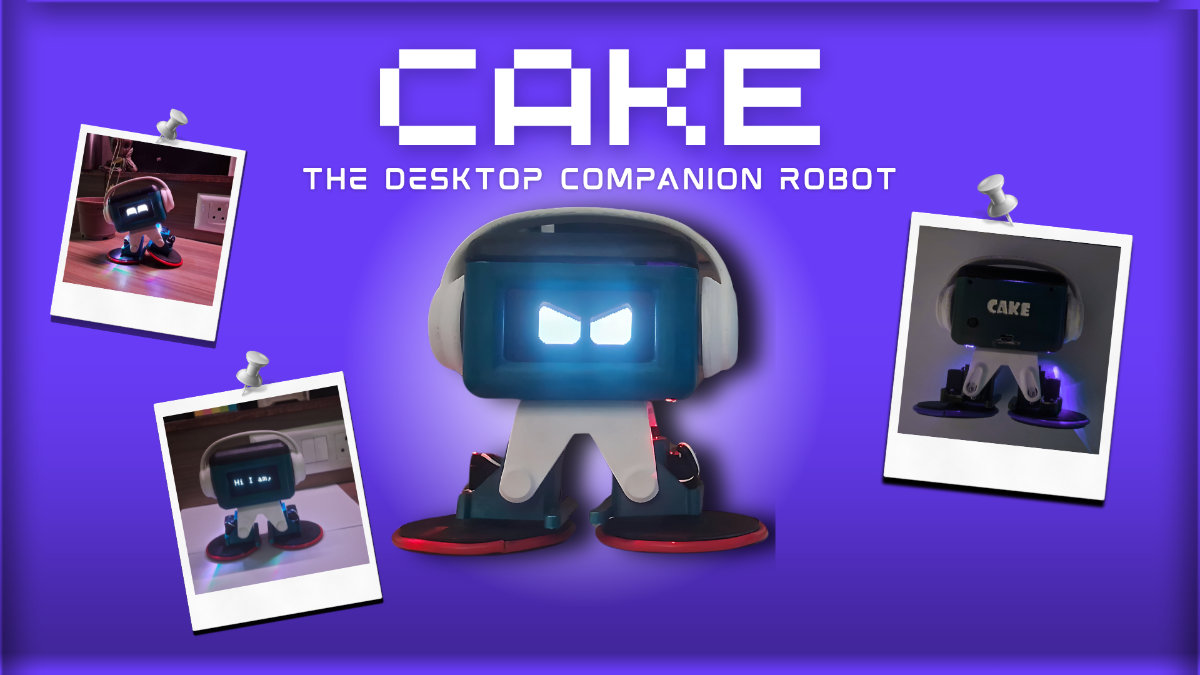
CAKE is designed to grow with you - as your skills improve, you can enhance its capabilities with new features and customizations. We can't wait to see how your CAKE becomes part of your daily routine and workspace!
Experiment with animations, add sensors, or program new behaviors via the web interface!
Future Development
The CAKE project is constantly evolving! Coming soon:
- Voice control capabilities
- Advanced gesture recognition
- Multi-CAKE synchronized movements
- Better Mobile app control interface
This project is shared for educational and personal use only. Commercial reproduction, selling, or rebranding of CAKE or its derivatives is strictly not allowed without my approval.
Thank For Reading! ~Pavan Kalsariya (Inventor Of Cake The Desktop Companion Robot)


