



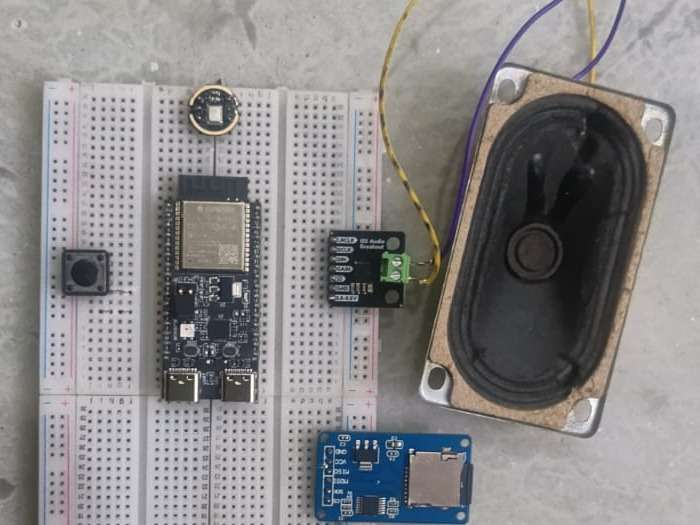
This voice assistant is designed to provide a seamless, hands-free conversational experience by turning spoken questions into spoken answers.
Here is what it can do:
- Listen and Record: It can capture your voice when you press a button, using its microphone to record your question as an audio file.
- Transcribe and Understand: It sends your audio file to the Gemini AI to automatically turn your speech into text (transcription) and understand what you are asking (intent).
- Answer Questions: It uses the intelligence of Gemini to generate a concise and helpful text response to your query.
- Speak Back: It takes the AI's text answer and sends it to the Murf AI service, which converts the text into a realistic, natural-sounding audio response.
Deliver Audio: It plays the final, synthesized speech through its speaker, delivering the answer to you in a natural voice.
WHY I CHOOSE GEMINI AND MURF AI
GEMINI AI
I chose Gemini for my LLM due to the following strategic reasons:
1. Cost-Effectiveness and Accessibility
Free-of-Cost Tier: The availability of a free tier is crucial for individual users, students, and hobbyists, allowing full experimentation and development without initial financial burden.
Competitive Pricing: Even for professional use, the paid tiers for Gemini Pro and Flash are usually competitively priced when compared with other leading LLMs, providing an excellent balance of performance and cost.
2. Native Multimodal Processing (Faster Audio
Architecture from Gemini allows native audio file input, which bypasses the traditional Speech-to-Text chain. In other words, it means the model processes an audio signal directly without conversion into text form first, significantly reducing latency.
Deeper audio understanding can be achieved by Gemini analyzing raw audio data beyond mere words. This will include intonation, emotion, and speaker identity through diarization for more contextual and accurate responses than what would have been possible with a text-only transcript.
3. Superior Capability and Versatility True Multimodality: While LLMs were originally text-only and had vision/audio capabilities "bolted on," Gemini was designed from the ground up to be multimodal. It can process and reason across text, code, images, and audio, all in one prompt. Advanced Reasoning: Pro and Ultra versions of Gemini afford advanced reasoning and planning, which can handle more complex, multi-step tasks in agentic workflows than their many competitors.
MURF AI
Ultra-Realistic, Human-Like Voices
- Natural Sounding: Murf utilizes advanced neural network algorithms to generate voices that are expressive, smooth, and closely resemble human speech, avoiding the robotic or monotone sound of older TTS systems.
- Multilingual Output: Some advanced models can seamlessly switch between multiple languages within a single audio generation, ensuring accurate pronunciation and a natural flow when code-mixing is required.
DIGIKEY MY LIST = https://www.digikey.in/en/mylists/list/SGYEKYUNPG
COMPONENT FOR AURA CHABOT
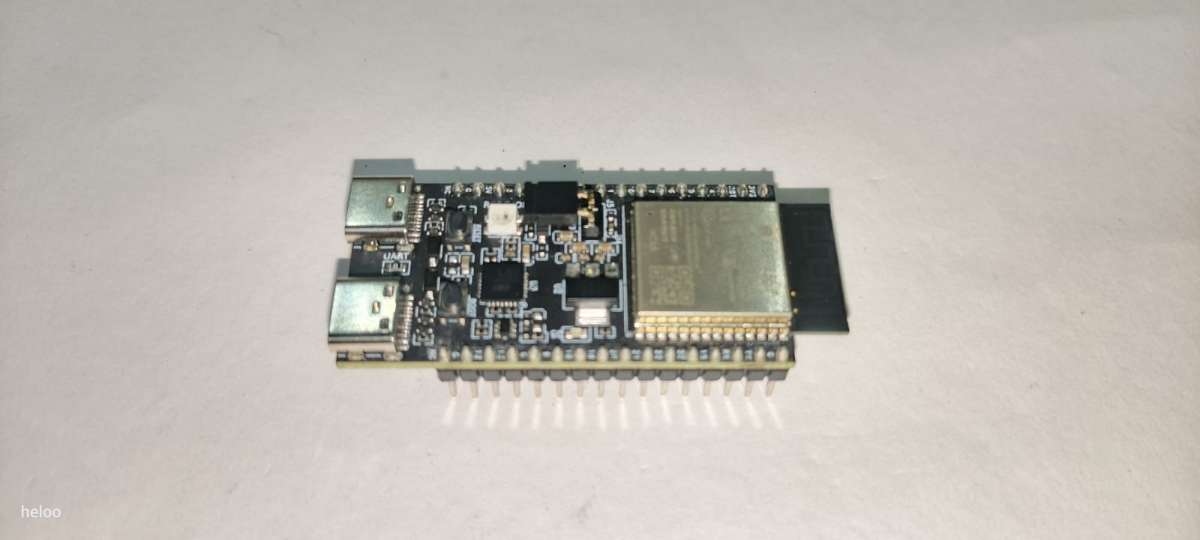
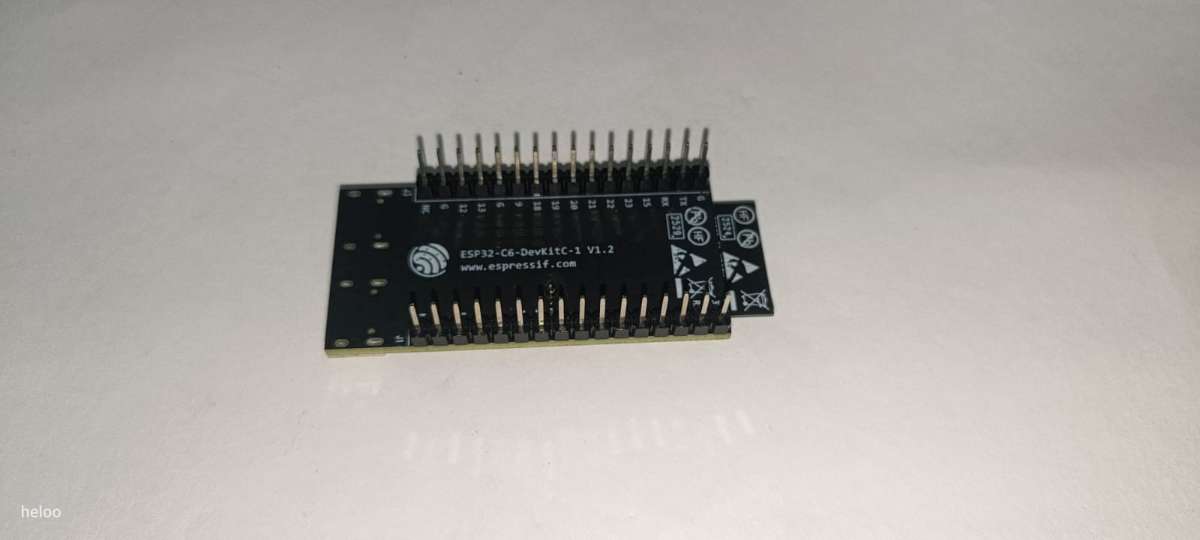
1*ESP32C6 DEVKIT
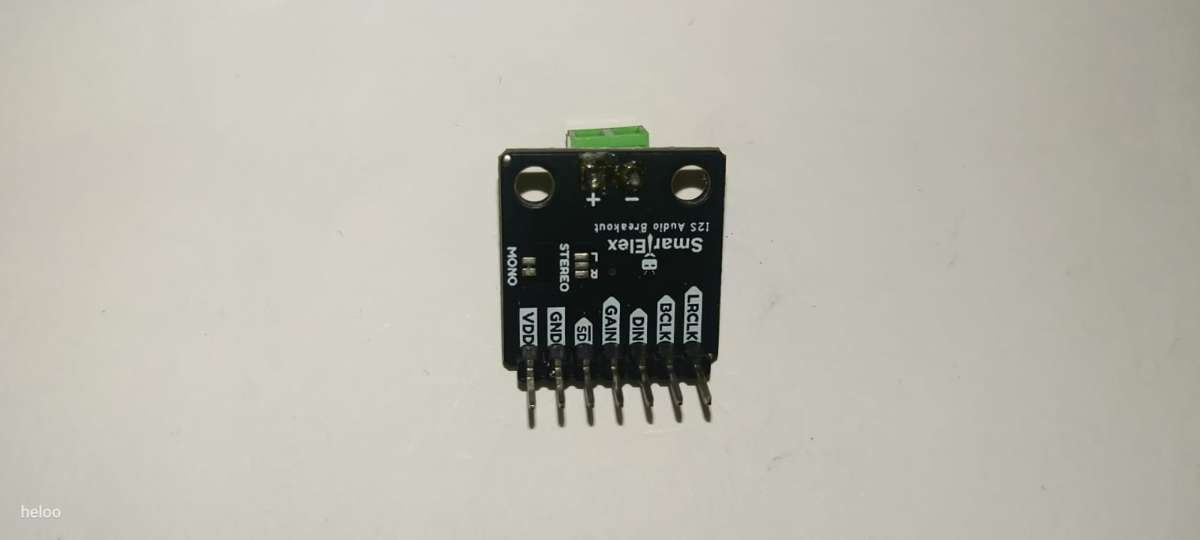
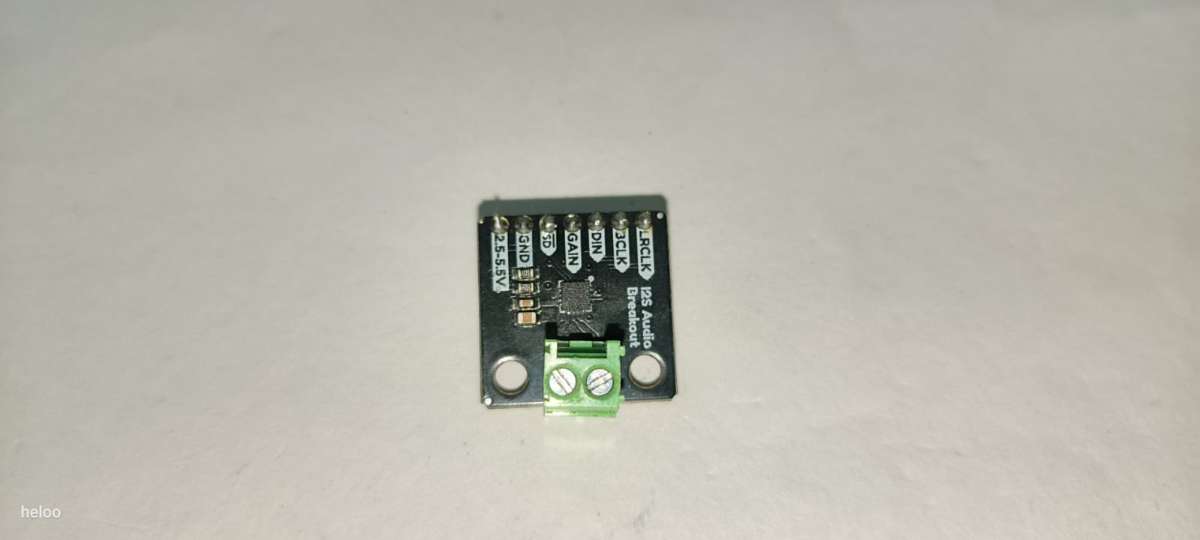
- 1*MAX98357A AMPLIFIER
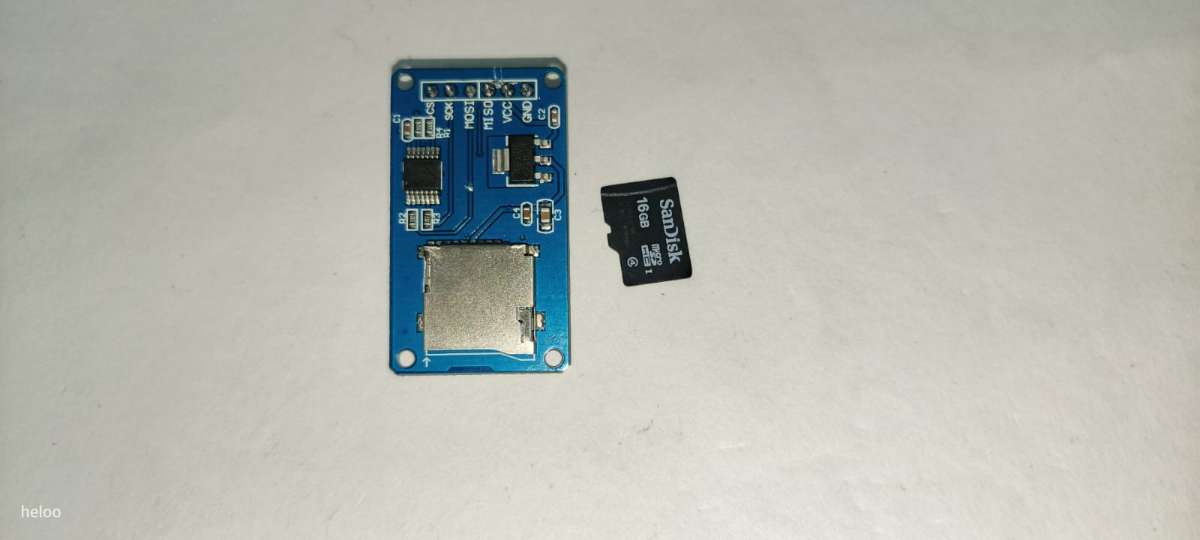
- 1*8 GB SD CARD with its module
- 1*PUSH BUTTON

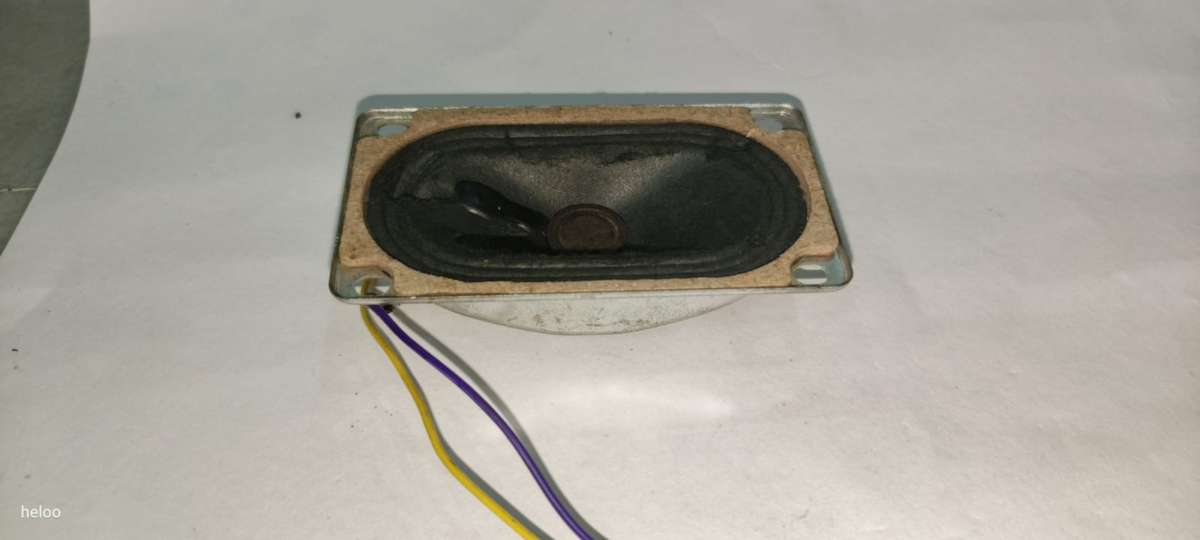
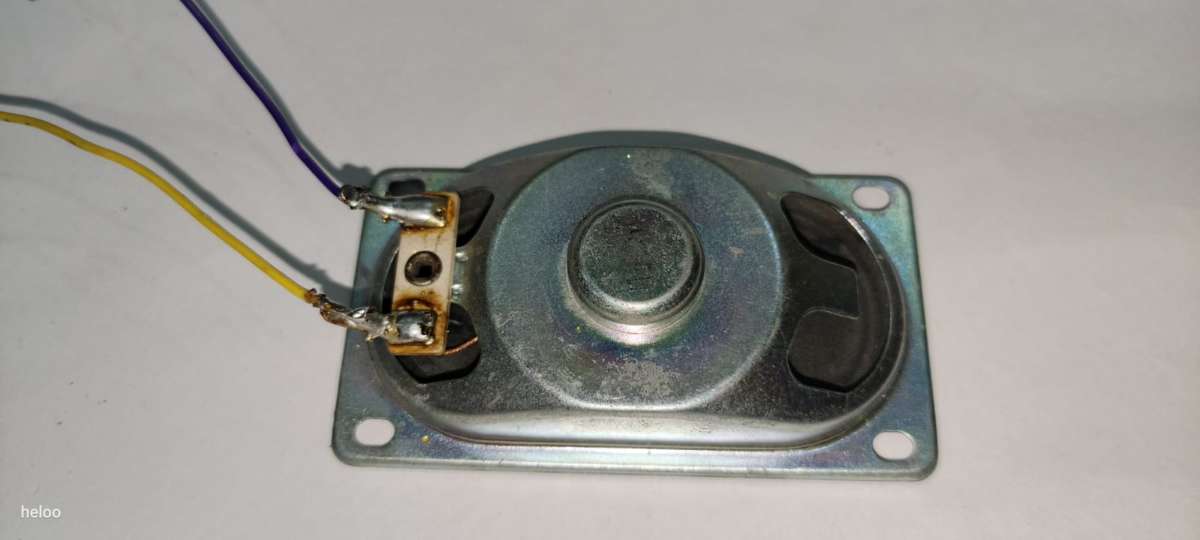
- 1* 1W 8OHM SPEAKER
1*INMP441 MIC MEMS
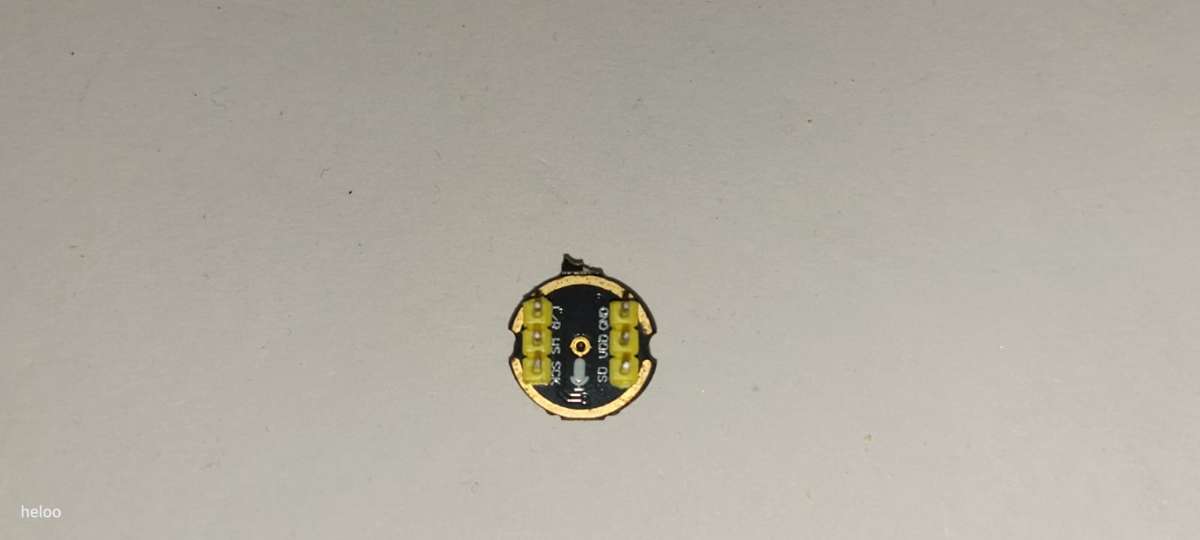
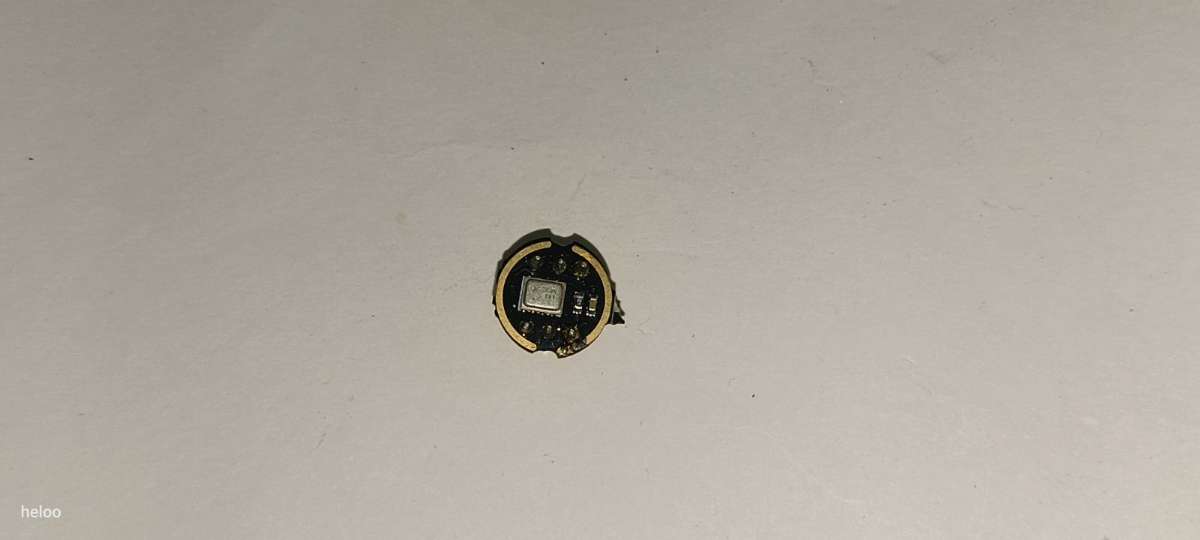
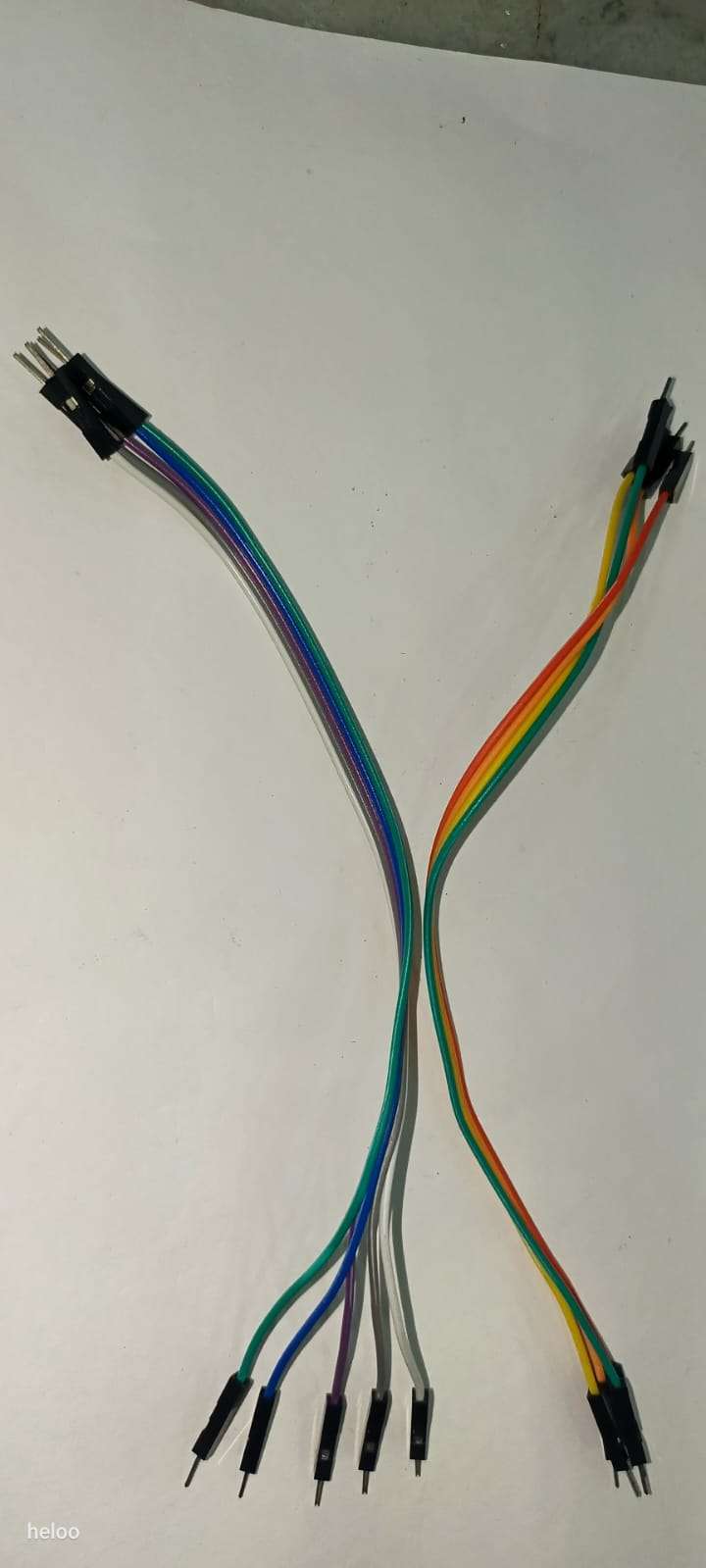
2*MALE TO MALE JUMPER WIRE
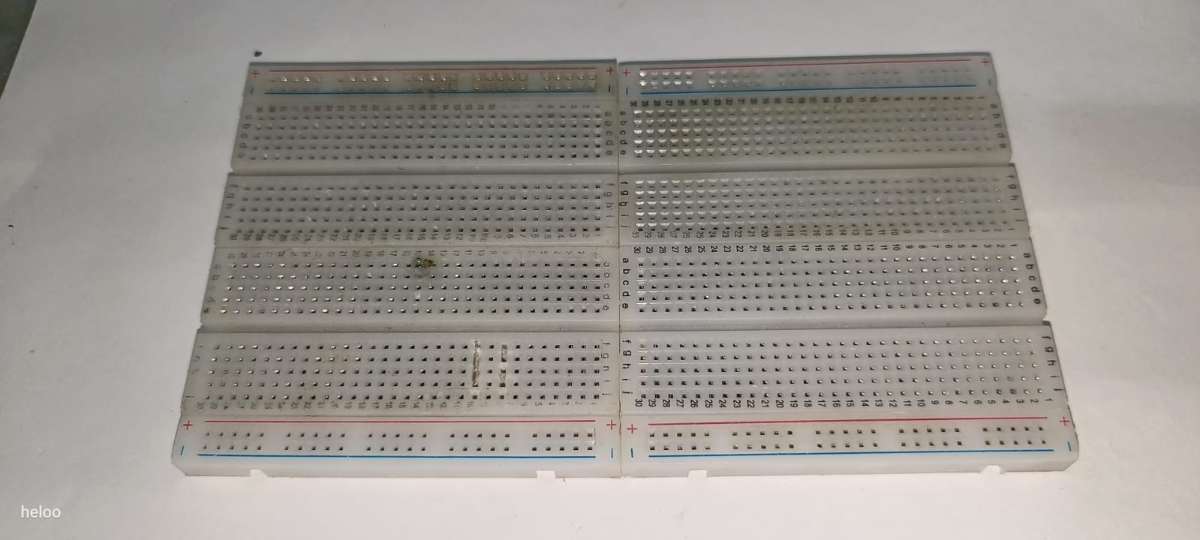
- 1*BREADBOARD
code of aura chatbot
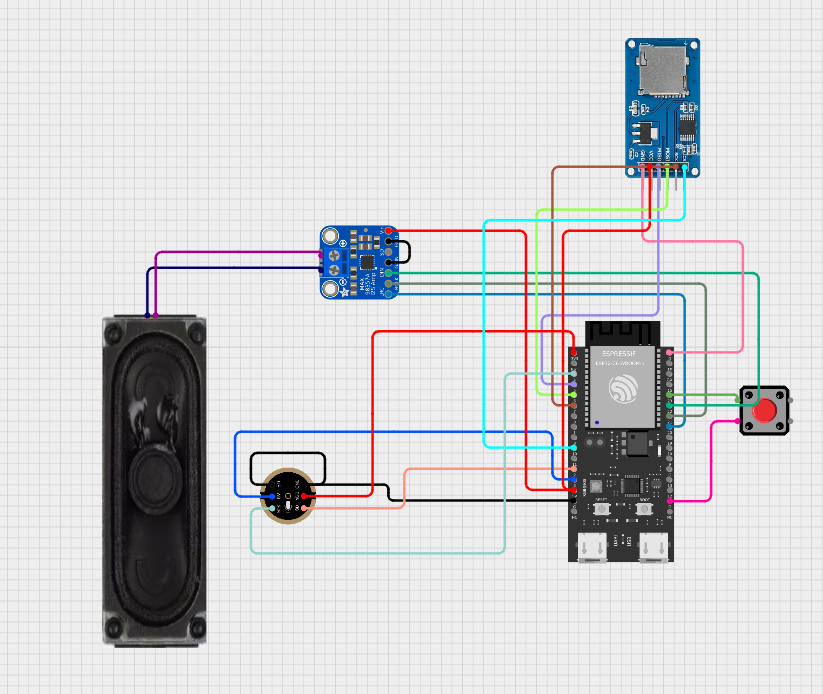
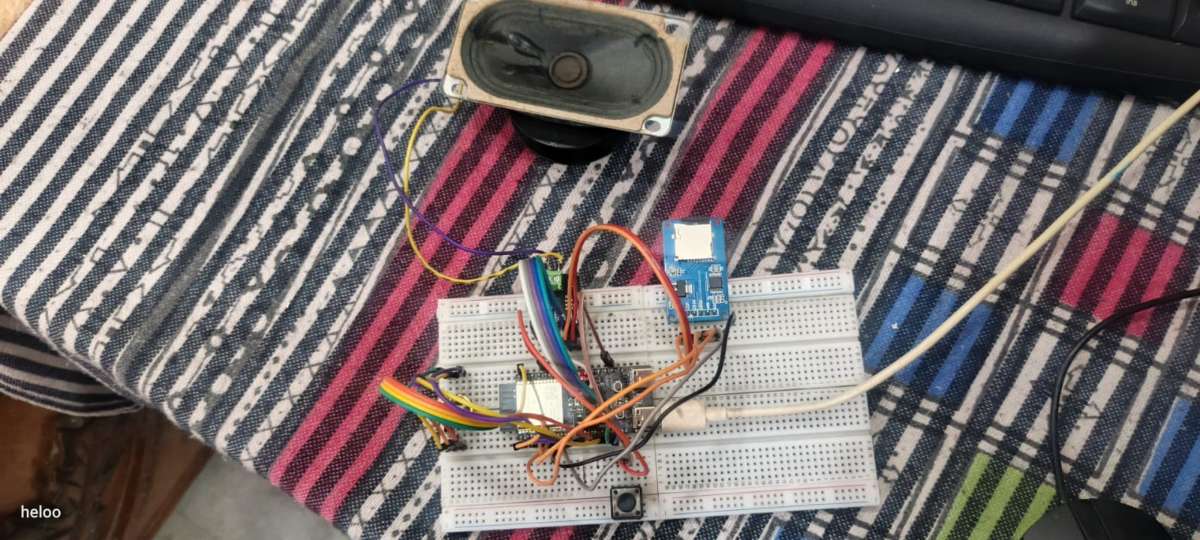
  Wiring: OF AURA CHATBOT
INMP441 (Microphone Input):
VDD  -> 3.3V
GND  -> GND
SD   -> GPIO 2
WS   -> GPIO 3
SCK  -> GPIO 4
L/R  -> GND

MAX98357A (Speaker Output):
VIN  -> 3.3V or 5V
GND  -> GND
DIN  -> GPIO 22
BCLK -> GPIO 21
LRC  -> GPIO 20

SD Card (SPI):
VCC  -> 3.3V
GND  -> GND
MISO -> GPIO 5
MOSI -> GPIO 6
SCK  -> GPIO 7
CS   -> GPIO 10

Button:
One side -> GPIO 23
Other side -> GND
/*
  ESP32-C6 Voice Assistant
  - Record audio with INMP441 (press & hold button)
  - Send to Gemini 2.0 Flash for AI response
  - Convert response to speech with Murf AI
  - Play audio through MAX98357A speaker

  Wiring:
  INMP441 (Microphone Input):
    VDD  -> 3.3V
    GND  -> GND
    SD   -> GPIO 2
    WS   -> GPIO 3
    SCK  -> GPIO 4
    L/R  -> GND

  MAX98357A (Speaker Output):
    VIN  -> 3.3V or 5V
    GND  -> GND
    DIN  -> GPIO 22
    BCLK -> GPIO 21
    LRC  -> GPIO 20

  SD Card (SPI):
    VCC  -> 3.3V
    GND  -> GND
    MISO -> GPIO 5
    MOSI -> GPIO 6
    SCK  -> GPIO 7
    CS   -> GPIO 10

  Button:
    One side -> GPIO 9
    Other side -> GND
*/

#include <Arduino.h>
#include <WiFi.h>
#include <HTTPClient.h>
#include <WiFiClientSecure.h>
#include <driver/i2s.h>
#include <SD.h>
#include <SPI.h>
#include <ArduinoJson.h>

// WiFi credentials
const char* ssid = "*******************";   //CHANGE IT WITH YOUR SSID/WIFI NAME
const char* password = "*************";    //CHANGE IT WITH YOUR WIFI PASSWAORD

// API Keys
const char* geminiApiKey = "*************";  // CHANGE IT WITH GEMINI API KEY
const char* murfApiKey = "***********";  //CHANGE IT WITH MURF AI API KEY FOR TTS

// Pin definitions - INMP441 (Input)
#define I2S_MIC_WS 3
#define I2S_MIC_SD 2
#define I2S_MIC_SCK 4

// Pin definitions - MAX98357A (Output)
#define I2S_SPK_DIN 22
#define I2S_SPK_BCLK 21
#define I2S_SPK_LRC 20

// SD Card pins
#define SD_CS 10
#define SD_MISO 5
#define SD_MOSI 6
#define SD_SCK 7

// Button
#define BUTTON_PIN 23

// Audio configuration
#define SAMPLE_RATE 16000
#define SAMPLE_RATE_PLAY 24000

// Files
const char* recordingFile = "/recording.wav";
const char* responseFile = "/response.wav";

// State
bool sdCardReady = false;
bool isRecording = false;

// WAV header
struct WavHeader {
  char riff[4] = {'R', 'I', 'F', 'F'};
  uint32_t fileSize;
  char wave[4] = {'W', 'A', 'V', 'E'};
  char fmt[4] = {'f', 'm', 't', ' '};
  uint32_t fmtSize = 16;
  uint16_t audioFormat = 1;
  uint16_t numChannels = 1;
  uint32_t sampleRate = SAMPLE_RATE;
  uint32_t byteRate;
  uint16_t blockAlign;
  uint16_t bitsPerSample = 16;
  char data[4] = {'d', 'a', 't', 'a'};
  uint32_t dataSize;
};

// ==================== I2S SETUP ====================

void setupI2S_Mic() {
  i2s_driver_uninstall(I2S_NUM_0);

  i2s_config_t i2s_config = {
    .mode = (i2s_mode_t)(I2S_MODE_MASTER | I2S_MODE_RX),
    .sample_rate = SAMPLE_RATE,
    .bits_per_sample = I2S_BITS_PER_SAMPLE_16BIT,
    .channel_format = I2S_CHANNEL_FMT_ONLY_LEFT,
    .communication_format = I2S_COMM_FORMAT_STAND_I2S,
    .intr_alloc_flags = ESP_INTR_FLAG_LEVEL1,
    .dma_buf_count = 4,
    .dma_buf_len = 1024,
    .use_apll = false,
    .tx_desc_auto_clear = false,
    .fixed_mclk = 0
  };

  i2s_pin_config_t pin_config = {
    .bck_io_num = I2S_MIC_SCK,
    .ws_io_num = I2S_MIC_WS,
    .data_out_num = I2S_PIN_NO_CHANGE,
    .data_in_num = I2S_MIC_SD
  };

  i2s_driver_install(I2S_NUM_0, &i2s_config, 0, NULL);
  i2s_set_pin(I2S_NUM_0, &pin_config);
  i2s_zero_dma_buffer(I2S_NUM_0);
  delay(100);

  Serial.println("I2S Microphone ready");
}

void setupI2S_Speaker() {
  i2s_driver_uninstall(I2S_NUM_0);

  i2s_config_t i2s_config = {
    .mode = (i2s_mode_t)(I2S_MODE_MASTER | I2S_MODE_TX),
    .sample_rate = SAMPLE_RATE_PLAY,
    .bits_per_sample = I2S_BITS_PER_SAMPLE_16BIT,
    .channel_format = I2S_CHANNEL_FMT_ONLY_LEFT,
    .communication_format = I2S_COMM_FORMAT_STAND_I2S,
    .intr_alloc_flags = ESP_INTR_FLAG_LEVEL1,
    .dma_buf_count = 8,
    .dma_buf_len = 1024,
    .use_apll = false,
    .tx_desc_auto_clear = true,
    .fixed_mclk = 0
  };

  i2s_pin_config_t pin_config = {
    .bck_io_num = I2S_SPK_BCLK,
    .ws_io_num = I2S_SPK_LRC,
    .data_out_num = I2S_SPK_DIN,
    .data_in_num = I2S_PIN_NO_CHANGE
  };

  i2s_driver_install(I2S_NUM_0, &i2s_config, 0, NULL);
  i2s_set_pin(I2S_NUM_0, &pin_config);
  i2s_zero_dma_buffer(I2S_NUM_0);

  Serial.println("I2S Speaker ready");
}

// ==================== SD CARD ====================

void setupSD() {
  Serial.println("Initializing SD card...");

  SPI.begin(SD_SCK, SD_MISO, SD_MOSI, SD_CS);

  for (int i = 0; i < 3; i++) {
    if (SD.begin(SD_CS, SPI, 4000000)) {
      sdCardReady = true;
      break;
    }
    delay(500);
  }

  if (!sdCardReady) {
    Serial.println("ERROR: SD Card failed!");
    return;
  }

  Serial.printf("SD Card Size: %lluMB\n", SD.cardSize() / (1024 * 1024));
}

// ==================== WIFI ====================

void setupWiFi() {
  WiFi.begin(ssid, password);
  Serial.print("Connecting to WiFi");

  int attempts = 0;
  while (WiFi.status() != WL_CONNECTED && attempts < 30) {
    delay(500);
    Serial.print(".");
    attempts++;
  }

  if (WiFi.status() == WL_CONNECTED) {
    Serial.println("\nWiFi connected!");
    Serial.println(WiFi.localIP());
  } else {
    Serial.println("\nWiFi failed!");
  }
}

// ==================== RECORDING ====================

void writeWavHeader(File &file, uint32_t dataSize) {
  WavHeader header;
  header.byteRate = SAMPLE_RATE * 1 * 2;
  header.blockAlign = 1 * 2;
  header.dataSize = dataSize;
  header.fileSize = dataSize + 36;

  file.seek(0);
  file.write((uint8_t*)&header, sizeof(header));
}

void recordAudio() {
  Serial.println("\n🎤 RECORDING - Release button to stop...");

  if (!sdCardReady) {
    Serial.println("SD Card not ready!");
    return;
  }

  setupI2S_Mic();

  if (SD.exists(recordingFile)) {
    SD.remove(recordingFile);
    delay(50);
  }

  File audioFile = SD.open(recordingFile, FILE_WRITE, true);
  if (!audioFile) {
    Serial.println("Failed to create file!");
    return;
  }

  // Write placeholder header
  WavHeader header;
  audioFile.write((uint8_t*)&header, sizeof(header));

  int16_t buffer[512];
  size_t bytesRead;
  uint32_t totalDataSize = 0;
  unsigned long lastPrint = 0;

  isRecording = true;

  // Record while button is pressed
  while (digitalRead(BUTTON_PIN) == LOW) {
    esp_err_t result = i2s_read(I2S_NUM_0, buffer, sizeof(buffer), &bytesRead, pdMS_TO_TICKS(100));

    if (result == ESP_OK && bytesRead > 0) {
      // Amplify
      for (int i = 0; i < bytesRead / 2; i++) {
        buffer[i] = constrain(buffer[i] * 4, -32768, 32767);
      }

      audioFile.write((uint8_t*)buffer, bytesRead);
      totalDataSize += bytesRead;

      // Print progress every second
      if (millis() - lastPrint > 1000) {
        Serial.printf("Recording: %.1f sec\n", totalDataSize / 32000.0);
        lastPrint = millis();
      }
    }
  }

  isRecording = false;

  // Update header
  writeWavHeader(audioFile, totalDataSize);
  audioFile.close();

  Serial.printf("✅ Recording complete! %.1f seconds\n", totalDataSize / 32000.0);
}

// ==================== GEMINI API ====================

String uploadToGemini() {
  Serial.println("📤 Uploading to Gemini...");

  File audioFile = SD.open(recordingFile, FILE_READ);
  if (!audioFile) {
    Serial.println("Failed to open file");
    return "";
  }

  size_t fileSize = audioFile.size();

  WiFiClientSecure client;
  client.setInsecure();

  if (!client.connect("generativelanguage.googleapis.com", 443)) {
    Serial.println("Connection failed");
    audioFile.close();
    return "";
  }

  String uploadUrl = "/upload/v1beta/files?key=" + String(geminiApiKey);

  client.println("POST " + uploadUrl + " HTTP/1.1");
  client.println("Host: generativelanguage.googleapis.com");
  client.println("Content-Type: audio/wav");
  client.println("X-Goog-Upload-Protocol: raw");
  client.println("Content-Length: " + String(fileSize));
  client.println("Connection: close");
  client.println();

  uint8_t buffer[512];
  while (audioFile.available()) {
    size_t bytesRead = audioFile.read(buffer, sizeof(buffer));
    client.write(buffer, bytesRead);
  }
  audioFile.close();

  // Read response
  String response = "";
  unsigned long timeout = millis() + 30000;

  while (client.connected() && millis() < timeout) {
    if (client.available()) {
      response += (char)client.read();
    }
  }
  client.stop();

  // Parse file URI
  int jsonStart = response.indexOf("\r\n\r\n");
  if (jsonStart == -1) return "";

  String json = response.substring(jsonStart + 4);

  DynamicJsonDocument doc(2048);
  if (deserializeJson(doc, json)) return "";

  String fileUri = doc["file"]["uri"].as<String>();
  Serial.println("File URI: " + fileUri);

  return fileUri;
}

String askGemini(String fileUri) {
  Serial.println("🤖 Asking Gemini...");

  HTTPClient http;
  String url = "https://generativelanguage.googleapis.com/v1beta/models/gemini-2.0-flash:generateContent?key=" + String(geminiApiKey);

  http.begin(url);
  http.addHeader("Content-Type", "application/json");
  http.setTimeout(60000);

  // Build request
  DynamicJsonDocument doc(1024);
  JsonArray contents = doc.createNestedArray("contents");
  JsonObject content = contents.createNestedObject();
  JsonArray parts = content.createNestedArray("parts");

  JsonObject filePart = parts.createNestedObject();
  JsonObject fileData = filePart.createNestedObject("file_data");
  fileData["mime_type"] = "audio/wav";
  fileData["file_uri"] = fileUri;

  JsonObject textPart = parts.createNestedObject();
  textPart["text"] = "concise answer (under 100 words)";

  String payload;
  serializeJson(doc, payload);

  int httpCode = http.POST(payload);
  String answer = "";

  if (httpCode == HTTP_CODE_OK) {
    String response = http.getString();

    DynamicJsonDocument responseDoc(8192);
    if (!deserializeJson(responseDoc, response)) {
      answer = responseDoc["candidates"][0]["content"]["parts"][0]["text"].as<String>();
      Serial.println("\n💬 Gemini says:");
      Serial.println(answer);
    }
  } else {
    Serial.printf("HTTP Error: %d\n", httpCode);
    Serial.println(http.getString());
  }

  http.end();
  return answer;
}

// ==================== MURF TTS ====================

bool getMurfAudio(String text) {
  Serial.println("🔊 Getting speech from Murf...");

  HTTPClient http;
  http.begin("https://api.murf.ai/v1/speech/generate");
  http.addHeader("Content-Type", "application/json");
  http.addHeader("api-key", murfApiKey);
  http.setTimeout(60000);

  // Build request
  DynamicJsonDocument doc(4096);
  doc["text"] = text;
  doc["voiceId"] = "en-US-natalie";  // You can change this voice
  doc["format"] = "WAV";
  doc["sampleRate"] = SAMPLE_RATE_PLAY;
  doc["channelType"] = "MONO";

  String payload;
  serializeJson(doc, payload);

  int httpCode = http.POST(payload);

  if (httpCode == HTTP_CODE_OK) {
    String response = http.getString();

    DynamicJsonDocument responseDoc(2048);
    if (deserializeJson(responseDoc, response)) {
      Serial.println("Failed to parse Murf response");
      http.end();
      return false;
    }

    String audioUrl = responseDoc["audioFile"].as<String>();
    Serial.println("Audio URL: " + audioUrl);

    http.end();

    // Download the audio file
    return downloadAudioFile(audioUrl);
  } else {
    Serial.printf("Murf Error: %d\n", httpCode);
    Serial.println(http.getString());
    http.end();
    return false;
  }
}

bool downloadAudioFile(String url) {
  Serial.println("📥 Downloading audio...");

  HTTPClient http;
  http.begin(url);
  http.setTimeout(60000);

  int httpCode = http.GET();

  if (httpCode == HTTP_CODE_OK) {
    // Delete old file
    if (SD.exists(responseFile)) {
      SD.remove(responseFile);
    }

    File file = SD.open(responseFile, FILE_WRITE);
    if (!file) {
      Serial.println("Failed to create response file");
      http.end();
      return false;
    }

    WiFiClient* stream = http.getStreamPtr();
    uint8_t buffer[512];
    size_t totalBytes = 0;

    while (http.connected() && (stream->available() || totalBytes < http.getSize())) {
      size_t available = stream->available();
      if (available) {
        size_t bytesRead = stream->readBytes(buffer, min(available, sizeof(buffer)));
        file.write(buffer, bytesRead);
        totalBytes += bytesRead;
      }
      delay(1);
    }

    file.close();
    Serial.printf("Downloaded: %d bytes\n", totalBytes);
    http.end();
    return true;
  } else {
    Serial.printf("Download Error: %d\n", httpCode);
    http.end();
    return false;
  }
}

// ==================== PLAY AUDIO ====================

void playAudio() {
  Serial.println("🔈 Playing audio...");

  setupI2S_Speaker();

  File audioFile = SD.open(responseFile, FILE_READ);
  if (!audioFile) {
    Serial.println("Failed to open audio file");
    return;
  }

  // Skip WAV header (44 bytes)
  audioFile.seek(44);

  int16_t buffer[512];
  size_t bytesRead;
  size_t bytesWritten;

  while (audioFile.available()) {
    bytesRead = audioFile.read((uint8_t*)buffer, sizeof(buffer));

    // Boost volume
    for (int i = 0; i < bytesRead / 2; i++) {
      buffer[i] = constrain(buffer[i] * 2, -32768, 32767);
    }

    i2s_write(I2S_NUM_0, buffer, bytesRead, &bytesWritten, portMAX_DELAY);
  }

  // Wait for audio to finish
  delay(500);
  i2s_zero_dma_buffer(I2S_NUM_0);

  audioFile.close();
  Serial.println("✅ Playback complete!");
}

// ==================== MAIN ====================

void setup() {
  Serial.begin(115200);
  delay(1000);

  Serial.println("\n================================");
  Serial.println("ESP32-C6 Voice Assistant");
  Serial.println("Gemini AI + Murf TTS");
  Serial.println("================================\n");

  pinMode(BUTTON_PIN, INPUT_PULLUP);

  setupSD();
  setupWiFi();
  setupI2S_Mic();

  Serial.println("\n✅ System ready!");
  Serial.println("🎤 Press and HOLD button to record");
  Serial.println("   Release to send to AI\n");
}

void loop() {
  // Check if button is pressed
  if (digitalRead(BUTTON_PIN) == LOW) {
    delay(50);  // Debounce

    if (digitalRead(BUTTON_PIN) == LOW) {
      // Step 1: Record while button held
      recordAudio();

      // Step 2: Upload to Gemini
      String fileUri = uploadToGemini();

      if (!fileUri.isEmpty()) {
        delay(2000);  // Wait for file processing

        // Step 3: Get AI response
        String answer = askGemini(fileUri);

        if (answer.length() > 0) {
          // Step 4: Convert to speech
          if (getMurfAudio(answer)) {
            // Step 5: Play audio
            playAudio();
          }
        }
      }

      // Ready for next question
      setupI2S_Mic();
      Serial.println("\n🎤 Press and HOLD button to record\n");
    }
  }

  delay(10);
}
Install the ESP32 Board Package (Board Manager)
- Open Arduino IDE → File → Preferences.
- In Additional Boards Manager URLs, add:
https://raw.githubusercontent.com/espressif/arduino-esp32/gh-pages/package_esp32_index.json- Click OK.
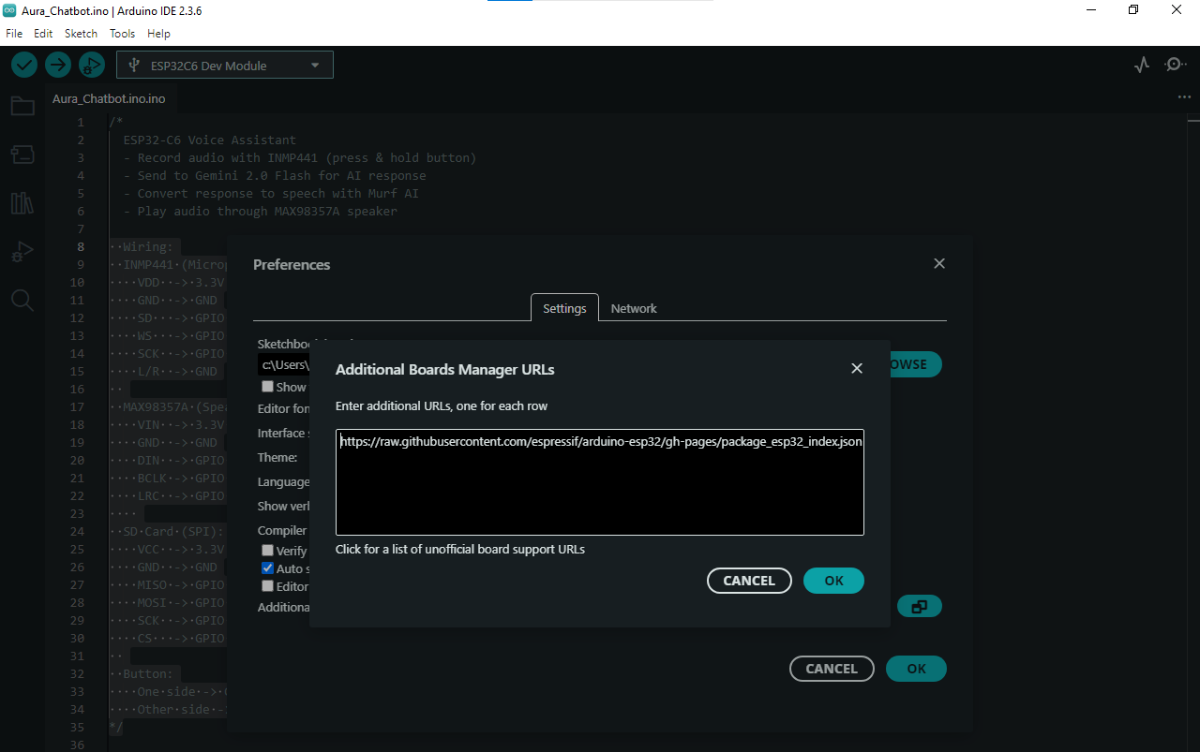
- Go to Tools → Board → Boards Manager….
- Search “ESP32” and install esp32 by Espressif Systems (latest).
- Open the provided AURA_Chatbot.ino sketch into Arduino IDE.
.png)
.png)
.png)
- CHANGE SSID,PASSWORD ACCORDING TO YOUR WIFI SETTINGS
- CHANGE GEMINI API KEY OR MURF AI API KEY
.png)
GETTING GEMINI API KEY
- GETTING GEMINI API KEY FOR LLM(LARGE LANGUAGE MODEL)
- OPEN GOOGLE AI STUDIO BY THIS LINK https://ai.google.dev/gemini-api/docs/available-regions
.png)
- CLICK ON SIGN WHICH IS ON UPPER RIGHT CORNER
- AND SIGN IN BY YOUR EMAIL ID
- AFTER SIGN IN CLICK ON GET API KEY
.png)
- AFTER CLICKING IT SENT YOU TO API KEY SECTION
.png)
- CLICK ON CREATE API KEY
- AFTER NAME YOUR KEY e.g AURA CHATBOT
.png)
- SELECT DEFAULT GEMINI PROJECT
- AFTER CLICK ON CREATE KEY
- AFTER API KEY MAKING API KEY
- COPY IT AND PUT THIS API KEY INTO THE AURA CHATBOT SKETCH
.png)
GETTING AI API KEY FOR TTS
GETTING MURF AI API KEY
- OPEN MURF AI BY THIS LINK https://murf.ai/
- CLICK ON SIGN UP WHICH IS ON UPPER RIGHT CORNER
.png)
- AND SIGN IN WITH YOUR EMAIL ID
- AFTER SIGN IN CLICK ON THIS LINK https://murf.ai/
- AFTER OPEN IT CLICK ON GET API KEY
.png)
AFTER CLICKING IT SENT YOU TO MURF API SECTION
.png)
- AFTER CLICK API KEYS
.png)
- CLICK ON PLUS ICON AND NAME YOUR API KEY AND GENERATE API KEY
- COPY IT AND PASTE IT IN AURA CHATBOT SKETCH
- AFTER PASTE IT IN SKETCH CLICK ON UPLOAD
.png)
- AFTER UPLOADING CODE SO YOUR AURA CHATBAT IS READY TO ASSIST YOU
THE WORKING AURA CHATBOT VIDEO


