



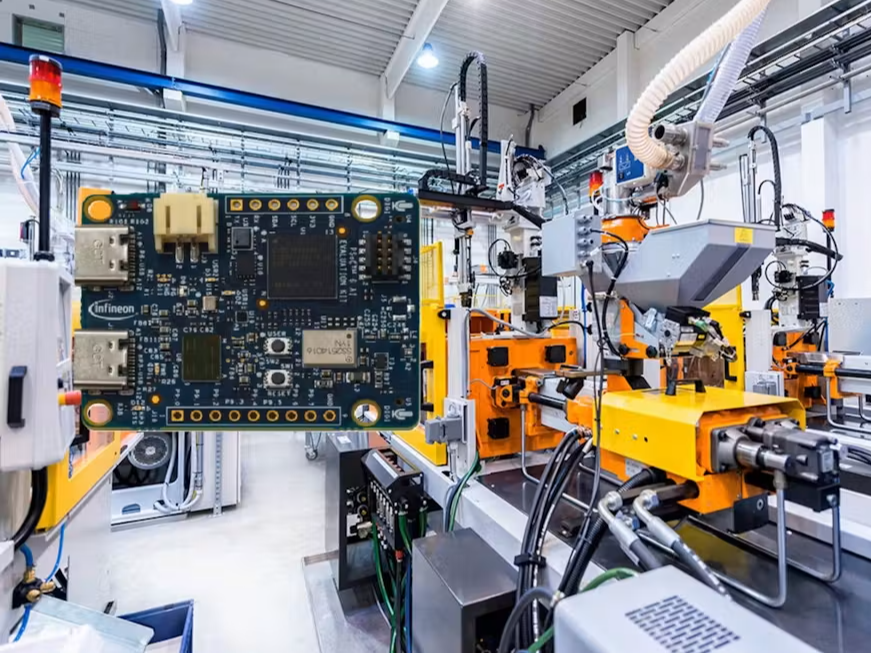
Predictive Maintenance System Using Infineon PSoC6 AI Kit and DeepCraft Studio**
1. Introduction
This project aims to develop an AI-based predictive maintenance system for industrial machines using the Infineon PSoC6 AI Kit and DeepCraft Studio. The system will:
- Collect real-time vibration data from the built-in IMU sensor (accelerometer & gyroscope).
- Stream this data to DeepCraft Studio for AI model training.
- Train an AI model to detect anomalies and predict machine failures.
- Deploy the trained model to the PSoC6 AI Kit using ModusToolbox.
- Provide early maintenance alerts to users.
2. Hardware & Software Requirements
Hardware:
- Infineon PSoC6 AI Kit (with IMU sensor)
- Industrial machine (for vibration data collection)
- USB/UART connection for data streaming
Software:
- DeepCraft Studio (AI model training)
- ModusToolbox (PSoC6 firmware development)
Im surprised To find a ready--made Example In DeepCraft Studio for Anomalous Vibration Detection
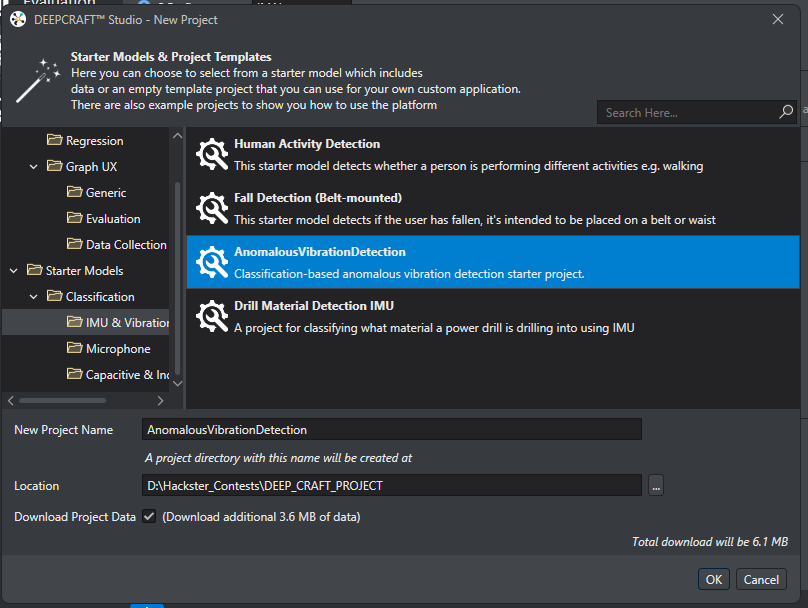
So This project will be divided to two sections
Section 1
First I will start to test the ready made Model.
Section 2
Then I will make my Model and Train it using my streamed IMU Data sets.
Both Models will be deployed and Tested On PSOC 6 AI KIT.
3. Section 1
Steps to Implement the Project using the ready-made Model.
in this section I will Generate The code for the ready-made Model using DeepCraft Studio
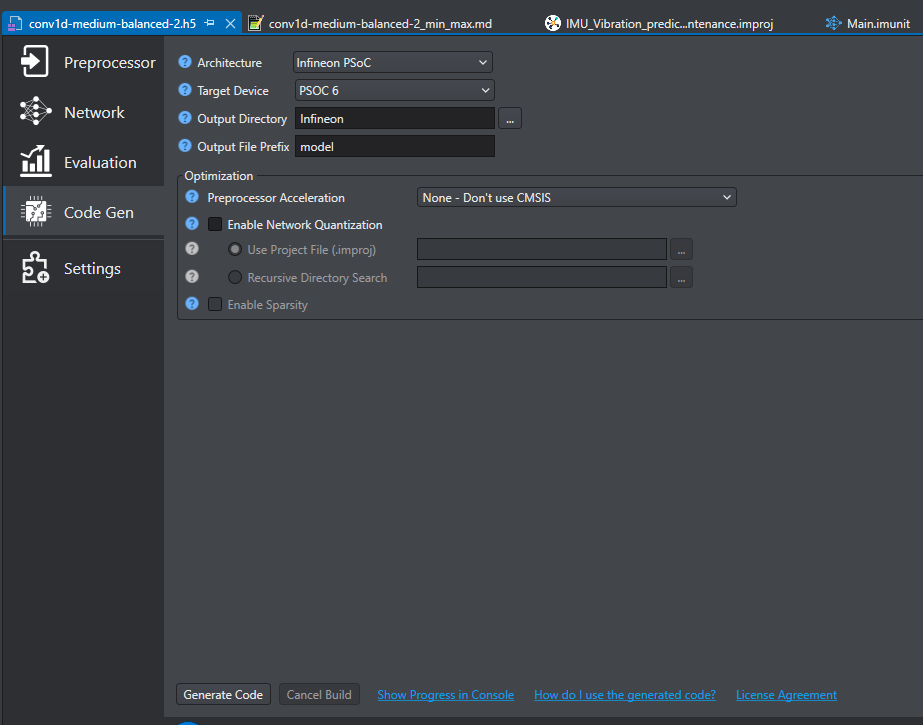
a- Generate Model.c & .h files :
select Infineon PSOC in the architecture, PSOC6 in Target Device, The output Folder and press Generate Code
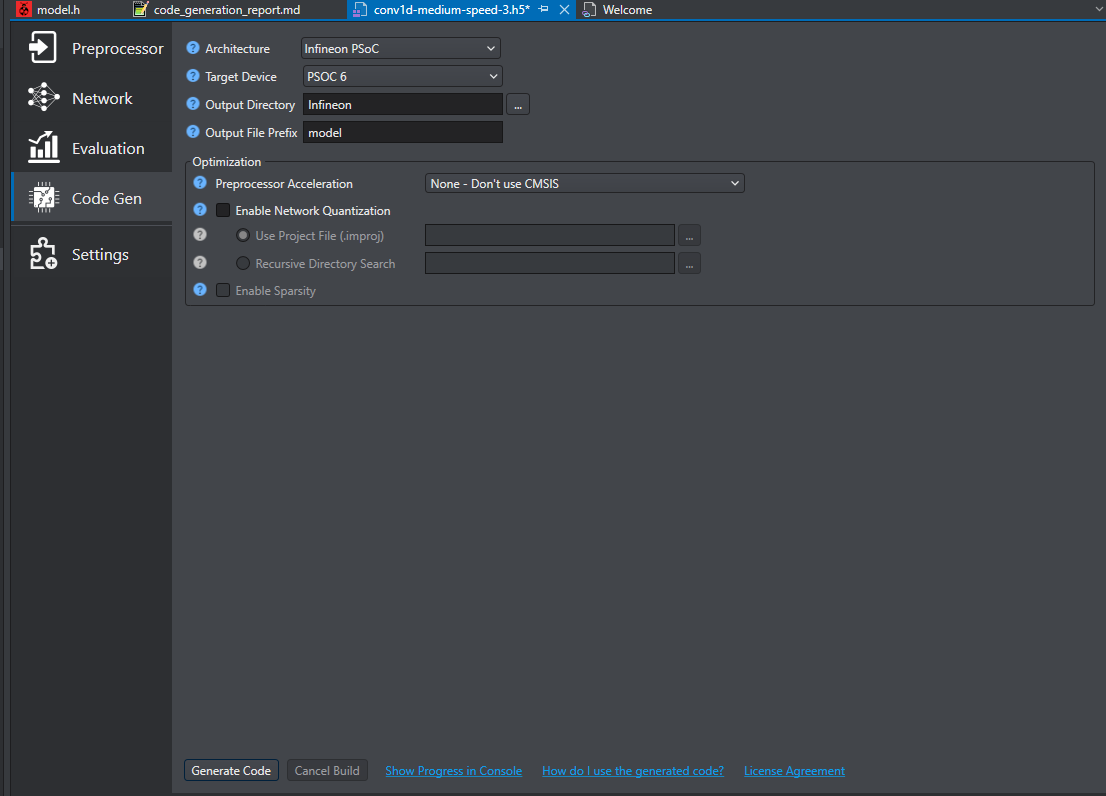
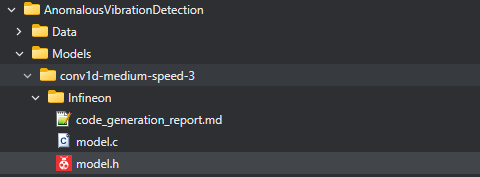
after Generating model.c & model.h files, you can find model files in the infineon folder copy Both Files model.c & model.h then we will go through deploy using Modustoolbox
b- Create Modustoolbox To Deploy the model :
1- open modustoolbox software and select your workspace
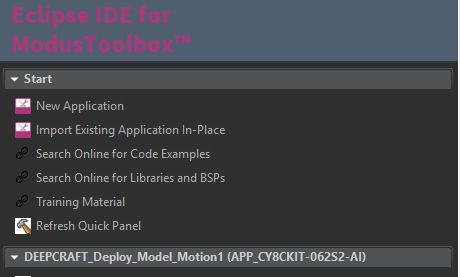
2- Create new project using New Application Wizard
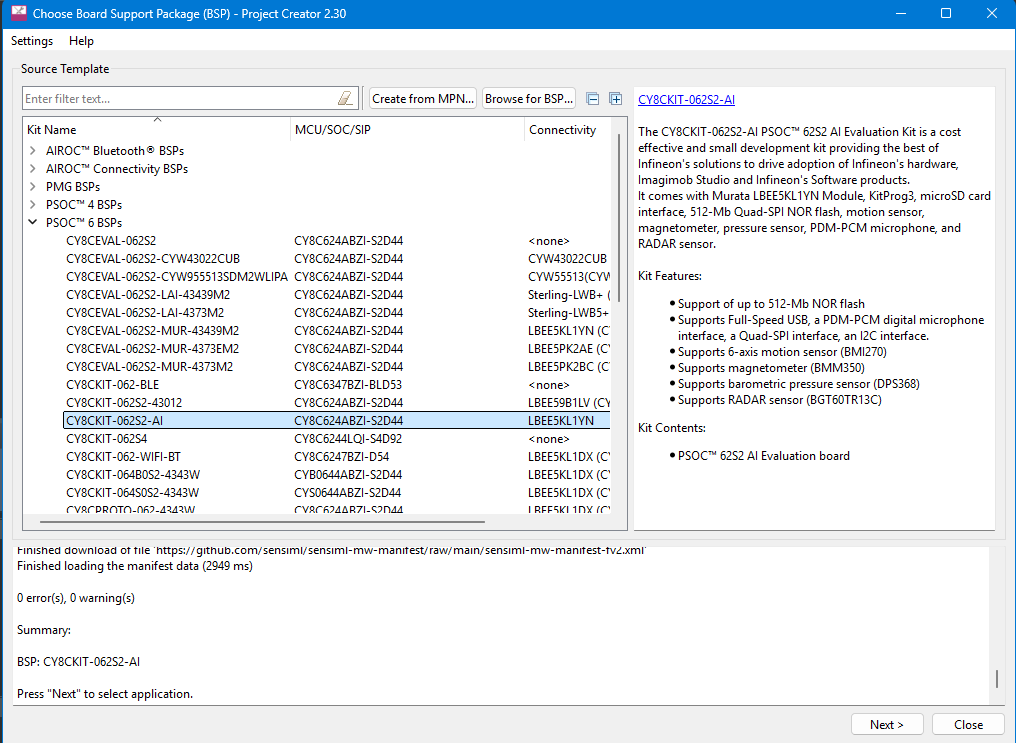
3-select CY8CKIT-062S2-AI PSOC as your BSP Then Next
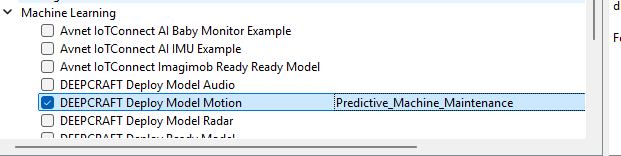
4- in Machine learning Section just choose DEEPCRAFT Deploy Model Motion, and Rename the project as you like and press create
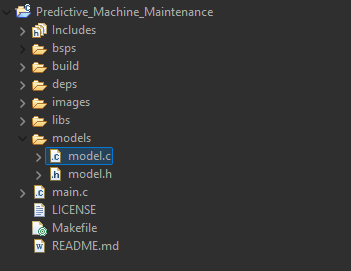
5- After creating your Modus Project open the models folder and just replace model.c and model.h with the generated files from DeepCraft Studio
you can add your custom code to main, c file to do any thing when the model run successfuly, in This Project The RED LED will Turn on When Anomally Detected
if(best_label >0 )
{
cyhal_gpio_write(CYBSP_USER_LED2,CYBSP_LED_STATE_OFF); //Turn RED LED ON WHEN ANOMALLY Detected
}
else {cyhal_gpio_write(CYBSP_USER_LED2,CYBSP_LED_STATE_ON);}
for now I would like to run only the ready model to test its working just Build the Project and wait to finish with no errors
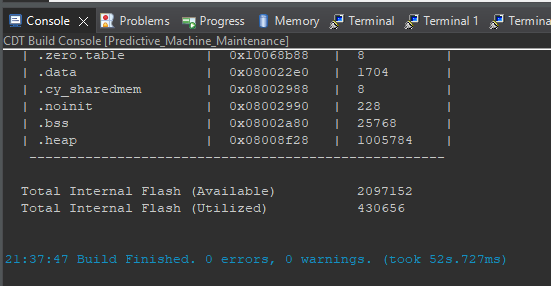
6- program your kit and open a serial console from Modustoolbox or putty or Tera Term as you like ( Baud :115200, 8, none, 1 )
Ready Vibration Model Deployment
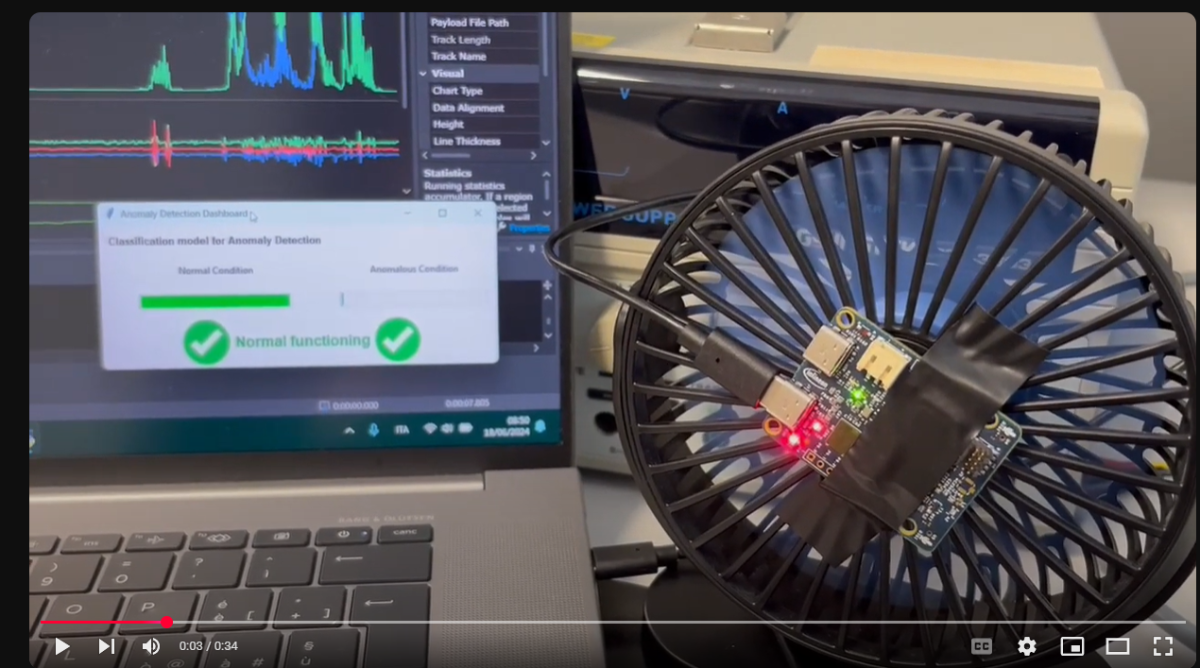
As noticed in the video, the kit must be in the same orientation as the original trained model, as shown in the next screenshot from the author's video, so this model is only trained in this orientation; any other orientation for the kit will give us an anomalous vibration even if nothing is vibrating. So I will train my model in a different orientation to avoid this.
4. Section 2
Steps to Implement the Project using My own Model.
a- Step 1: Collect & Stream IMU Sensor Data to DeepCraft Studio
1. -Configure the IMU Sensor (Accelerometer & Gyroscope)
- Use PSoC6’s SPI interface to read IMU data.
- Sample vibration data at 100 HZ (adjust based on machine vibrations).
- Apply FFT (Fast Fourier Transform) to extract frequency-domain features.
2-.Stream Data to DeepCraft Studio
- Use Streaming Protocol V2.
3-.Label Data for Training
- Collect normal and abnormal vibration patterns.
- Use timestamps to mark failure conditions.
- The created lable for this model is ( Normal, Need Maintainance, severe Failure).
b- Step 2: Build & Train the AI Model in DeepCraft Studio
1.Import Data into DeepCraft Studio
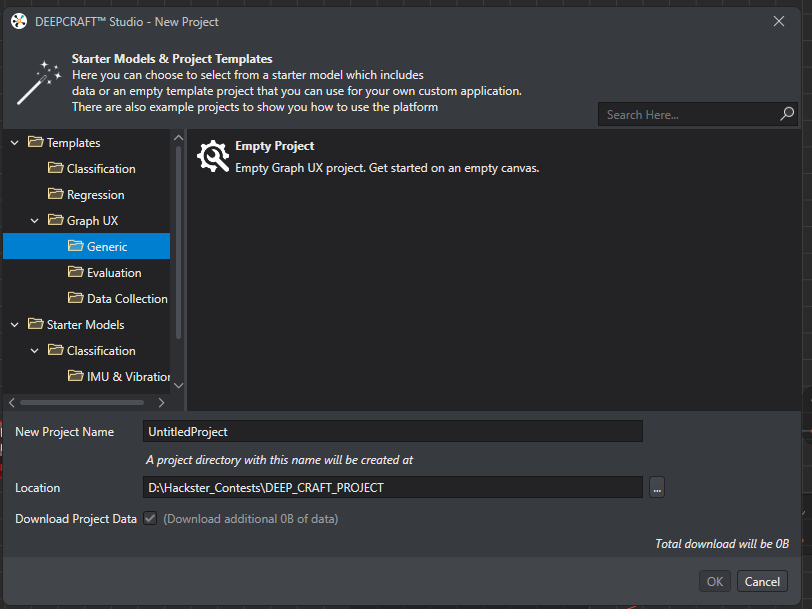
- Use Streaming Protocol V2 to stream IMU Data to Graph UX Project in DEEPCRAFT STUDIO.
- Create a new GRAPH UX project
- Preprocess data (normalization, noise filtering) If needed.
- set the IMU Input Data frequency to 100 HZ to get better data collection of high speed vibrations
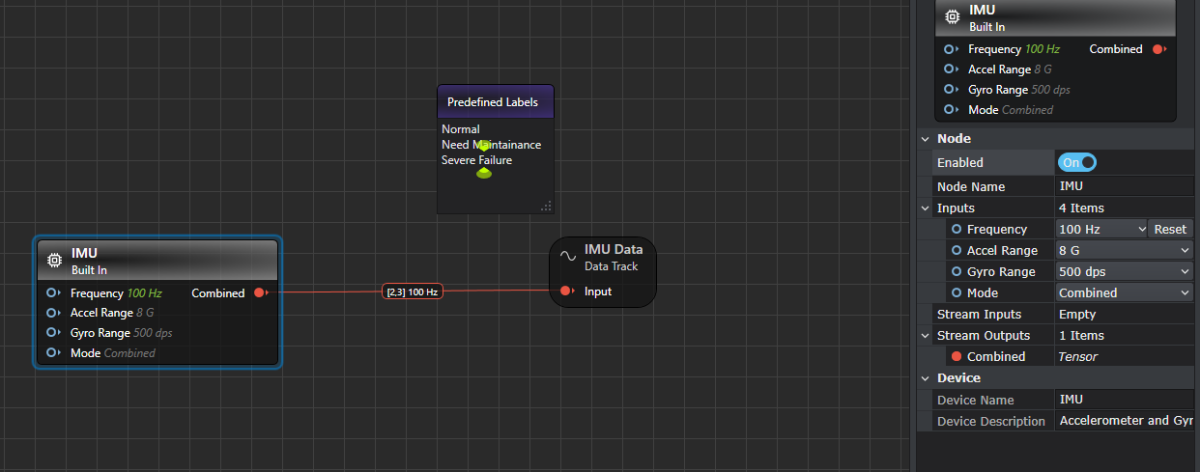
add a predefined Labales of (Normal, Need Maintenance, severe Failure)
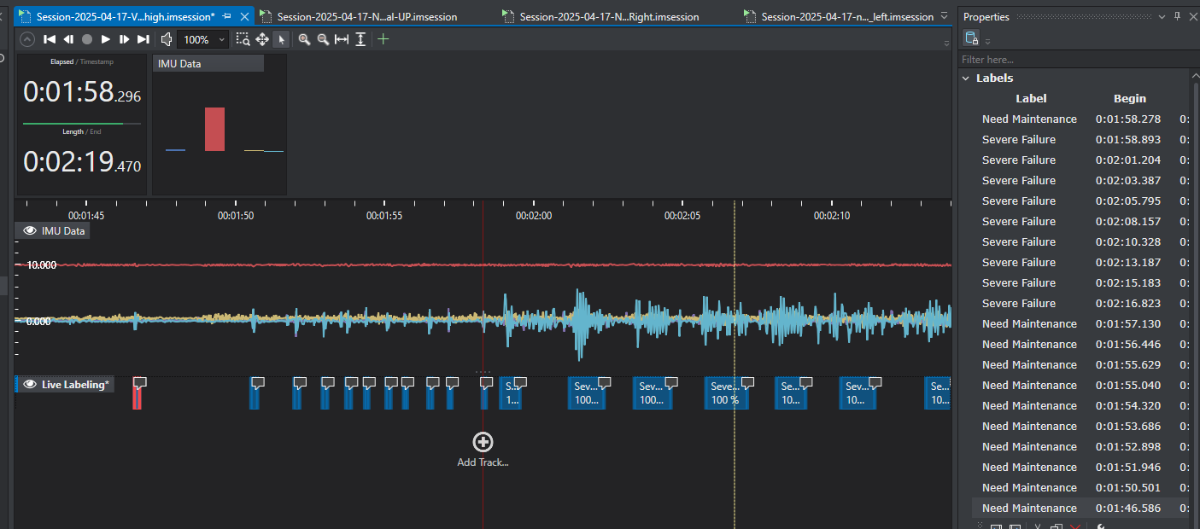
after that, I will begin to build my data set for a different situation to ensure the model will have a good training data set
so for normal, I will get the streamed data from the IMU in a different position
(The kit in Horizontal position—different vertical position)
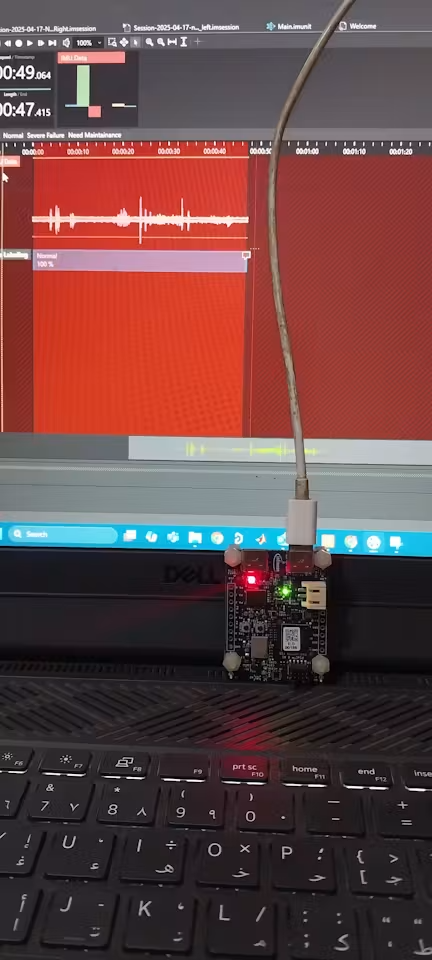
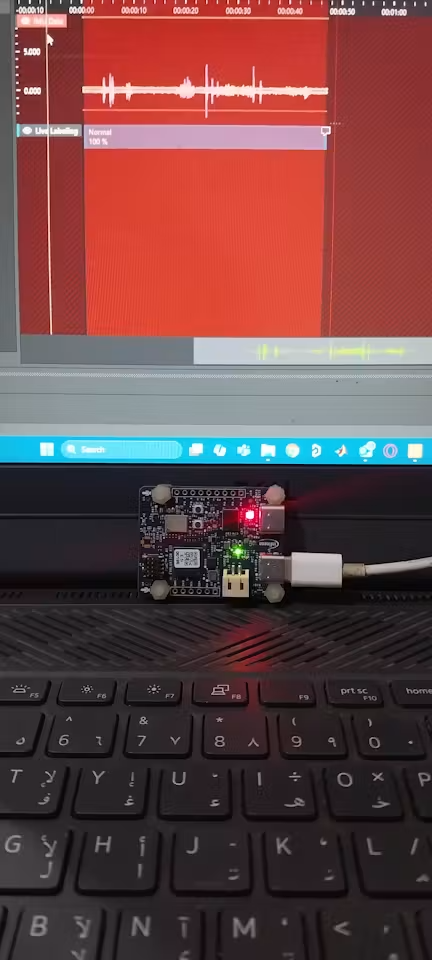
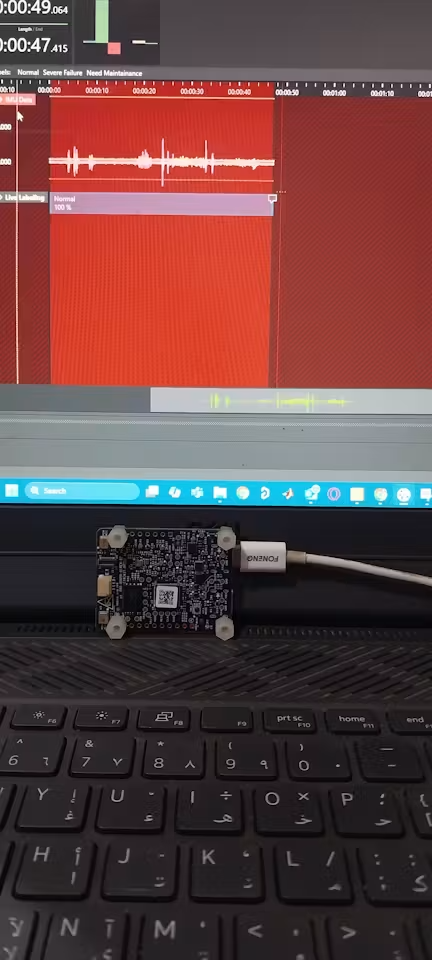
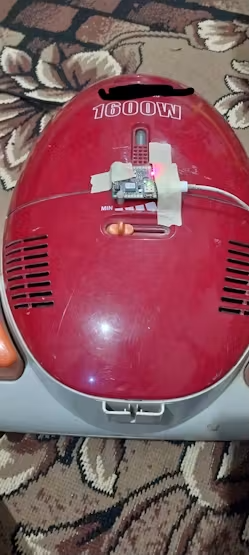
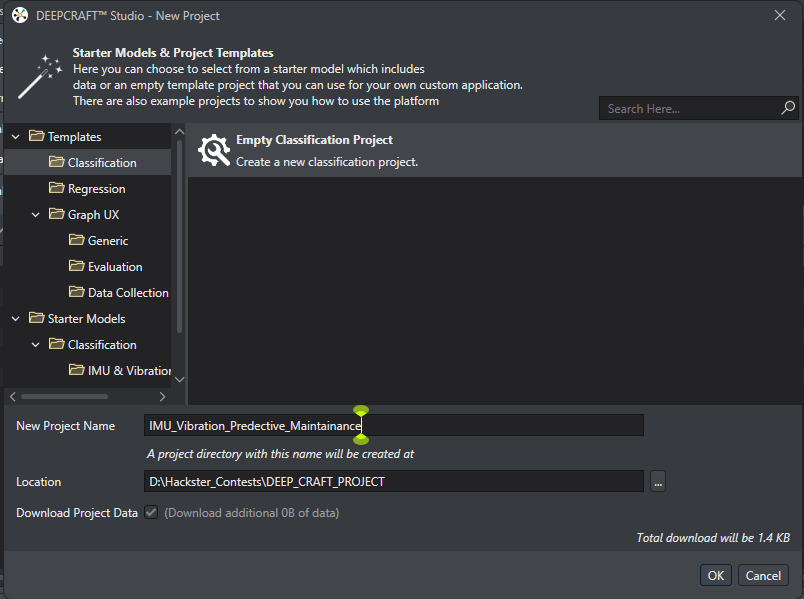
After Finished Collected Data sessions we will create our Classification Project
2- Create Empty Classification project
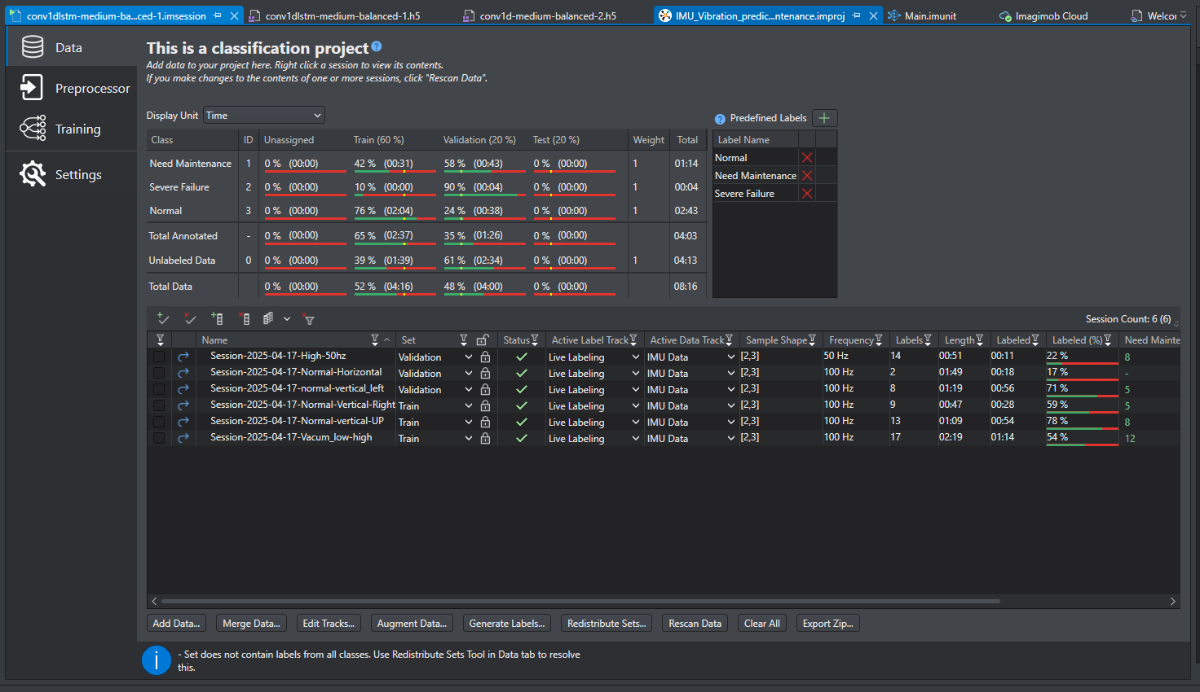
3- Add Data
in Data section of our classification project we will add the collected Vibration Data using ----> Add Data Button browse to the folder location of the Data
- Split data into train (70%), validation (20%), andtest (10%).
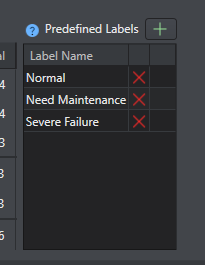
4. predefined label
Add the predefined label (Normal-Need maintenance, Severe Failure)
5. Preprocessor
In the Preprocessor tab create a sliding window size = [128*3]. number of data points stride = 6 buffer multiplier = (1)
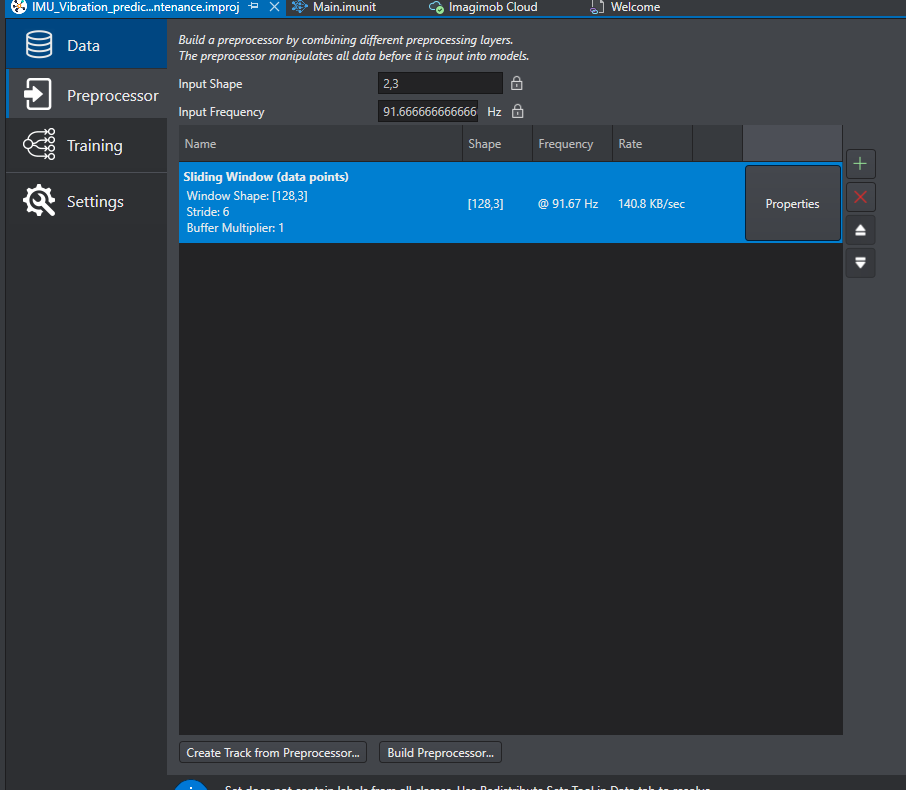
- Create track from preprocessor( wait until finished)
Then Build the preprocessor.
6. Design the AI Model
- Use a 1D CNN or LSTM (good for time-series vibration data).
Example model structure:
Input: 6 features (3-axis accel + 3-axis gyro)
Hidden Layers: Conv1D → LSTM → Dense
Output: Binary classification (normal/abnormal).
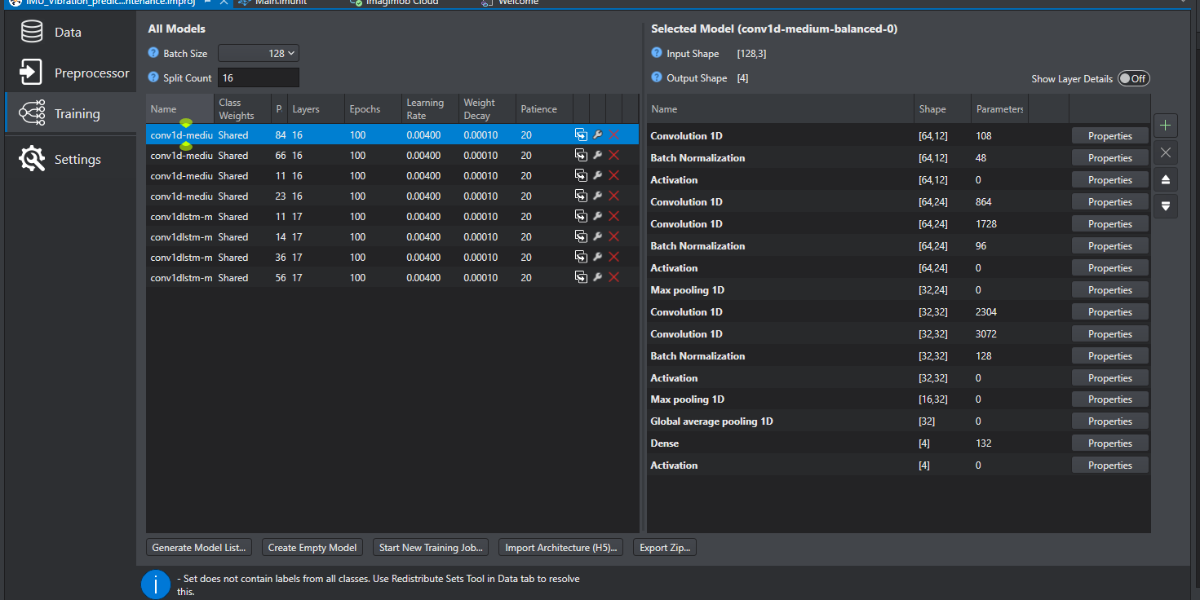
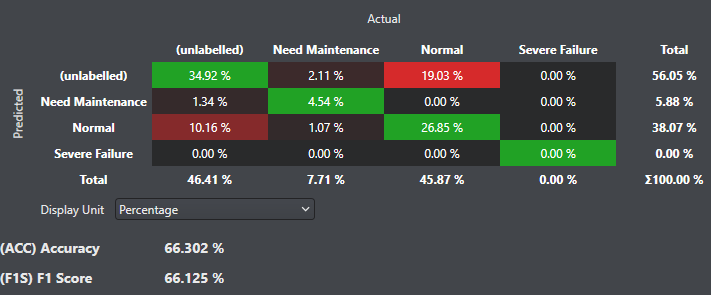
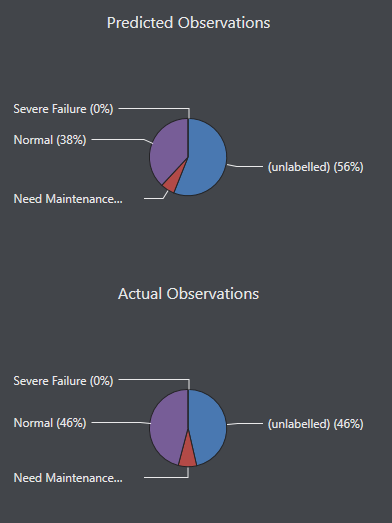
7. Train the Model
After setting model Parameters, Start New Training Job
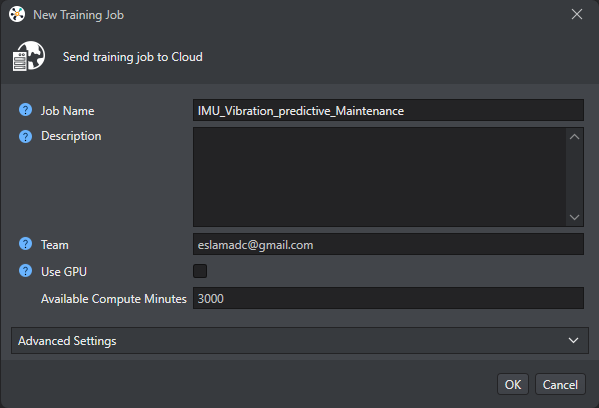
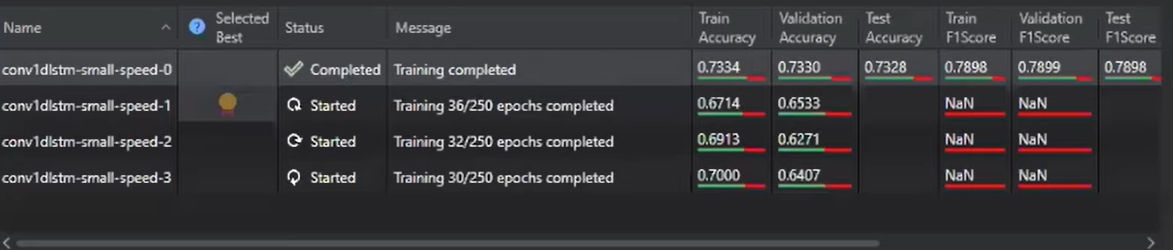
wait for the Job to be finished
then Download the best Trained Model
C- Step 3: Deploy the Model to PSoC6 AI Kit
1. Generate C Code from the Model
2. Repeat steps in Section 1 to deploy our Model
3 .Integrate the AI Model
Copy model.h model.c into the Modustoolbox project.
Load the model in main.c
D- Step 4: Test & Validate the System
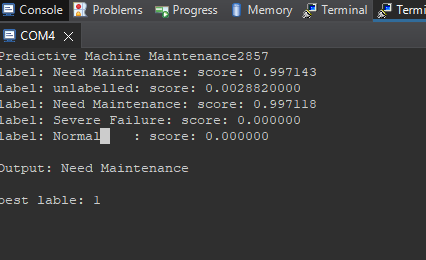
1. Bench Testing
- Simulate vibrations using a vacuum cleaner or a motor.
- Verify if the AI model detects anomalies.
2 . Real-World Testing
- Attach the PSoC6 to an industrial machine.
- Monitor
My Trained Model Deployment
- predictions vs. actual failures.
As shown here in the next video the model is working even if the Ai kit is in a different orientations
Test my Model on a Vacuum Cleaner
3.Optimizations
- Adjust sampling rate.
- Fine-tune AI model thresholds.
4. Expected Output
- The PSoC6 will continuously monitor vibrations.
- If abnormal patterns are detected, it will trigger an alert (LED/UART message).
- Users receive early warnings for maintenance.
5. Conclusion
This project demonstrates how to:
- Stream real-time IMU data to DeepCraft Studio.
- Train an AI model for predictive maintenance.
- Deploy the model on PSoC6 using ModusToolbox.
- Detect machine failures early and alert users.


